
sculk.network
One modpack for your Minecraft server and for every player who joins it.
Keep the modpack in GitHub, apply a change once, and the server and every player's launcher follow.
Documentation ·
Self-host ·
Develop ·
Releases ·
Write a plugin ·
Contributing
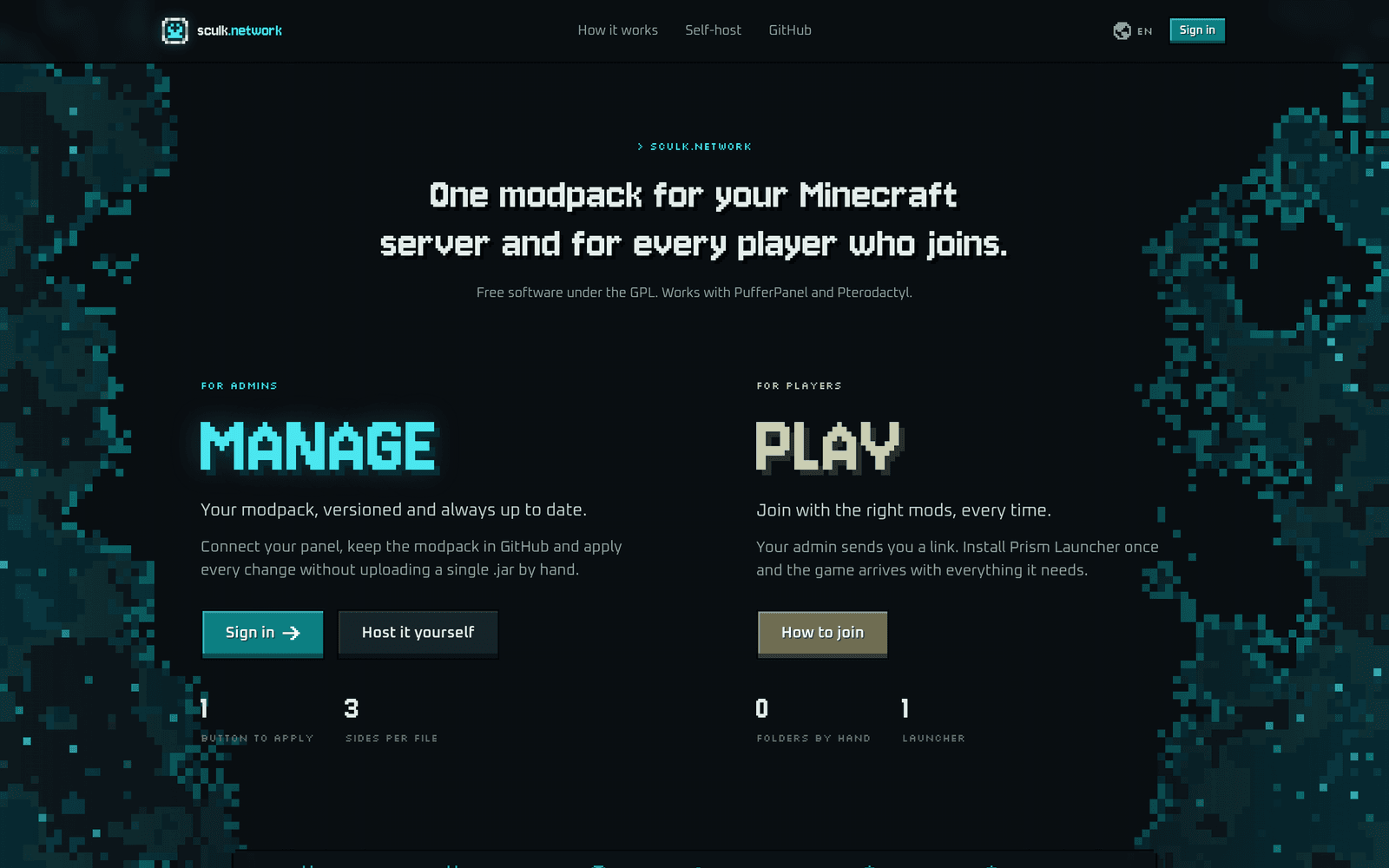
sculk.network manages a Minecraft modpack for a server and for every player who joins it. A server owner connects a PufferPanel or Pterodactyl server, keeps the modpack in a GitHub repository, and marks each mod and config as server-side, client-side or both. When the owner applies a change, the server gets it first. Players get it at their next Prism Launcher start, and never before the server runs it.
## What you get
| | |
| --- | --- |
| **Modpack in GitHub** | The pack is a repository with a `sculk.json` manifest. Every change is a commit, every apply is a published version, and History can undo it. |
| **Sides per file** | Mark each mod and config as server, client or both, so players never download what only the server needs. |
| **Server first** | Applying a change restarts the server on the new version. Players sync at their next launch and never get a version the server does not run. |
| **Panels you already use** | PufferPanel and Pterodactyl through declarative [backend plugins](https://docs.sculk.network/nightly/sculk/plugins/format-v1.md). Console, files, power and live stats are in the same app. |
| **Players and roles** | Owner, admin, moderator, user and custom roles with explicit permissions. Players link their Minecraft account by joining a server, with no Microsoft app approval. |
| **One image** | The API and the web app are one Docker image on port 8080 with a SQLite file under `/data`. |
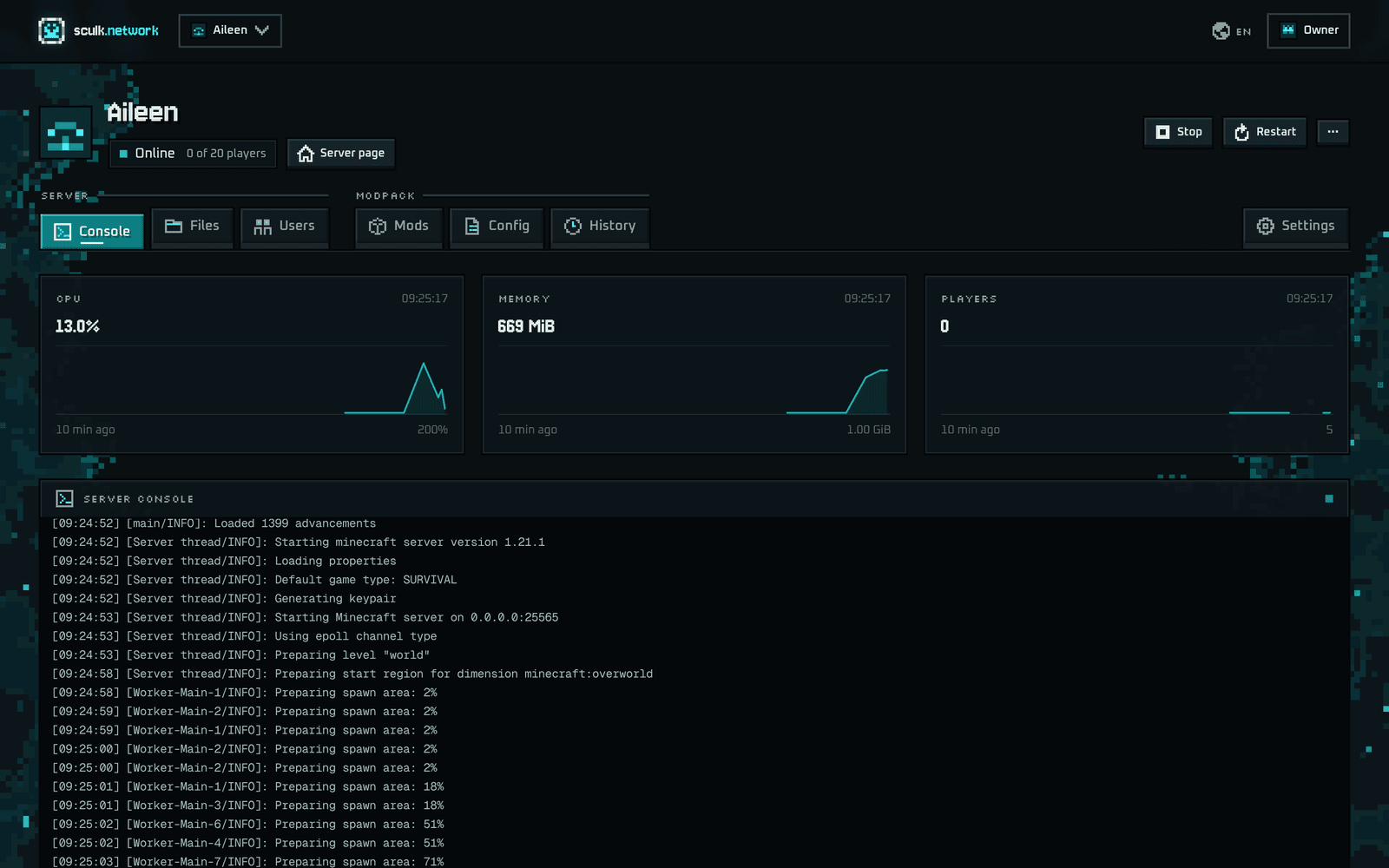
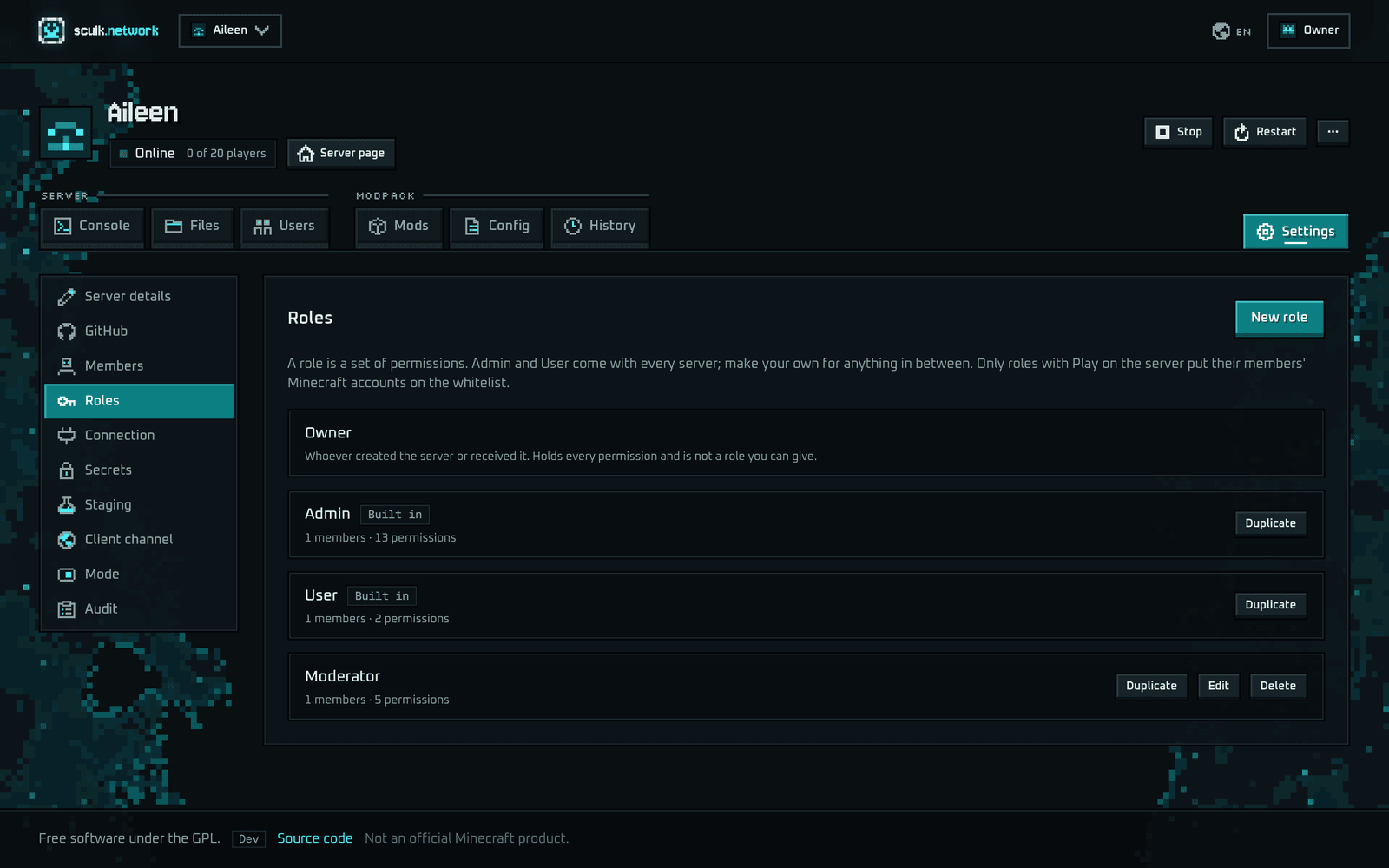
The documentation of sculk.network, OAuthMC and Sculkworm is also published at [docs.sculk.network](https://docs.sculk.network), with both release channels (`/stable/` for the latest stable releases and `/nightly/` for `main`) and Markdown twins for AI agents.
## Run it
[Host sculk.network yourself](https://docs.sculk.network/nightly/sculk/self-hosting.md) walks through the image, the settings in `.env`, sign-in, backups and upgrades. The short version:
```sh
cp .env.example .env # then fill in SCULK_BASE_URL, SCULK_MASTER_KEY and one OAuth app
docker compose up -d
```
The app answers on http://localhost:8080. Set `SCULK_PORT` in `.env` to use another host address and port, such as `127.0.0.1:8080` behind an https proxy, and `SCULK_IMAGE` to run a tagged image instead of building one. The named volume `sculk-data` holds the database, so `docker compose down` keeps it and `docker compose down -v` deletes it.
## The pieces
| Path | What it is |
| --- | --- |
| [`apps/server`](https://github.com/YellowUmbrellaDev/sculk.network/blob/96e9a1b/apps/server) | Hono API, jobs and SQLite migrations |
| [`apps/web`](https://github.com/YellowUmbrellaDev/sculk.network/blob/96e9a1b/apps/web) | React web app and landing page, in English and Spanish |
| [`apps/docs`](https://docs.sculk.network/nightly/sculk/development.md#documentation-site) | The documentation site for all three products, built into one Cloudflare Worker (`docs.sculk.network`, serving `/stable/` and `/nightly/`) |
| [`clients/sync`](https://docs.sculk.network/nightly/sculk/clients/sync.md) | Java sync jar that Prism Launcher runs before every launch |
| [`packages/manifest`](https://github.com/YellowUmbrellaDev/sculk.network/blob/96e9a1b/packages/manifest) | The `sculk.json` manifest schema and its logic |
| [`packages/plugins`](https://docs.sculk.network/nightly/sculk/plugins/format-v1.md) and [`plugins/*`](https://github.com/YellowUmbrellaDev/sculk.network/blob/96e9a1b/plugins) | The backend plugin format and the PufferPanel and Pterodactyl plugins |
| [`crates/oauthmc`](https://docs.sculk.network/nightly/oauthmc.md) | OAuthMC: verifies a Minecraft account when the player joins a server. Standalone, MIT |
| [`crates/sculkworm`](https://docs.sculk.network/nightly/sculkworm.md) | Sculkworm: routes Minecraft connections by hostname and gates them behind a login. Standalone, MIT |
OAuthMC and Sculkworm run without sculk.network. sculk.network uses OAuthMC to link Minecraft accounts and registers its servers' routes in Sculkworm, see [Sculkworm integration](https://docs.sculk.network/nightly/sculk/sculkworm-integration.md) and [OIDC provider](https://docs.sculk.network/nightly/sculk/oidc-provider.md).
## Develop
You need Node.js 22 and pnpm 11.
```sh
pnpm install
pnpm lint
pnpm typecheck
pnpm test
pnpm build
```
Pull requests target `main`. Every night `main` is published as a nightly, and the maintainers promote a nightly that held up to a stable release; until 1.0.0, stable is the beta. [AGENTS.md](https://github.com/YellowUmbrellaDev/sculk.network/blob/96e9a1b/AGENTS.md) lists the conventions, [the development guide](https://docs.sculk.network/nightly/sculk/development.md) explains branches, CI and the dev server, and [the release guide](https://docs.sculk.network/nightly/sculk/releases.md) explains channels, versions and feature stages.
`pnpm build` writes the server bundle to `apps/server/dist` and the web app to `apps/server/public`. Run it with `node apps/server/dist/index.js`. Set `SCULK_DATA_DIR` to a writable folder when you run outside the image, because the default is `/data`.
`pnpm lane up` starts a private copy of the app in Docker, with mock sign-in and an optional PufferPanel and Minecraft server, to try a change by hand. The [`verify-sculk` skill](https://github.com/YellowUmbrellaDev/sculk.network/blob/96e9a1b/.agents/skills/verify-sculk/SKILL.md) explains how.
## License
sculk.network is free software. You can redistribute it and modify it under the terms of the GNU General Public License as published by the Free Software Foundation, either version 2 of the License or, at your option, any later version. `LICENSE` holds the text of version 2.
`crates/oauthmc` and `crates/sculkworm` are licensed separately under the MIT License (see `LICENSE` in each crate).