Source: https://docs.sculk.network/nightly/sculk.md

sculk.network
One modpack for your Minecraft server and for every player who joins it.
Keep the modpack in GitHub, apply a change once, and the server and every player's launcher follow.
Documentation ·
Self-host ·
Develop ·
Releases ·
Write a plugin ·
Contributing
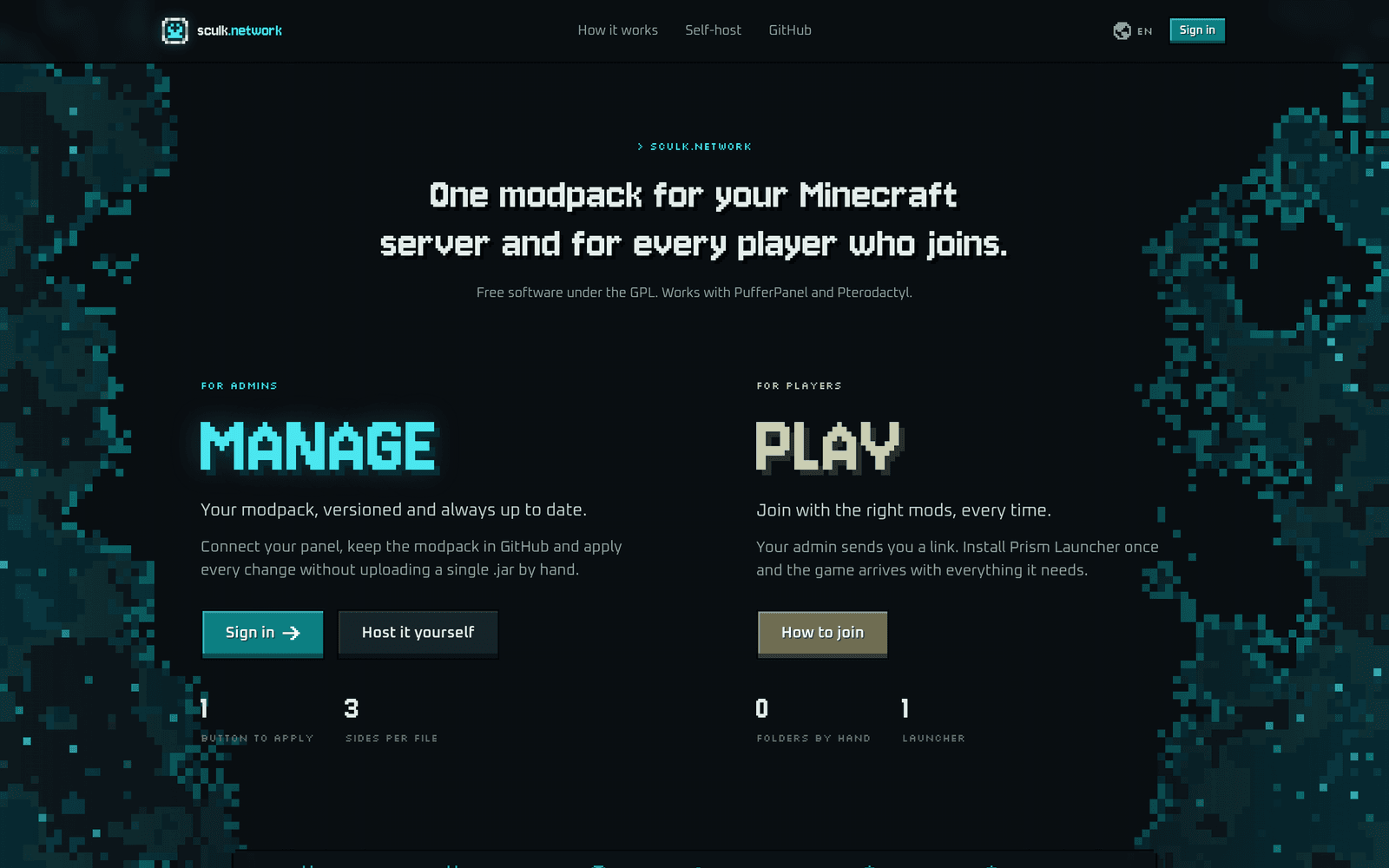
sculk.network manages a Minecraft modpack for a server and for every player who joins it. A server owner connects a PufferPanel or Pterodactyl server, keeps the modpack in a GitHub repository, and marks each mod and config as server-side, client-side or both. When the owner applies a change, the server gets it first. Players get it at their next Prism Launcher start, and never before the server runs it.
## What you get
| | |
| --- | --- |
| **Modpack in GitHub** | The pack is a repository with a `sculk.json` manifest. Every change is a commit, every apply is a published version, and History can undo it. |
| **Sides per file** | Mark each mod and config as server, client or both, so players never download what only the server needs. |
| **Server first** | Applying a change restarts the server on the new version. Players sync at their next launch and never get a version the server does not run. |
| **Panels you already use** | PufferPanel and Pterodactyl through declarative [backend plugins](https://docs.sculk.network/nightly/sculk/plugins/format-v1.md). Console, files, power and live stats are in the same app. |
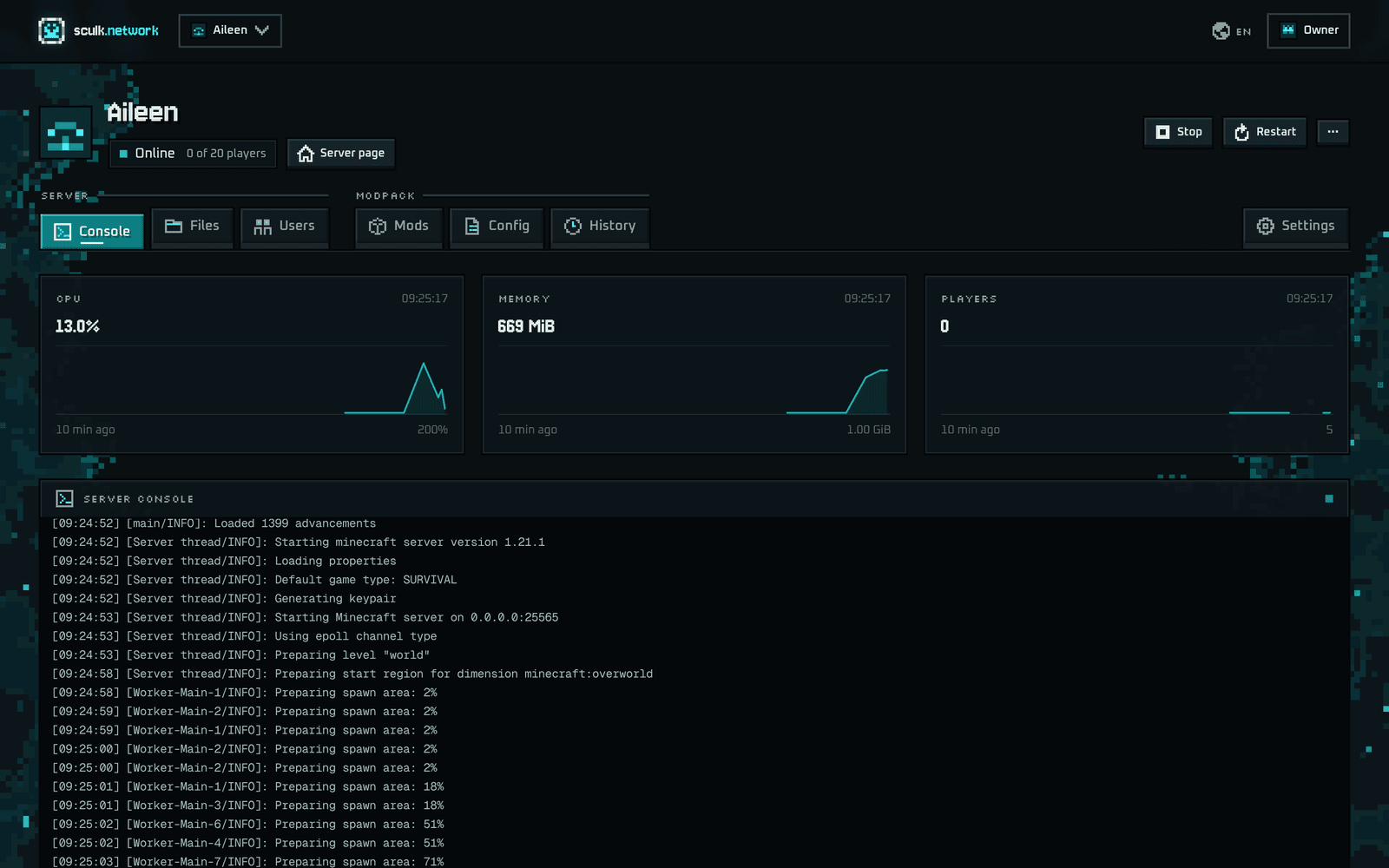
| **Players and roles** | Owner, admin, moderator, user and custom roles with explicit permissions. Players link their Minecraft account by joining a server, with no Microsoft app approval. |
| **One image** | The API and the web app are one Docker image on port 8080 with a SQLite file under `/data`. |
The documentation of sculk.network, OAuthMC and Sculkworm is also published at [docs.sculk.network](https://docs.sculk.network), with both release channels (`/stable/` for the latest stable releases and `/nightly/` for `main`) and Markdown twins for AI agents.
## Run it
[Host sculk.network yourself](https://docs.sculk.network/nightly/sculk/self-hosting.md) walks through the image, the settings in `.env`, sign-in, backups and upgrades. The short version:
```sh
cp .env.example .env # then fill in SCULK_BASE_URL, SCULK_MASTER_KEY and one OAuth app
docker compose up -d
```
The app answers on http://localhost:8080. Set `SCULK_PORT` in `.env` to use another host address and port, such as `127.0.0.1:8080` behind an https proxy, and `SCULK_IMAGE` to run a tagged image instead of building one. The named volume `sculk-data` holds the database, so `docker compose down` keeps it and `docker compose down -v` deletes it.
## The pieces
| Path | What it is |
| --- | --- |
| [`apps/server`](https://github.com/YellowUmbrellaDev/sculk.network/blob/26cfdac/apps/server) | Hono API, jobs and SQLite migrations |
| [`apps/web`](https://github.com/YellowUmbrellaDev/sculk.network/blob/26cfdac/apps/web) | React web app and landing page, in English and Spanish |
| [`apps/docs`](https://docs.sculk.network/nightly/sculk/development.md#documentation-site) | The documentation site for all three products, built into one Cloudflare Worker (`docs.sculk.network`, serving `/stable/` and `/nightly/`) |
| [`clients/sync`](https://docs.sculk.network/nightly/sculk/clients/sync.md) | Java sync jar that Prism Launcher runs before every launch |
| [`packages/manifest`](https://github.com/YellowUmbrellaDev/sculk.network/blob/26cfdac/packages/manifest) | The `sculk.json` manifest schema and its logic |
| [`packages/plugins`](https://docs.sculk.network/nightly/sculk/plugins/format-v1.md) and [`plugins/*`](https://github.com/YellowUmbrellaDev/sculk.network/blob/26cfdac/plugins) | The backend plugin format and the PufferPanel and Pterodactyl plugins |
| [`crates/oauthmc`](https://docs.sculk.network/nightly/oauthmc.md) | OAuthMC: verifies a Minecraft account when the player joins a server. Standalone, MIT |
| [`crates/sculkworm`](https://docs.sculk.network/nightly/sculkworm.md) | Sculkworm: routes Minecraft connections by hostname and gates them behind a login. Standalone, MIT |
OAuthMC and Sculkworm run without sculk.network. sculk.network uses OAuthMC to link Minecraft accounts and registers its servers' routes in Sculkworm, see [Sculkworm integration](https://docs.sculk.network/nightly/sculk/sculkworm-integration.md) and [OIDC provider](https://docs.sculk.network/nightly/sculk/oidc-provider.md).
## Develop
You need Node.js 22 and pnpm 11.
```sh
pnpm install
pnpm lint
pnpm typecheck
pnpm test
pnpm build
```
Pull requests target `main`. Every night `main` is published as a nightly, and the maintainers promote a nightly that held up to a stable release; until 1.0.0, stable is the beta. [AGENTS.md](https://github.com/YellowUmbrellaDev/sculk.network/blob/26cfdac/AGENTS.md) lists the conventions, [the development guide](https://docs.sculk.network/nightly/sculk/development.md) explains branches, CI and the dev server, and [the release guide](https://docs.sculk.network/nightly/sculk/releases.md) explains channels, versions and feature stages.
`pnpm build` writes the server bundle to `apps/server/dist` and the web app to `apps/server/public`. Run it with `node apps/server/dist/index.js`. Set `SCULK_DATA_DIR` to a writable folder when you run outside the image, because the default is `/data`.
`pnpm lane up` starts a private copy of the app in Docker, with mock sign-in and an optional PufferPanel and Minecraft server, to try a change by hand. The [`verify-sculk` skill](https://github.com/YellowUmbrellaDev/sculk.network/blob/26cfdac/.agents/skills/verify-sculk/SKILL.md) explains how.
## License
sculk.network is free software. You can redistribute it and modify it under the terms of the GNU General Public License as published by the Free Software Foundation, either version 2 of the License or, at your option, any later version. `LICENSE` holds the text of version 2.
`crates/oauthmc` and `crates/sculkworm` are licensed separately under the MIT License (see `LICENSE` in each crate).
---
Source: https://docs.sculk.network/nightly/sculk/self-hosting.md
# Host sculk.network yourself
This guide runs your own copy of sculk.network with Docker Compose. Follow the sections in order. At the end of "Sign in and connect your first server" you are signed in as the owner of a connected server. You can add GitHub and CurseForge later.
Every command runs in a terminal on the host. Each command block shows what it prints. Lines in angle brackets, like ``, are values that differ on your machine.
## Before you start
You need:
- A Linux host with Docker Engine and the Compose plugin version 2 or later.
- A name or address that you and your players can reach, for example `https://sculk.example.org`. Players' launchers download mods from it.
- Git and OpenSSL.
Run one sculk.network container per database. Two containers on the same data volume corrupt each other's state.
Check Docker and Compose:
```sh
docker compose version
```
```text
Docker Compose version v2..
```
Any version that starts with `v2` or later works.
## Get the code and build the image
```sh
git clone https://github.com/YellowUmbrellaDev/sculk.network.git
cd sculk.network
```
```text
Cloning into 'sculk.network'...
```
To run a specific release, check out its tag now with `git checkout `.
Build the image. The build argument puts the commit into `/healthz`, so you can always see which code runs.
```sh
docker build --build-arg SCULK_COMMIT="$(git rev-parse HEAD)" -t sculk .
```
`/healthz` reports the version `0.0.0-dev` for an image you build yourself. If you checked out a release tag such as `v0.2.0`, add `--build-arg SCULK_VERSION=0.2.0` and it reports that version instead.
The build takes a few minutes. It ends with:
```text
=> => naming to docker.io/library/sculk:latest
```
## Create the master key
sculk.network encrypts panel credentials, API keys and other secrets in its database with one master key. Create it:
```sh
openssl rand -base64 32
```
```text
<44 characters ending in =>
```
Store a copy of this key somewhere other than this host and other than your backups, for example in your password manager. Without it, nobody can read the secrets in the database or in a backup of it. If you lose it, [Lost the master key](#lost-the-master-key) explains how to start again without those secrets.
## Copy `.env.example` to `.env`
All settings live in one file, `.env`, next to `compose.yml`. Start from the example:
```sh
cp .env.example .env
```
This prints nothing. Open `.env` in an editor, fill in the two required lines, and add `SCULK_PORT` at the end:
```sh
SCULK_BASE_URL=https://sculk.example.org
SCULK_MASTER_KEY=
SCULK_PORT=127.0.0.1:8080
```
`SCULK_PORT` is the host address and port Compose publishes the container on. `127.0.0.1:8080` keeps it on this host only, so the only way in is your https reverse proxy. Without it, Compose publishes plain http on port 8080 on every network interface, and anyone who reaches the host skips your proxy. Keep it in `.env` rather than typing it in the shell, so every later `docker compose up -d` uses it. Use another port, such as `127.0.0.1:9000`, if 8080 is taken.
Keep `.env` private. It holds your master key and, later, your OAuth and GitHub secrets. Never commit it.
This table lists every setting. Optional settings are commented out in `.env.example` with their default value.
| Name | Required | Default | Secret | What it does | Explained in |
| --- | --- | --- | --- | --- | --- |
| `SCULK_COMMIT` | no | | no | Commit that /healthz prints. The image build sets it. | [Get the code and build the image](#get-the-code-and-build-the-image) |
| `SCULK_VERSION` | no | | no | Version that /healthz and the User-Agent print. The release build sets it; 0.0.0-dev otherwise. | [Get the code and build the image](#get-the-code-and-build-the-image) |
| `SCULK_MASTER_KEY` | yes | | yes | 32 random bytes in base64 that seal stored secrets. | [Create the master key](#create-the-master-key) |
| `SCULK_BASE_URL` | yes | | no | Public https origin players and owners reach. | [Copy .env.example to .env](#copy-envexample-to-env) |
| `SCULK_OIDC_ADMINS` | no | | no | Comma-separated user IDs allowed to manage OIDC clients, grants, and signing keys. | [Serve as an OpenID Connect provider](#serve-as-an-openid-connect-provider) |
| `SCULK_TRUSTED_PROXIES` | no | | no | Comma-separated trusted reverse-proxy IPs or CIDRs whose X-Forwarded-For header is read for rate limiting. | [Start sculk.network](#start-sculknetwork) |
| `SCULK_PUBLIC` | no | | no | Set to 1 on an instance open to the internet. | [Copy .env.example to .env](#copy-envexample-to-env) |
| `SCULK_DEV_IDP_URL` | no | | no | Development only. Sends sign-in to a mock provider. | [Copy .env.example to .env](#copy-envexample-to-env) |
| `SCULK_LOG_LEVEL` | no | | no | Set to debug to log each file the client channel reads. | [Copy .env.example to .env](#copy-envexample-to-env) |
| `SCULK_FEATURES` | no | | no | Comma-separated feature names to force on, or off with a leading -. See docs/releases.md#feature-stages. | [Copy .env.example to .env](#copy-envexample-to-env) |
| `SCULK_CONTACT` | no | `https://github.com/YellowUmbrellaDev/sculk.network` | no | Contact URL sent to Modrinth and Mojang. | [Copy .env.example to .env](#copy-envexample-to-env) |
| `SCULK_IMPORT_MAX_MB` | no | `512` | no | Largest modpack upload, in MB. | [Copy .env.example to .env](#copy-envexample-to-env) |
| `SCULK_MODRINTH_BASE` | no | `https://api.modrinth.com/v2` | no | Modrinth API base URL. | [Copy .env.example to .env](#copy-envexample-to-env) |
| `SCULK_MODRINTH_RPM` | no | `250` | no | Modrinth requests per minute. | [Copy .env.example to .env](#copy-envexample-to-env) |
| `SCULK_MOJANG_BASE_URL` | no | `https://api.minecraftservices.com` | no | Mojang API base URL. | [Copy .env.example to .env](#copy-envexample-to-env) |
| `GOOGLE_CLIENT_ID` | no | | no | Google OAuth client ID. | [Create one OAuth app](#create-one-oauth-app) |
| `GOOGLE_CLIENT_SECRET` | no | | yes | Google OAuth client secret. | [Create one OAuth app](#create-one-oauth-app) |
| `DISCORD_CLIENT_ID` | no | | no | Discord OAuth client ID. | [Create one OAuth app](#create-one-oauth-app) |
| `DISCORD_CLIENT_SECRET` | no | | yes | Discord OAuth client secret. | [Create one OAuth app](#create-one-oauth-app) |
| `MICROSOFT_CLIENT_ID` | no | | no | Microsoft OAuth client ID. | [Create one OAuth app](#create-one-oauth-app) |
| `MICROSOFT_CLIENT_SECRET` | no | | yes | Microsoft OAuth client secret. | [Create one OAuth app](#create-one-oauth-app) |
| `SCULK_MS_VERIFY` | no | | no | Set to 1 to let players prove Minecraft ownership. | [Create one OAuth app](#create-one-oauth-app) |
| `SCULK_NAME_CLAIM` | no | | no | Set to 1 to let players link a Minecraft name they type, with no proof. | [Create one OAuth app](#create-one-oauth-app) |
| `SCULK_OAUTHMC_URL` | no | | no | Base URL of the OAuthMC HTTP API, for example http://oauthmc:8080. | [Verify Minecraft accounts by joining a server](#verify-minecraft-accounts-by-joining-a-server) |
| `SCULK_OAUTHMC_KEY` | no | | yes | Bearer API key for OAuthMC (must match OAUTHMC_API_KEYS). | [Verify Minecraft accounts by joining a server](#verify-minecraft-accounts-by-joining-a-server) |
| `SCULK_OAUTHMC_ADDRESS` | no | | no | Minecraft server address players join to get their code, for example verify.sculk.network. | [Verify Minecraft accounts by joining a server](#verify-minecraft-accounts-by-joining-a-server) |
| `SCULKWORM_URL` | no | | no | Base URL of the Sculkworm HTTP admin API, for example http://sculkworm:8080. | [Route servers through Sculkworm](#route-servers-through-sculkworm) |
| `SCULKWORM_API_KEY` | no | | yes | Tenant bearer API key for Sculkworm (must match SCULKWORM_TENANTS_FILE). | [Route servers through Sculkworm](#route-servers-through-sculkworm) |
| `SCULKWORM_BASE_DOMAIN` | no | | no | Base domain under which sculk.network registers server routes, for example play.sculk.network. | [Route servers through Sculkworm](#route-servers-through-sculkworm) |
| `SCULKWORM_PUBLIC_URL` | no | | no | Public https URL players use to reach the shared Sculkworm relay, for example https://relay.sculk.network. | [Route servers through Sculkworm](#route-servers-through-sculkworm) |
| `SCULKWORM_OIDC_CLIENT` | no | | no | OIDC client name in the relay secrets file that points at this sculk.network instance, for example sculk-main. | [Route servers through Sculkworm](#route-servers-through-sculkworm) |
| `PORT` | no | `8080` | no | Port inside the container. | [Start sculk.network](#start-sculknetwork) |
| `GITHUB_APP_ID` | no | | no | GitHub App ID. | [Add the GitHub App](#add-the-github-app) |
| `GITHUB_APP_SLUG` | no | | no | GitHub App slug, from its public URL. | [Add the GitHub App](#add-the-github-app) |
| `GITHUB_APP_CLIENT_ID` | no | | no | GitHub App client ID. | [Add the GitHub App](#add-the-github-app) |
| `GITHUB_APP_CLIENT_SECRET` | no | | yes | GitHub App client secret. | [Add the GitHub App](#add-the-github-app) |
| `GITHUB_APP_PRIVATE_KEY_FILE` | no | | no | Path in the container to the App private key. | [Add the GitHub App](#add-the-github-app) |
| `GITHUB_APP_PRIVATE_KEY` | no | | yes | The App private key inline, instead of a file. | [Add the GitHub App](#add-the-github-app) |
| `SCULK_GITHUB_BRANCH_ALLOW` | no | | no | Regular expression of branch names sculk may write. | [Add the GitHub App](#add-the-github-app) |
| `CURSEFORGE_API_KEY` | no | | yes | CurseForge API key for the whole instance. | [Add the CurseForge key](#add-the-curseforge-key) |
| `SCULK_CURSEFORGE_BASE` | no | `https://api.curseforge.com` | no | CurseForge API base URL. | [Add the CurseForge key](#add-the-curseforge-key) |
| `SCULK_CURSEFORGE_RPM` | no | `120` | no | CurseForge requests per minute per key. | [Add the CurseForge key](#add-the-curseforge-key) |
| `SCULK_PLUGIN_DIR` | no | | no | Folder whose *.plugin.json files every user may connect with. | [Add plugins for the whole instance](#add-plugins-for-the-whole-instance) |
| `SCULK_MASTER_KEY_OLD` | no | | yes | Earlier master keys, comma-separated, while you rotate. | [Back up and restore](#back-up-and-restore) |
| `SCULK_ALLOW_UNREADABLE_SECRETS` | no | | no | Set to 1 to start when the master key opens none of the stored secrets. | [Back up and restore](#back-up-and-restore) |
| `SCULK_DATA_DIR` | no | `/data` | no | Folder that holds sculk.db. | [Back up and restore](#back-up-and-restore) |
| `SCULK_DEV_PLUGIN_HOSTS` | no | | no | Development only. Exact host:port entries a user plugin may reach on a private address. Never set it in production. | [Development](#development) |
### Settings that change how the instance behaves
`SCULK_BASE_URL` is the public origin of your instance, with no trailing slash. It must be the https address players reach. sculk.network uses it for:
- When it starts with `https://`, the `sculk_session`, `sculk_oauth` and `sculk_oidc_consent` cookies get the `Secure` flag, so browsers only send them over https.
- A sign-out request whose `Origin` header differs from it is refused.
- It builds the OAuth redirect URIs, `/auth//callback`.
- It builds the URLs in the client channel, installer and packwiz exports, which players' launchers download from.
- It is the `issuer` and endpoint base URL when the [OpenID Connect provider](#serve-as-an-openid-connect-provider) is enabled.
`SCULK_PUBLIC=1` turns on the protections an instance open to strangers needs. Panel addresses that are, or resolve to, private, loopback or link-local IP addresses are refused, both when an owner connects a panel and when sculk.network pings a server. Downloads of modpacks, CurseForge files, deployment files and plugin requests go through `outboundFetch` with the same address guard, a fixed host list and a size limit. It cannot be set together with `SCULK_DEV_IDP_URL` or `SCULK_DEV_PLUGIN_HOSTS`, and the server refuses to start if either is set alongside it.
The public instance at sculk.network runs with `SCULK_PUBLIC=1`.
A self-hosted instance on a private network leaves `SCULK_PUBLIC` unset, so it can reach a panel on a LAN address such as `http://192.168.1.20:8080`. That holds for the bundled plugins and the plugins in `SCULK_PLUGIN_DIR`, not for a plugin a user installed: see [Plugins your users install can't reach your network](#plugins-your-users-install-cant-reach-your-network).
`SCULK_FEATURES` overrides [feature stages](https://docs.sculk.network/nightly/sculk/releases.md#feature-stages): a comma-separated list of feature names to force on, or off with a leading `-` (for example `SCULK_FEATURES=oidcProvider,sculkworm` or `SCULK_FEATURES=-sculkworm`). Boot fails if a name is not in `apps/server/src/config/features.ts`. `GET /api/build` reports the version, the channel (`dev`, `nightly` or `stable`) and the enabled flags.
`CURSEFORGE_API_KEY` turns on CurseForge for every server on the instance: search, import of CurseForge modpacks and creating a server from one. Without it, CurseForge stays off: the owners see a notice that asks them to ask you for the key.
`SCULK_LOG_LEVEL=debug` adds one `channel: read files/` line to the log for each file a player's launcher downloads. Leave it unset in normal use.
## Create one OAuth app
People sign in with Google, Discord or Microsoft. You need at least one OAuth app with one of them. Each provider asks for a redirect URI. Use exactly:
```text
/auth//callback
```
where `` is `google`, `discord` or `microsoft`. For example, `https://sculk.example.org/auth/discord/callback`.
- Google: in the Google Cloud console, open "APIs & Services", then "Credentials", and create an "OAuth client ID" of type "Web application". Add the redirect URI.
- Discord: in the Discord Developer Portal, create an application and open "OAuth2". Add the redirect URI.
- Microsoft: in the Microsoft Entra admin center, register an application for "Accounts in any organizational directory and personal Microsoft accounts". Add the redirect URI under the "Web" platform, then create a client secret. Copy the secret's **Value**, which Entra shows only once, not its **Secret ID**. sculk.network refuses to start when `MICROSOFT_CLIENT_SECRET` is a Secret ID.
Copy the client ID and the client secret into `.env`. For Discord:
```sh
DISCORD_CLIENT_ID=
DISCORD_CLIENT_SECRET=
```
Use `GOOGLE_` or `MICROSOFT_` in the names for the other providers. You can set more than one provider. The sign-in page shows a button for each.
`SCULK_MS_VERIFY=1` lets players prove they own their Minecraft account with the same Microsoft app. It needs a second redirect URI, `/auth/minecraft/callback`, and Mojang's approval of the app's client ID ([form](https://aka.ms/AppRegistrationForm)). Until Mojang approves it, **Verify with Microsoft** answers "Microsoft did not allow this check. Your claim stays unverified."
Microsoft is the only way to link a Minecraft account unless you turn on [Verify Minecraft accounts by joining a server](#verify-minecraft-accounts-by-joining-a-server) or opt in to `SCULK_NAME_CLAIM=1`. That setting lets a player link any name they type, with no proof, so anyone can take someone else's name until its owner verifies it with Microsoft or by joining. A claimed name never seats a member or reaches a whitelist on its own: an owner has to confirm it. Without the setting, `PUT /api/account/minecraft` answers `403 {"error":"name_claim_disabled"}` and `/account` shows no name box. Names claimed earlier stay linked, and their owners can unlink them or verify them.
## Verify Minecraft accounts by joining a server
If you do not want to wait for Mojang to approve a Microsoft Entra app, players can verify their Minecraft Java Edition account by joining an OAuthMC server. Players on Minecraft 1.21.6 or later get an in-game dialog with a clickable verification link (`SCULK_BASE_URL` must start with `https://` for link mode; otherwise sculk.network falls back to code mode automatically). Older clients and fallback cases disconnect with a one-time 8-character code that the player types on `/account`. `compose.yml` ships OAuthMC under the optional `oauthmc` profile, built from `./crates/oauthmc` in this checkout, so it stays off until you enable it.
1. Generate a random API key (at least 32 characters):
```sh
openssl rand -hex 24
```
```text
<48 hex characters>
```
2. Add the three settings to `.env`:
```sh
SCULK_OAUTHMC_URL=http://oauthmc:8080
SCULK_OAUTHMC_KEY=
SCULK_OAUTHMC_ADDRESS=verify.example.org
```
All three must be set for **Verify by joining a server** to appear on `/account`. The HTTP API stays on Compose's internal network; only the Minecraft port (`OAUTHMC_PORT`, default `25565`) is published.
3. Build OAuthMC and start both services with the `oauthmc` profile. Build only `oauthmc`: `--build` on `up` would also rebuild `sculk` without its commit, and `/healthz` would print `"commit":"unknown"`.
```sh
docker compose --profile oauthmc build oauthmc
docker compose --profile oauthmc up -d
```
```text
Image oauthmc Built
Container sculknetwork-oauthmc-1 Started
Container sculknetwork-sculk-1 Started
```
4. Point DNS at the host so players can connect to `SCULK_OAUTHMC_ADDRESS`:
- If port `25565` is free on your host, add an `A` (or `AAAA`) record pointing `verify.example.org` at your host's IP address.
- If another Minecraft server already uses `25565`, set `OAUTHMC_PORT=25566` in `.env` and add a DNS `SRV` record so players still type `verify.example.org` without a port:
```text
_minecraft._tcp.verify.example.org. 300 IN SRV 0 5 25566 verify-host.example.org.
```
5. Open Minecraft Java Edition, add `verify.example.org` to your Multiplayer server list, and check that the entry shows online with the MOTD `OAuthMC account verification` / `Join to get your code`.
## Serve as an OpenID Connect provider
sculk.network can act as an OpenID Connect 1.0 provider (issuer `SCULK_BASE_URL`, discovery at `/.well-known/openid-configuration`) so relying parties such as Sculkworm can authenticate players and read which servers they may play on (`sculk:servers`). See [sculk.network as an OpenID Connect provider](https://docs.sculk.network/nightly/sculk/oidc-provider.md) for the discovery document, protocol rules, and worked flow.
This integration is currently behind the `oidcProvider` [feature stage](https://docs.sculk.network/nightly/sculk/releases.md#feature-stages) (`nightly`: enabled by default on `dev` and `nightly` builds, off on `stable` unless forced with `SCULK_FEATURES=oidcProvider`).
To manage OIDC clients, grants, blocked subjects, and signing keys through `/api/oidc/*`, list the allowed user IDs in `.env`. When `SCULK_OIDC_ADMINS` is unset or empty, `/api/oidc/*` returns `403`:
```sh
SCULK_OIDC_ADMINS=,
```
## Route servers through Sculkworm
When you run a shared Sculkworm Minecraft TCP relay (`crates/sculkworm`), sculk.network can automatically register `.` addresses for the servers it manages, update them when a server's backend address changes, and remove them when a server is disconnected. See [Sculkworm integration](https://docs.sculk.network/nightly/sculk/sculkworm-integration.md) for the full setup, API reference, and worked flow.
This integration is currently behind the `sculkworm` [feature stage](https://docs.sculk.network/nightly/sculk/releases.md#feature-stages) (`nightly`: enabled by default on `dev` and `nightly` builds, off on `stable` unless forced with `SCULK_FEATURES=sculkworm`). Set all three variables in `.env` to turn it on; leaving any of them unset disables it:
```sh
SCULKWORM_URL=http://sculkworm:8080
SCULKWORM_API_KEY=
SCULKWORM_BASE_DOMAIN=play.example.org
```
## Start sculk.network
```sh
docker compose up -d
```
```text
Network sculknetwork_default Created
Volume sculknetwork_sculk-data Created
Container sculknetwork-sculk-1 Started
```
Check that it answers. Use the port from `SCULK_PORT` if you changed it.
```sh
curl -s http://localhost:8080/healthz
```
```json
{"ok":true,"version":"0.0.0-dev","commit":""}
```
The `commit` is the output of `git rev-parse HEAD` from the build step. If `curl` prints nothing, read the log:
```sh
docker compose logs sculk
```
The last line of a healthy start is `listening on :8080`. Any line before it that starts with an error names the setting to fix in `.env`. After you change `.env`, run `docker compose up -d` again.
The container answers on the address in `SCULK_PORT`, `127.0.0.1:8080` above. Point your https reverse proxy at it, so that `SCULK_BASE_URL` reaches this port. Never publish that port to the internet without the proxy in front.
When running behind a reverse proxy, set `SCULK_TRUSTED_PROXIES` to the proxy's IP address or CIDR (for example `127.0.0.1,::1` for a proxy on the same host, or `172.17.0.0/16` for a Docker bridge) and configure the proxy to append the client IP to `X-Forwarded-For`. Otherwise rate limiting sees every request coming from the proxy's address and shares one per-IP bucket across all users. Only list addresses controlled by your proxy: sculk.network reads the rightmost `X-Forwarded-For` hop that is not in `SCULK_TRUSTED_PROXIES`, ignores `X-Forwarded-For` when the direct socket peer is untrusted, and groups IPv6 clients by `/64`.
## Sign in and connect your first server
1. Open `SCULK_BASE_URL` in your browser and press **Sign in**.
2. Choose your provider and sign in. You land on your account page.
3. Open `/servers` and press **Connect a server**.
4. The form **Add a connection** is open. Choose your panel's plugin, PufferPanel or Pterodactyl, and fill in the panel URL and its credentials:
- PufferPanel: create an OAuth2 client in your PufferPanel account settings, and copy its client ID and client secret.
- Pterodactyl: create an application API key in the admin area and a client API key in your account, and copy both.
5. Press **Test**. It shows `Connected, 1 server`, or `Connected, servers` when the panel holds more. Press **Save**.
6. Choose the server from the list, give it a name, and press **Connect server**.
The server's connection settings open. Press **Server page** (or open `/servers`), and your server shows with you as **Owner**.
If **Test** shows "This panel address isn't allowed", the instance runs with `SCULK_PUBLIC=1` and the panel URL points to a private address. See [Settings that change how the instance behaves](#settings-that-change-how-the-instance-behaves).
## Set the server icon and message
Minecraft shows two things about a server in the multiplayer list: `server-icon.png` and the `motd` line of `server.properties`. Both live in **Settings**, then **Server details**, the first section. Each saves to the draft; Minecraft reads them at startup, so open **Config**, press **Apply** and restart for them to go live.
### Icon
The icon has to be a 64 x 64 PNG in the server root, so sculk.network converts what you pick.
1. Press **Choose an image** and pick a PNG, JPEG or WebP of up to 2 MiB. The image is cropped to its centre square and resized to 64 x 64.
2. **Draft** shows the result. **Live** changes only once the server restarts.
The icon is the modpack file `server-icon.png`, so **History** lists it and you can undo it. A GIF answers `415` and a file over 2 MiB answers `413`; both leave the draft as it was. The icon appears beside the server name in `/servers` and in the server header, and the Prism and installer downloads carry it.
The exports differ in what they can carry:
| Export | Icon |
| --- | --- |
| Minecraft server | `server-icon.png` in the root, shown by Server List Ping |
| Prism instance (`.zip`) | `iconKey=sculk-` in `instance.cfg` and `sculk-.png` at the instance root, which Prism installs as the instance icon |
| Installer (`.jar`) | `iconKey` in `sculk-installer.json` and `server-icon.png` inside the jar, shown in the installer window and installed as the launcher icon |
| `.mrpack` | None. `modrinth.index.json` has no icon field |
| packwiz | None. `pack.toml` has no icon field |
### Message of the day
**Message of the day** edits the `motd` line of the draft's `server.properties`. When the draft has no such file yet, the section says so: press **Import server.properties from the server** to bring in the server's own file, with its port and other settings, before you edit.
1. Click the preview and type, or paste text with `&` or `§` codes; pick a colour or a style from the toolbar (or press `Ctrl+B`, `Ctrl+I`, `Ctrl+U`) to style selected text or what you type next.
2. The preview draws the entry as the pack's Minecraft version draws it: the 2-line limit, the width each line wraps at (271 pixels up to 1.21.8, 267 from 1.21.9) and the text shadow (from 1.21.4). Under it, each line shows its width in pixels. **Centre** pads each line with spaces to the middle.
3. Press **Save to the draft**. Only the `motd` line changes; every other line of `server.properties` stays as it was.
The saved line is what a vanilla server reads, for example:
```properties
motd=\u00A76\u00A7lSculk \u00A77network\n\u00A7bplay
```
A vanilla, Fabric, Quilt, Forge or NeoForge server shows only the 16 legacy colours in this line: no hex colours, gradients or MiniMessage. **Source code** (shown outside Simplified view) reads and writes `&` codes, `§` codes, MiniMessage, JSON text components and the `server.properties` line, so you can bring a message from another tool or take this one to a Velocity or BungeeCord proxy. Hex colours and gradients on import become the nearest of the 16 colours, and the section says so.
## Add the GitHub App
sculk.network keeps each modpack in a GitHub repository. It writes there through a GitHub App that you own.
1. On GitHub, open "Settings", then "Developer settings", then "GitHub Apps", and press "New GitHub App". To own it with an organization, open the organization's settings instead.
2. Fill in:
- "Homepage URL": your `SCULK_BASE_URL`.
- "Callback URL": `/auth/github/callback`.
- Check "Request user authorization (OAuth) during installation".
- Under "Webhook", clear "Active".
- Under "Repository permissions", set "Contents" to "Read and write" and "Administration" to "Read and write". "Metadata" becomes "Read-only". "Administration" is what lets sculk.network create a new repository for a server. Without it, servers can still use a repository that already exists.
3. Create the App. On its page, note the "App ID" and the "Client ID". The slug is the last part of its public link, `https://github.com/apps/`.
4. Press "Generate a new client secret" and copy it.
5. Press "Generate a private key". GitHub downloads a `.pem` file.
Add the values to `.env`:
```sh
GITHUB_APP_ID=
GITHUB_APP_SLUG=
GITHUB_APP_CLIENT_ID=
GITHUB_APP_CLIENT_SECRET=
```
Add the private key on one line. Replace the file name with yours:
```sh
printf 'GITHUB_APP_PRIVATE_KEY=%s\n' "$(awk '{printf "%s\\n", $0}' .private-key.pem)" >> .env
docker compose up -d
```
```text
Container sculknetwork-sculk-1 Started
```
On your server page, open **Settings**, then **GitHub**, and press **Install the GitHub App**. GitHub asks you to authorize the App and then where to install it. Pick the repositories sculk.network may use. If the App is already installed on your account or organization, GitHub does not ask again: sculk.network finds the installations you can see and registers them, so you never need to uninstall first.
When you create or link a server, the repository step has two views:
- **New repository** (the default) creates an empty repository, adds `sculk.json` and a `README.md` on the production branch, and creates the staging branch from it. The branch names start as `main` and `staging` and you can change them. A new repository needs two things from GitHub. The installation must be on an **organization**, because GitHub does not let a GitHub App create repositories on a personal account. And the App needs the "Administration" permission, which for an App you already created means opening its settings, adding "Administration: Read and write", and accepting the change on the installation (GitHub emails the owner and shows a banner on the installation page). Until both are true, the view explains what is missing and the **Existing repository** view stays available.
- **Existing repository** assumes the repository already holds a sculk.network server. You pick it, then pick the production and staging branches from the ones it has. Both need a valid `sculk.json`. sculk.network reads the Minecraft version and the loader from the production branch and writes nothing to the repository.
## Add the CurseForge key
CurseForge needs an API key. Ask for one in the CurseForge console at `https://console.curseforge.com`. The key belongs to the instance, so there is no setting per server: put it in `.env` and run `docker compose up -d`:
```sh
CURSEFORGE_API_KEY=
```
Until you do, searching CurseForge, importing a CurseForge modpack and creating a server from one show "This sculk.network has no CurseForge key. Ask the operator to set CURSEFORGE_API_KEY.".
Earlier versions let each owner save a key of their own in the server settings. That setting is gone and the keys saved there are deleted on upgrade, so set `CURSEFORGE_API_KEY` before you upgrade if any of your servers used one.
## Add plugins for the whole instance
Each user can install their own panel plugin on their **Plugins** page. To offer a plugin to every user of the instance instead, put it on the `/data` volume:
1. Create a folder such as `/data/plugins` on the volume and copy your `*.plugin.json` files into it. Files in subfolders count too, and other files are ignored.
2. Set the folder in `.env`:
```sh
SCULK_PLUGIN_DIR=/data/plugins
```
3. Run `docker compose up -d` to restart.
The plugins show under "This instance" when someone presses "Add a connection". sculk.network checks every file at start. An invalid file, or a file whose id a bundled plugin such as `pufferpanel` already has, stops the start, and `docker compose logs sculk` shows the reason:
```text
SCULK_PLUGIN_DIR: /data/plugins/a/bad.plugin.json: /actions/listServers/steps/0/request/path uses url variable "url"
SCULK_PLUGIN_DIR: /data/plugins/p.plugin.json uses id "pufferpanel", which a bundled plugin has
```
Fix or remove the file and start again.
A user who installs a plugin by URL needs an `https` URL whose certificate the instance trusts. Plain `http` URLs are refused.
### Plugins your users install can't reach your network
Anyone who can sign in can install a plugin, and a plugin decides which requests sculk.network sends. So a plugin a user installed is never trusted to reach private addresses, whether or not `SCULK_PUBLIC` is set:
- Installing it is refused when one of its hosts is, or resolves to, a private, loopback or link-local address.
- Every request it sends, the panel address and the sign-in request to the panel included, is refused when it goes to such an address. **Test** then shows "This panel address isn't allowed".
The plugins you ship are different: bundled plugins and the ones in `SCULK_PLUGIN_DIR` are your code, and on an instance without `SCULK_PUBLIC` they reach a panel on your LAN as before. If a user needs a plugin for a panel on your network, review it and put it in `SCULK_PLUGIN_DIR`.
## Back up and restore
A backup is the data volume, which holds `sculk.db`, plus your master key. One is useless without the other.
Stop the container, so the database is complete on disk, copy the volume, and start again:
```sh
docker compose stop
docker compose cp sculk:/data ./sculk-backup
docker compose start
```
```text
Container sculknetwork-sculk-1 Stopped
sculknetwork-sculk-1 Copied sculknetwork-sculk-1:/data to ./sculk-backup
Container sculknetwork-sculk-1 Started
```
Keep `./sculk-backup` off the host, and keep it apart from your master key. Store the key somewhere else, such as your password manager, and never next to the backup or in `.env` beside it. Anyone who holds both can read every panel credential, channel token and API key in the backup. You need both to restore: without the key, the secrets in the backup can't be read.
To restore, start from a working `compose.yml` and a `.env` that holds the master key the backup was sealed with. Remove the container and its volume if they exist, copy the backup into a new volume, and start:
```sh
docker compose down -v
docker compose run --rm --no-deps -v "$PWD/sculk-backup:/backup:ro" sculk cp -r /backup/. /data/
docker compose up -d
```
`docker compose down -v` deletes the data volume. Run it only when you hold a backup. The copy runs inside the image, so the restored files belong to the user the server runs as.
### Start with the wrong key
If `SCULK_MASTER_KEY` opens none of the stored secrets, the server refuses to start and names the problem. `docker compose logs sculk` shows, once per attempt:
```text
sealed: values have no key, kid=<8 hex characters>
sealed: SCULK_MASTER_KEY opens none of the stored secrets (kid=<8 hex characters>). Start with the key that sealed them, or set SCULK_ALLOW_UNREADABLE_SECRETS=1 to start without them.
```
The container keeps restarting and `/healthz` does not answer. Put the right key in `.env` and run `docker compose up -d`.
If the key opens some secrets but not others, the server starts. Each `sealed: values have no key` line in the log counts secrets that an earlier key sealed. Those secrets stay unreadable. For panel credentials, the server's connection settings show "The saved credentials can't be read. Replace them to reconnect the panel."
### Lost the master key
If the key is gone for good, you can still start the instance. Users, servers, members and modpack history are not encrypted and stay as they are. Every secret is lost: panel credentials, channel tokens, server secrets.
1. Create a new key with `openssl rand -base64 32` and put it in `SCULK_MASTER_KEY` in `.env`. Store a copy as in [Create the master key](#create-the-master-key).
2. Add `SCULK_ALLOW_UNREADABLE_SECRETS=1` to `.env` and run `docker compose up -d`. The server starts and logs how many secrets it can't read.
3. Each owner opens **Settings**, then **Connection**, on their server and presses **Replace credentials** to enter the panel credentials again. Re-enter any other secret the same way.
4. Remove `SCULK_ALLOW_UNREADABLE_SECRETS` from `.env` and run `docker compose up -d`. From now on the server starts as long as the new key opens at least one stored secret.
### Change the master key
Move the current key to `SCULK_MASTER_KEY_OLD`, put a new key in `SCULK_MASTER_KEY`, and run `docker compose up -d`. The server re-encrypts every secret with the new key at start. Remove `SCULK_MASTER_KEY_OLD` after that start.
## Upgrade
Back up first. Then fetch the new code, rebuild the image and restart. If you run a published image instead, set `SCULK_IMAGE` to the channel you want and run `docker compose pull && docker compose up -d`; [Switch channels on an instance](https://docs.sculk.network/nightly/sculk/releases.md#switch-channels-on-an-instance) lists the tags and why a nightly database cannot go back to stable.
If your instance predates `.env`, create it before you restart: follow [Copy `.env.example` to `.env`](#copy-envexample-to-env) and [Create one OAuth app](#create-one-oauth-app). Compose refuses to start without it. Your data stays in the volume `sculknetwork_sculk-data`, because `compose.yml` fixes the project name to `sculknetwork`. Check that the volume exists before you start:
```sh
docker volume ls --filter name=sculknetwork_sculk-data
```
```text
DRIVER VOLUME NAME
local sculknetwork_sculk-data
```
If the list is empty and you ran sculk.network before, your data is in a volume with another prefix: Compose named it after the folder you ran it from. Find it with `docker volume ls --filter name=sculk-data`, then copy it into the new name before you start:
```sh
docker volume create sculknetwork_sculk-data
docker run --rm --user root -v :/from:ro -v sculknetwork_sculk-data:/to sculk sh -c 'cp -a /from/. /to/'
```
The copy runs as root so it can write into the new volume, and `cp -a` keeps the files owned by the user the server runs as.
Then upgrade:
```sh
git pull
docker build --build-arg SCULK_COMMIT="$(git rev-parse HEAD)" -t sculk .
docker compose up -d
curl -s http://localhost:8080/healthz
```
```json
{"ok":true,"version":"","commit":""}
```
If you enabled the `oauthmc` profile, rebuild OAuthMC and restart it too. Build only `oauthmc`: `--build` on `up` would also rebuild `sculk` without its commit, and `/healthz` would print `"commit":"unknown"`.
```sh
docker compose --profile oauthmc build oauthmc
docker compose --profile oauthmc up -d
```
```text
Image oauthmc Built
Container sculknetwork-oauthmc-1 Started
Container sculknetwork-sculk-1 Running
```
The server applies database migrations when it starts. You don't run anything else.
## Development
These settings exist for working on sculk.network itself. Don't set them on an instance people use.
`SCULK_DEV_PLUGIN_HOSTS` lists exact `host:port` entries, such as `fake-panel:8080`, that a user plugin may reach even though they are private addresses. The development lanes set it for their fake panel. It never lets a request through to a link-local or cloud metadata address, the server refuses to start when it is set together with `SCULK_PUBLIC=1`, and it prints a warning that names the entries at every start.
---
Source: https://docs.sculk.network/nightly/sculk/sculkworm-integration.md
# Sculkworm relay integration
When the `sculkworm` feature flag is enabled and `SCULKWORM_URL`, `SCULKWORM_API_KEY`, and `SCULKWORM_BASE_DOMAIN` are configured, sculk.network registers a `.` route in a shared Sculkworm relay (`crates/sculkworm`) for managed servers, keeps it in sync, and deletes it when the server is disconnected.
Routes run in one of two modes:
- **Open mode** (`mode: "open"`, default): hostname-based TCP routing to the server's backend `target` (`host:port`) without authentication gating.
- **Closed mode** (`mode: "closed"`): no backend target is configured on the relay; players authenticate via OIDC (using this sculk.network instance as the identity provider with `{"sculk_server": ""}`) and reach the game server only through a tunnel opened by a `sculkworm-agent` authenticated with a per-route agent token. A server owner who runs their own relay can also set a per-server `relayUrl` override so sculk.network directs players there without touching the shared relay's admin API.
See [crates/sculkworm/docs/sculk-authorizer.md](https://docs.sculk.network/nightly/sculkworm/sculk-authorizer.md) for configuring a relay's OIDC client against this sculk.network instance.
## Enabling the feature
`sculkworm` is at the `nightly` [feature stage](https://docs.sculk.network/nightly/sculk/releases.md#feature-stages):
- Enabled by default on `dev` (`0.0.0-dev`) and `nightly` builds.
- Disabled by default on `stable` builds.
- Force on or off with `SCULK_FEATURES=sculkworm` or `SCULK_FEATURES=-sculkworm`.
To use the shared relay in open mode, set the first three environment variables; leaving any of them unset disables shared-relay integration. To also enable closed routes on the shared relay, set `SCULKWORM_PUBLIC_URL` and `SCULKWORM_OIDC_CLIENT`:
| Variable | Secret | Example | Purpose |
| --- | --- | --- | --- |
| `SCULKWORM_URL` | no | `http://sculkworm:8080` | Base URL of the Sculkworm HTTP admin API. |
| `SCULKWORM_API_KEY` | yes | `` | Bearer key from `SCULKWORM_TENANTS_FILE` (at least 32 characters). Never logged. |
| `SCULKWORM_BASE_DOMAIN` | no | `play.example.org` | Domain scope owned by this tenant; routes are registered as `.`. |
| `SCULKWORM_PUBLIC_URL` | no | `https://relay.example.org` | Public `https://` URL players' tools use to reach the shared relay (optional; required for shared closed routes). |
| `SCULKWORM_OIDC_CLIENT` | no | `sculk-main` | Name of the OIDC client in the relay's `SCULKWORM_SECRETS_FILE` pointing at this sculk.network instance (optional; required for shared closed routes). |
When the `sculkworm` flag is off:
- `GET /api/servers/:id/route`, `PUT /api/servers/:id/route`, `POST /api/servers/:id/route/agent-token`, `DELETE /api/servers/:id/route/agent-token`, and `GET /api/servers/:id/tunnel` all return `404 {"error":"not_found"}` with `Cache-Control: no-store`.
- `GET /api/servers/:id` omits `sculkwormAddress`.
- The server header in the web app does not show a relay address chip.
- Setting `gameAddress`, creating a server with `sculkworm: "closed"`, disconnecting a server, and booting the server make zero requests to Sculkworm.
## Address derivation and stability
- A server's slug is derived from its name when a route is first assigned: NFKD diacritic stripping, lowercasing, collapsing non-alphanumeric runs to `-`, trimming leading/trailing `-`, capped to a 63-character DNS label (`[a-z0-9-]`).
- Slugs are unique per sculk.network instance and stable once assigned (stored in `sculkworm_routes`).
- Collisions are rejected (`409 {"error":"slug_collision"}` on `PUT /api/servers/:id/route`, logged and skipped on background hooks).
- When a server is disconnected while Sculkworm is unreachable, its `sculkworm_routes` row stays tombstoned (`deleted_at` set) until Sculkworm confirms deletion, preventing a new server from reusing the slug before the old route is gone.
## Closed routes and agent tokens
When a route is put in closed mode (`PUT /api/servers/:id/route` with `{"mode": "closed"}`):
- `target` must be `null` or omitted (a closed route has no backend target).
- sculk.network registers the route on the shared relay with `{"mode": "closed", "authorizer": {"type": "oidc", "client": "", "allow": {"sculk_server": ""}}}`.
- If either `SCULKWORM_PUBLIC_URL` or `SCULKWORM_OIDC_CLIENT` is unset, the request returns `409 {"error":"sculkworm_closed_not_configured"}`.
- Switching between `open` and `closed` converges on the relay (and reconciles automatically after any transient relay outage).
- A member with `server.settings` can mint an agent token via `POST /api/servers/:id/route/agent-token`. The raw token is returned once in the `201` response (`Cache-Control: no-store`); sculk.network persists only the token ID (`agent_token_id`) and never logs or stores the raw token. `DELETE /api/servers/:id/route/agent-token` revokes the token on the relay. Both actions are recorded in the audit log (`settings.sculkworm.agent_token.mint` and `settings.sculkworm.agent_token.revoke`).
- A new server can request closed mode at creation time by setting `"sculkworm": "closed"` in `POST /api/create` (defaults to `"off"`; ignored silently when the `sculkworm` flag is off or closed mode is not configured; relay outages never fail or roll back server creation and are retried by reconcile).
## Self-hosted relay override (`relayUrl` and `routeHost`)
A server owner running their own Sculkworm relay can point a server's closed route at it by sending both `"relayUrl": "https://relay.example.org"` and `"routeHost": "friends.play.example.org"` on `PUT /api/servers/:id/route` with `mode: "closed"`:
- `relayUrl` must be an `https://` URL with no credentials, query string, or fragment (max 200 characters; trailing slashes are trimmed).
- `routeHost` is required whenever `relayUrl` is set (`400 {"error":"route_host_required"}` if missing) and is only valid together with a non-null `relayUrl` (`400` otherwise). It is validated as a lowercase Sculkworm hostname with no scheme or port, and stored as the route's unique `host` (`409 {"error":"slug_collision"}` if another server already claims that hostname).
- Sending `"relayUrl": null` clears the override, recomputes `host` from `.`, and converges the route back to the shared relay.
- While a `relayUrl` override is set, sculk.network does not call the shared relay's admin API for that server (neither on `PUT`, disconnect, nor reconcile), and the server does not require `SCULKWORM_URL`, `SCULKWORM_API_KEY`, `SCULKWORM_BASE_DOMAIN`, `SCULKWORM_PUBLIC_URL`, or `SCULKWORM_OIDC_CLIENT` — only the `sculkworm` feature flag.
- The server owner registers the closed route (`routeHost`) on their own relay using this instance as the OIDC provider with `allow: {"sculk_server": ""}` (see [crates/sculkworm/docs/sculk-authorizer.md](https://docs.sculk.network/nightly/sculkworm/sculk-authorizer.md)) and mints agent tokens directly on their relay (`POST`/`DELETE /api/servers/:id/route/agent-token` returns `409 {"error":"relay_is_custom"}`).
- `GET /api/servers/:id/tunnel` returns the given `routeHost` and `relayUrl` with `"custom": true`.
## Route lifecycle and reconciliation
- **On backend address set/change (`PUT /api/servers/:id/status/game-address`):** for servers without a closed route, assigns an open route if needed and pushes `PUT /v1/routes/{host}` via the `sculkworm` JS SDK (`crates/sculkworm/sdk/js`). Closed routes are left untouched by `game-address` updates.
- **On explicit route update (`PUT /api/servers/:id/route`):** assigns or updates the server's mode (`open` or `closed`), `target`, or custom `relayUrl`, and pushes the matching route shape (`putRoute` or `putClosedRoute`) on the shared relay when no custom `relayUrl` is set.
- **On server creation (`POST /api/create`):** when `sculkworm: "closed"` is requested and closed mode is enabled and configured, assigns the closed route idempotently after the server row is created and schedules reconcile on any transient outage.
- **On server disconnect (`POST /api/servers/:id/disconnect`):** tombstones the row inside the disconnect transaction, then sends `DELETE /v1/routes/{host}` via the SDK and deletes the local row once confirmed (`204` or `404 not_found`). Custom-relay rows are removed locally without calling the shared relay.
- **Reconcile job (`sculkworm.reconcile`):** runs on boot and every 5 minutes. Lists routes owned by this tenant via `GET /v1/routes`, creates missing routes, fixes drifted open targets or closed authorizers, deletes routes for deleted servers (plus orphaned routes under `SCULKWORM_BASE_DOMAIN`), and skips custom-relay rows.
- **Outage handling:** a relay outage never fails a sculk.network request. Errors from the SDK are handled by `err.code`, logged without ever printing `SCULKWORM_API_KEY` or agent tokens, and retried by the reconcile job with exponential backoff (10 s up to 5 min).
## API endpoints
| Endpoint | Access | Behavior |
| --- | --- | --- |
| `GET /api/servers/:id` | `server.view` | Includes `sculkwormAddress` when `sculkworm` is enabled and an active synced route (or custom closed route) exists. |
| `GET /api/servers/:id/route` | `server.settings` | Returns `{"route":{"host","slug","mode","target","synced","relayUrl"?}}` or `{"route":null}`. Returns `404` when the flag is off or the caller lacks `server.settings`. |
| `PUT /api/servers/:id/route` | `server.settings` | Body `{"mode"?: "open" \| "closed", "target"?: "host:port" \| null, "slug"?: "...", "relayUrl"?: "https://..." \| null, "routeHost"?: "friends.play.example.org" \| null}`. Registers, updates, or clears the server's route. Returns `409 slug_collision`, `409 slug_immutable`, `409 sculkworm_not_configured`, `409 sculkworm_closed_not_configured`, `400 route_host_required` / `400` on invalid input, `404` when flag is off or caller lacks `server.settings`. |
| `POST /api/servers/:id/route/agent-token` | `server.settings` | Mints a new agent token on the shared relay for a closed route and returns `201 {"id","created_at","token"}` once with `Cache-Control: no-store`. Stores only `agent_token_id`. Returns `409 route_not_closed`, `409 relay_is_custom`, `409 sculkworm_not_configured`, `404` when flag is off, route is missing, or caller lacks `server.settings`. |
| `DELETE /api/servers/:id/route/agent-token` | `server.settings` | Revokes the current agent token on the shared relay and clears `agent_token_id`, returning `204` (`Cache-Control: no-store`). Same `404`/`409` error codes as `POST`. |
| `GET /api/servers/:id/tunnel` | `server.play` | Public-safe read returning `200 {"mode":"closed","route","relayUrl","custom"}` with `Cache-Control: no-store` when the server has an active, synced closed route (or custom closed route). Returns `404` when flag is off, caller lacks `server.play`, or the route is absent, open, or unsynced. Never exposes `target` or agent tokens. |
## Worked flow (against a dev lane and real Sculkworm binary)
1. Build and start Sculkworm with a tenants file scoped to `play.sculk.test`:
```sh
cargo build --manifest-path crates/sculkworm/Cargo.toml
SCULKWORM_LISTEN=127.0.0.1:18946 \
SCULKWORM_API_ADDR=0.0.0.0:18945 \
SCULKWORM_TENANTS_FILE=/tmp/tenants.json \
SCULKWORM_STATE_FILE=/tmp/state.json \
./crates/sculkworm/target/debug/sculkworm &
curl -sS http://127.0.0.1:18945/healthz
```
```json
{"status":"ok"}
```
2. Bring up a dev lane pointed at the relay with `SCULK_FEATURES=sculkworm`:
```sh
pnpm lane up \
--env SCULK_FEATURES=sculkworm \
--env SCULKWORM_URL=http://172.30.0.1:18945 \
--env SCULKWORM_API_KEY="$KEY" \
--env SCULKWORM_BASE_DOMAIN=play.sculk.test
```
3. Sign in, create a server, and set its game address:
```sh
APP=http://127.0.0.1:40010
COOKIE=$(pnpm lane login 1 owner)
curl -sS -X POST "$APP/api/servers" \
-H "Cookie: sculk_session=$COOKIE" \
-H "Content-Type: application/json" \
-d '{"name":"Survival SMP"}'
```
```json
{"id":"e4lytgrcw6v4fo3v","name":"Survival SMP","createdAt":"2026-11-26T23:57:40.963Z"}
```
```sh
curl -sS -X PUT "$APP/api/servers/e4lytgrcw6v4fo3v/status/game-address" \
-H "Cookie: sculk_session=$COOKIE" \
-H "Content-Type: application/json" \
-d '{"gameAddress":"127.0.0.1:25565"}'
curl -sS -H "Authorization: Bearer $KEY" http://127.0.0.1:18945/v1/routes
```
```json
{"routes":[{"host":"survival-smp.play.sculk.test","target":"127.0.0.1:25565","tenant":"sculk"}]}
```
4. Update the backend target and confirm Sculkworm reflects the change:
```sh
curl -sS -X PUT "$APP/api/servers/e4lytgrcw6v4fo3v/status/game-address" \
-H "Cookie: sculk_session=$COOKIE" \
-H "Content-Type: application/json" \
-d '{"gameAddress":"127.0.0.1:25566"}'
curl -sS -H "Authorization: Bearer $KEY" http://127.0.0.1:18945/v1/routes/survival-smp.play.sculk.test
```
```json
{"host":"survival-smp.play.sculk.test","target":"127.0.0.1:25566","tenant":"sculk"}
```
5. Disconnect the server and confirm the route is deleted:
```sh
curl -sS -X POST "$APP/api/servers/e4lytgrcw6v4fo3v/disconnect" \
-H "Cookie: sculk_session=$COOKIE" \
-H "Content-Type: application/json" \
-d '{"confirmName":"Survival SMP"}'
curl -sS -H "Authorization: Bearer $KEY" http://127.0.0.1:18945/v1/routes
```
```json
{"ok":true}
{"routes":[]}
```
6. Restart with `SCULK_FEATURES=-sculkworm` to confirm flag-off returns `404` with `Cache-Control: no-store` and leaves Sculkworm untouched:
```sh
pnpm lane svc 1 restart app --env SCULK_FEATURES=-sculkworm
curl -sS -i "$APP/api/servers/jfiehjtlr3jvf2af/route" -H "Cookie: sculk_session=$COOKIE" | head -n 4
```
```text
HTTP/1.1 404 Not Found
cache-control: no-store
content-type: application/json
```
---
Source: https://docs.sculk.network/nightly/sculk/oidc-provider.md
# sculk.network as an OpenID Connect provider
When the `oidcProvider` feature flag is enabled, sculk.network acts as an OpenID Connect 1.0 provider so relying parties such as Sculkworm can authenticate players and inspect which servers on the instance they may play on.
## Enabling the feature
`oidcProvider` is currently at the `nightly` [feature stage](https://docs.sculk.network/nightly/sculk/releases.md#feature-stages):
- Enabled by default on `dev` (`0.0.0-dev`) and `nightly` builds.
- Disabled by default on `stable` builds.
- Force on or off with `SCULK_FEATURES=oidcProvider` or `SCULK_FEATURES=-oidcProvider`.
When the flag is off, every OIDC endpoint (`/.well-known/openid-configuration`, `/oauth/*`, `/api/oidc/*`) responds `404 {"error":"not_found"}` with `Cache-Control: no-store`.
## Discovery document
`GET /.well-known/openid-configuration` (also served at `GET /oauth/.well-known/openid-configuration`) returns the provider metadata with `Cache-Control: no-store`. Replace `https://sculk.example` with your `SCULK_BASE_URL`:
```json
{
"issuer": "https://sculk.example",
"authorization_endpoint": "https://sculk.example/oauth/authorize",
"token_endpoint": "https://sculk.example/oauth/token",
"userinfo_endpoint": "https://sculk.example/oauth/userinfo",
"jwks_uri": "https://sculk.example/oauth/jwks.json",
"response_types_supported": ["code"],
"grant_types_supported": ["authorization_code", "refresh_token"],
"subject_types_supported": ["public"],
"id_token_signing_alg_values_supported": ["RS256"],
"scopes_supported": ["openid", "profile", "offline_access", "sculk:servers"],
"token_endpoint_auth_methods_supported": ["client_secret_basic", "client_secret_post", "none"],
"code_challenge_methods_supported": ["S256"],
"claims_supported": [
"iss",
"sub",
"aud",
"exp",
"iat",
"auth_time",
"nonce",
"preferred_username",
"picture",
"sculk_servers"
]
}
```
## Protocol rules and claims
- **Grant types:** `authorization_code` (with mandatory PKCE `S256`; `plain` is rejected) and `refresh_token` (only when `offline_access` was granted). Implicit, hybrid, and password grants are not supported.
- **Redirect URIs:** exact string match against the client's registered list. Clients flagged `native: true` may register `http://127.0.0.1/…` or `http://[::1]/…` loopback URIs and match any loopback port (RFC 8252 §7.3). All other redirect URIs must use `https://`. Unregistered redirect URIs render an HTML error page and never redirect.
- **Consent:** first-party clients (`firstParty: true`) auto-approve; third-party clients show a consent prompt the first time per subject and scope set.
- **ID tokens:** signed with RS256 using an RSA-2048 key generated asynchronously on first use and stored sealed under `SCULK_MASTER_KEY`. Lifetime is 10 minutes (`exp - iat = 600`).
- Standard claims: `iss`, `sub` (opaque sculk user id, never the email), `aud`, `exp`, `iat`, `auth_time`, and `nonce` when requested.
- `profile`: adds `preferred_username` and `picture` (when set).
- `sculk:servers`: adds `sculk_servers`, an array of `{ "id", "name", "role", "is_player": true }` for every server on the instance where the subject holds `server.play`.
- **Access tokens:** opaque 256-bit tokens stored SHA-256 hashed, 1 hour TTL. `/oauth/userinfo` resolves live memberships on every call and rejects requests sending a bearer token in both the `Authorization` header and the form body (RFC 6750 §2).
- **Refresh tokens:** opaque 256-bit tokens stored SHA-256 hashed, 30-day sliding TTL, rotated on every refresh. Narrowing `scope` on a refresh request limits the minted tokens without shrinking the underlying grant's original scope set (RFC 6749 §6); if `offline_access` is omitted from the narrowed scope, no new `refresh_token` is returned. Reusing an already-rotated refresh token revokes the entire grant (all access and refresh tokens). Every refresh re-checks that the subject still exists and is not blocked, and re-resolves live `sculk_servers`.
- **Authorization codes:** 60-second TTL, single use, bound to client, redirect URI, subject, scopes, and PKCE challenge. Reusing a code revokes the tokens it already produced (RFC 6749 §4.1.2).
- **Rate limiting and caching:** every OIDC response (including redirects and errors) carries `Cache-Control: no-store`. Rate limits key on the direct socket peer address unless the peer matches `SCULK_TRUSTED_PROXIES`, in which case sculk.network uses the rightmost untrusted hop in `X-Forwarded-For` (IPv6 clients are grouped by `/64`; `X-Real-IP` is ignored). `/oauth/token` enforces a per-IP limit, per-IP and per-`(normalized client_id, IP)` failed-authentication buckets reserved before `scrypt` (refunded on auth success) plus a global `scrypt` concurrency limit, and a per-client limit applied after authentication (keyed by `(client_id, IP)` for public clients). Expired authorization requests, codes, access tokens, and refresh tokens are pruned opportunistically and by a periodic `oidc.cleanup-tokens` job (every 15 minutes).
## Client and key management API
Management endpoints require a signed-in session whose user ID is listed in `SCULK_OIDC_ADMINS` (comma-separated). When `SCULK_OIDC_ADMINS` is unset or empty, all `/api/oidc/*` endpoints return `403`. Authorization is enforced both at the route guard and inside each admin service function. All JSON responses carry `Cache-Control: no-store`.
| Endpoint | Purpose |
| --- | --- |
| `POST /api/oidc/clients` | Register a client (`name`, `redirectUris`, optional `native`, `firstParty`, `public`). Returns `clientSecret` once for confidential clients. |
| `GET /api/oidc/clients` | List registered clients (secret hashes are never returned). |
| `PATCH /api/oidc/clients/:clientId` | Disable or re-enable a client (`{"disabled": true\|false}`). Disabling revokes active grants and tokens. |
| `POST /api/oidc/clients/:clientId/rotate-secret` | Rotate a confidential client's secret (shown once). |
| `POST /api/oidc/keys/rotate` | Rotate the RS256 signing key. The new key becomes `current`; the old `current` stays published in `/oauth/jwks.json` as `previous` until the next rotation. Rejects with `409 rotation_cooldown` (`Retry-After`) while the `previous` key is younger than the 10-minute ID token TTL (`600 s`). |
| `DELETE /api/oidc/grants/:grantId` | Revoke a grant and its tokens immediately. |
| `GET /api/oidc/subjects/:userId/grants` | List a user's OIDC grants (`id`, `clientId`, `clientName`, `scopes`, `authTime`, `createdAt`, `revokedAt`). |
| `POST /api/oidc/subjects/:userId/block` | Block a user from OIDC (optional JSON `{"reason": "..."}`), immediately revoking all of their active grants and tokens and recording `oidc.subject.blocked`. |
| `DELETE /api/oidc/subjects/:userId/block` | Unblock a previously blocked OIDC subject and record `oidc.subject.unblocked`. |
| `GET /api/oidc/audit` | Read recent OIDC audit events (`oidc.client.*`, `oidc.grant.*`, `oidc.key.rotated`, `oidc.subject.*`). |
## Worked flow (against a dev lane)
Start a lane with `oidcProvider` enabled and the owner user ID in `SCULK_OIDC_ADMINS` (sign in once to read `users.id` or pass it via `pnpm lane svc 1 restart app --env SCULK_FEATURES=oidcProvider --env SCULK_OIDC_ADMINS=`), then create a server so the owner holds an `owner` seat:
```sh
APP=http://127.0.0.1:40010
OWNER_COOKIE=$(pnpm lane login 1 owner)
curl -sS -X POST "$APP/api/servers" \
-H "Cookie: sculk_session=$OWNER_COOKIE" \
-H "Content-Type: application/json" \
-d '{"name":"Sculk Demo"}'
```
```json
{"id":"6uabltcpud3qpiy5","name":"Sculk Demo","createdAt":"2026-11-26T21:14:07.445Z"}
```
Read the discovery document:
```sh
curl -sS "$APP/.well-known/openid-configuration"
```
```json
{"issuer":"http://127.0.0.1:40010","authorization_endpoint":"http://127.0.0.1:40010/oauth/authorize","token_endpoint":"http://127.0.0.1:40010/oauth/token","userinfo_endpoint":"http://127.0.0.1:40010/oauth/userinfo","jwks_uri":"http://127.0.0.1:40010/oauth/jwks.json","response_types_supported":["code"],"grant_types_supported":["authorization_code","refresh_token"],"subject_types_supported":["public"],"id_token_signing_alg_values_supported":["RS256"],"scopes_supported":["openid","profile","offline_access","sculk:servers"],"token_endpoint_auth_methods_supported":["client_secret_basic","client_secret_post","none"],"code_challenge_methods_supported":["S256"],"claims_supported":["iss","sub","aud","exp","iat","auth_time","nonce","preferred_username","picture","sculk_servers"]}
```
Register a client:
```sh
curl -sS -X POST "$APP/api/oidc/clients" \
-H "Cookie: sculk_session=$OWNER_COOKIE" \
-H "Content-Type: application/json" \
-d '{"name":"Sculkworm Live","redirectUris":["https://rp.example/cb"],"firstParty":true}'
```
```json
{"client":{"clientId":"vb3efdhxc2sbpqkmvbbd","name":"Sculkworm Live","redirectUris":["https://rp.example/cb"],"native":false,"firstParty":true,"public":false,"createdBy":"69bd3f16abf187baa9f3fdbc2116e120","createdAt":"2026-11-26T21:14:31.293Z","disabledAt":null},"clientSecret":""}
```
Authorize with PKCE `S256`, exchange the code at `/oauth/token`, verify the `id_token` signature against `/oauth/jwks.json`, call `/oauth/userinfo`, and test refresh rotation and reuse detection:
```text
authorize status: 302 cache-control: no-store
redirect state: demo-state code len: 43
token status: 200 cache-control: no-store keys: [ 'access_token', 'expires_in', 'id_token', 'refresh_token', 'scope', 'token_type' ]
jwks status: 200 kids: [ '5zmsp-s7_yt1_P4h' ]
id_token RS256 sig valid: true header: { alg: 'RS256', typ: 'JWT', kid: '5zmsp-s7_yt1_P4h' }
userinfo status: 200 body: {
sub: '69bd3f16abf187baa9f3fdbc2116e120',
preferred_username: 'Owner',
picture: 'https://avatars.sculk.test/owner.png',
sculk_servers: [ { id: '6uabltcpud3qpiy5', name: 'Sculk Demo', role: 'owner', is_player: true } ]
}
refresh status: 200 rotated: true
refresh reuse status: 400 body: { error: 'invalid_grant', error_description: 'Refresh token reuse detected.' }
userinfo after reuse status: 401
```
Disabling the feature flag returns `404` with `Cache-Control: no-store` on every OIDC route:
```sh
pnpm lane svc 1 restart app --env SCULK_FEATURES=-oidcProvider
curl -sS -i "$APP/.well-known/openid-configuration" | head -n 5
```
```text
HTTP/1.1 404 Not Found
cache-control: no-store
content-type: application/json
```
---
Source: https://docs.sculk.network/nightly/sculk/clients/sync.md
# Player sync and the installer
The sync jar (`clients/sync`) brings a player's game folder up to date with the server's published client files before Minecraft starts, and can also run an opt-in Sculkworm tunnel agent. The installer jar adds the server to the player's launcher and picks the right launch mode for that launcher.
## Build
```sh
node clients/sync/build.mjs
```
The build runs in `eclipse-temurin:17-jdk`, targets Java 8, compiles every class into package `network.sculk.sync` (keeping the jars out of the unnamed default package so signed vanilla Minecraft jars load cleanly when attached via `-javaagent`), and writes four files:
| File | What it is |
| --- | --- |
| `clients/sync/out/sculk-sync.jar` | The sync jar (unchanged: sync and opt-in tunnel agent only). Its manifest has both `Main-Class` and `Premain-Class` (`network.sculk.sync.SculkSync`). |
| `clients/sync/out/sculkworm-connect.jar` | Standalone Java 8 player-side `sculkworm-connect` client. `Main-Class` runs the `play` / `login` / `logout` CLI; `Premain-Class` runs connect only (`network.sculk.sync.SculkwormConnect`). |
| `clients/sync/out/sculk-sync-sculkworm.jar` | Combined sync + connect jar. `Main-Class` stays `network.sculk.sync.SculkSync`; `Premain-Class` (`network.sculk.sync.SculkSyncSculkwormAgent`) runs sync first (blocking until sync finishes, plus any configured `tunnel` agent) and then starts connect in daemon threads. |
| `clients/sync/out/sculk-installer.jar` | The installer (`Main-Class`: `network.sculk.sync.Installer`). It holds `sculk-sync.jar` and `sculk-installer.json` at its root. The server adds `server-icon.png` next to them when it serves the download. |
`clients/sync/build.sh` does the work, and the `Dockerfile` runs the same script. The image ships `sculk-sync.jar` and `sculk-installer.jar` in `/app/clients/sync/`.
## Two ways to run the sync jar
Both read `sculk.json` in the instance folder and share the same rules: a 30 second budget (`timeoutSeconds`), the same log lines, channel tokens and `swa_` agent tokens masked in the output, three-way merging of merge-flagged configs (keeping a base copy in `sculk-base/`), a confirmation prompt for mods uploaded by hand (`sculk-accepted-mods.txt`), and a failure never stops the launch (only cancelling the hand-added mods prompt exits with code `1`).
| Mode | Command | Game folder | Who uses it |
| --- | --- | --- | --- |
| Pre-launch | `java -jar sculk-sync.jar [instance dir] [game dir]` (or `INST_DIR`, `INST_MC_DIR`) | `INST_MC_DIR`, else 2nd arg, else `gameDir` in `sculk.json`, else `/minecraft` | Prism, PolyMC, MultiMC (`PreLaunchCommand`) |
| Agent | `java -javaagent:sculk-sync.jar= ...` | `INST_MC_DIR`, else `gameDir` in `sculk.json` (absolute, or relative to the instance dir), else `/minecraft` | Every other launcher, through the Java arguments |
| Tunnel agent | `java -jar sculk-sync.jar --tunnel-agent [instance dir]` (or `INST_DIR`) | Not used (reads `tunnel` in `sculk.json`) | Opt-in closed-route tunnel agent (see [Tunnel agent mode](#tunnel-agent-mode-opt-in)) |
In agent mode the JVM runs `premain` before the game's `main`, in the same process, so the mods folder is up to date before Fabric or Forge scans it. The agent returns when the sync ends or the budget runs out (and, if `sculk.json` has an enabled `tunnel` block, starts the tunnel agent on a daemon thread). It only halts the JVM (exit code `1`) if the player cancels the hand-added mods prompt; otherwise the game starts with its own exit code. After a timeout the worker stops before it writes again.
ATLauncher and the Modrinth App start Java in the game folder, so their agent argument is relative and a space in the user's folder name cannot split it:
```
-javaagent:sculk/sculk-sync.jar=sculk
```
The Minecraft Launcher gets an absolute agent argument, because nobody has checked which folder it starts Java in. It splits the Java arguments on spaces and a missing agent jar stops the JVM before the game starts, so the installer never writes a profile whose sync folder has a space in its path. It refuses and writes nothing. The player then runs it again with `--sync-dir` and a folder whose path has no spaces (`C:\sculk`, `/Users/Shared/sculk`, `/opt/sculk`). The jar and `sculk.json` go to `/`, and `gameDir` in that `sculk.json` is the profile's absolute game folder:
```
$ java -jar sculk-installer.jar --cli --launcher mojang
Installing Aileen SMP for Minecraft Launcher in C:\Users\Jane Doe\AppData\Roaming\.minecraft
The Minecraft Launcher splits Java arguments on spaces, and the sync folder C:\Users\Jane Doe\AppData\Roaming\.minecraft\sculk\aileen-smp\sculk has one. Run this installer again with a folder whose path has no spaces:
java -jar sculk-installer.jar --cli --launcher mojang --sync-dir C:\sculk
Or choose "Another launcher (manual)" and set up the profile by hand.
$ java -jar sculk-installer.jar --cli --launcher mojang --sync-dir C:\sculk
Installing Aileen SMP for Minecraft Launcher in C:\Users\Jane Doe\AppData\Roaming\.minecraft
Downloading Fabric 0.16.9 for Minecraft 1.21.1 from https://meta.fabricmc.net/v2/versions/loader/1.21.1/0.16.9/profile/json
Wrote C:\Users\Jane Doe\AppData\Roaming\.minecraft\versions\fabric-loader-0.16.9-1.21.1\fabric-loader-0.16.9-1.21.1.json
Wrote C:\sculk\aileen-smp\sculk.json
Wrote C:\sculk\aileen-smp\sculk-sync.jar
Wrote C:\Users\Jane Doe\AppData\Roaming\.minecraft\launcher_profiles.json.sculk-backup
Wrote C:\Users\Jane Doe\AppData\Roaming\.minecraft\launcher_profiles.json
Close the Minecraft Launcher if it is open, open it, choose the installation "Aileen SMP" and play.
```
The installer window has no field for this folder. A player whose path has a space sees the same message there and runs the command line.
## sculk-installer.json
The installer reads this entry from its own jar. The server overwrites it per server when it serves the download, so its name and shape are a contract:
```json
{
"serverName": "Aileen SMP",
"manifestUrl": "https://sculk.network/c//manifest.json",
"minecraft": "1.21.1",
"loader": { "kind": "fabric", "version": "0.16.9" },
"iconKey": "aileen"
}
```
`loader.kind` is one of `fabric`, `quilt`, `forge`, `neoforge` or `vanilla`. `version` is required except for `vanilla`. `minecraft` and `version` are plain version names (letters, digits, `.`, `_`, `+`, `-`), because they become folder names and URL paths. `iconKey` is optional. The installer rejects any other kind, any missing field and any other version before it writes a file. The build puts a placeholder in the jar (`clients/sync/installer.placeholder.json`).
When the live modpack has a `server-icon.png`, the server writes the same 64x64 PNG as the Prism export into the jar as the root entry `server-icon.png` and sets `iconKey` to `sculk-`. Without an icon there is neither. The jar's other entries keep their bytes and order, so every download of the same commit has the same bytes.
## Installer
```sh
java -jar sculk-installer.jar # a window, or the CLI when there is no display
java -jar sculk-installer.jar --cli --list # the launchers it found
java -jar sculk-installer.jar --cli --launcher prism
java -jar sculk-installer.jar --cli --launcher manual --dir "/path/to/game folder"
java -jar sculk-installer.jar --cli --launcher mojang --sync-dir /opt/sculk
```
The window shows the server's icon and name, the launchers it found and a log. Download progress lines are grey, the result is green and a failure is red. When an install ends it opens a dialog with the result: a green **Done** with what to do next, or a red **Not installed** with the reason. The command line prints the same lines and exits 0 when the install is done, 1 when it failed and 2 for a usage error. It colours the result green or red only on a terminal and never when `NO_COLOR` is set, so a pipe or a log file gets plain text. On Windows it colours only in Windows Terminal or a terminal that sets `TERM`, because the classic console prints the codes as text.
`--list` prints one launcher per line, with the folder it found or `--dir ` when the player picks one:
```
Aileen SMP: Minecraft 1.21.1, Fabric 0.16.9
prism Prism Launcher /home/ana/.local/share/PrismLauncher
mojang Minecraft Launcher /home/ana/.minecraft
modrinth Modrinth App --dir
manual Another launcher (manual) --dir
```
`Launchers.ALL` in `clients/sync/src/Launchers.java` is the only place that knows launchers. Each entry has an id, a name, the data folders to look in on each system (`%APPDATA%`, `~/Library/Application Support`, `$XDG_DATA_HOME` or `~/.local/share`, and Flatpak folders), the file that proves the folder is that launcher's, and its install step. Detection only reads. Every install can run again: it rewrites the jar and the config in place, writes only the files that changed and never adds a second profile.
| Id | What the install does |
| --- | --- |
| `prism`, `polymc`, `multimc` | Writes `instances//` with the same `instance.cfg`, `mmc-pack.json` and `sculk.json` as the server's Prism export, and keeps the pre-launch hook. With an icon it writes `.png` into the launcher's icons folder (`IconsDir` in its config, `icons` by default) and `iconKey` into `instance.cfg`: the launcher reads a `.png` beside an instance only when it imports a zip. A rerun keeps the keys the launcher added to `instance.cfg`. The launcher downloads the loader itself. |
| `atlauncher` | Needs an instance with the server's name, Minecraft version and loader, which the player creates in ATLauncher. Writes `sculk/` in it and adds the agent to `launcher.javaArguments` in `instance.json`, after a copy in `instance.json.sculk-backup`. |
| `mojang` | Installs the loader into `versions/` when it is not there yet (see [Loaders in the Minecraft Launcher](#loaders-in-the-minecraft-launcher)). Adds the profile `sculk-` to `launcher_profiles.json`, named after the server, with its own game folder under `.minecraft/sculk/`, the server's icon as a `data:image/png;base64,` URL (`Grass` without one) and the launcher's default Java arguments plus the absolute agent, after a copy in `launcher_profiles.json.sculk-backup`. The sync folder is `sculk/` inside that game folder, or `/` with `--sync-dir`. When its path has a space it refuses and writes nothing. |
| `modrinth` | Manual. Never writes the app's database. Writes `sculk/` in the profile folder the player picks and prints the argument to paste in the profile's Java arguments. |
| `manual` | Writes `sculk/` in the folder the player picks and prints the absolute agent argument, quoted when the path has a space. |
GDLauncher is not supported yet.
### Loaders in the Minecraft Launcher
The Minecraft Launcher starts a profile from `versions//.json`. A loader's JSON names the vanilla version it builds on in `inheritsFrom`, and the launcher downloads that version and every library on the first Play. `InstallerConfig.LoaderKind` holds what differs per loader: the version id, where to download it and how.
| Loader | Version id | What the installer does |
| --- | --- | --- |
| Fabric | `fabric-loader--` | Downloads `https://meta.fabricmc.net/v2/versions/loader///profile/json`, checks that its `id` is the version id and writes it. That is all Fabric's own installer writes. |
| Quilt | `quilt-loader--` | The same with `https://meta.quiltmc.org/v3/versions/loader///profile/json`. |
| NeoForge | `neoforge-` | Downloads `https://maven.neoforged.net/releases/net/neoforged/neoforge//neoforge--installer.jar`, checks it against the `.sha1` the Maven publishes (`.sha256` or `.md5` when there is no `.sha1`) and runs `/bin/java -jar --installClient <.minecraft>` in a temporary folder. |
| Forge | `-forge-` | The same with `https://maven.minecraftforge.net/net/minecraftforge/forge/-/forge---installer.jar`. |
| Vanilla | `` | Nothing: the launcher has every vanilla version. |
When the version JSON is already there it prints ` for Minecraft is already installed.` and downloads nothing. Downloads follow redirects, never from https to http, time out after 10 seconds to connect and 30 to read, and go to a temporary file first, so a failure leaves no partial file. The Forge and NeoForge installers download the vanilla version (`versions//.json` and its jar) and the libraries they patch themselves; their output goes to the log without the thousands of lines that list patched classes. They also add a profile named after themselves (`NeoForge`, `forge`), so the installer removes every profile that was not in `launcher_profiles.json` before the run, except `sculk-`, also when they fail. Their installers need `launcher_profiles.json`, which the launcher writes on its first start.
A failure says why and what to do next:
```
$ java -jar sculk-installer.jar --cli --launcher mojang
Installing Sculk Testing for Minecraft Launcher in C:\Users\Ana\AppData\Roaming\.minecraft
Could not download https://maven.neoforged.net/releases/net/neoforged/neoforge/21.1.266/neoforge-21.1.266-installer.jar (java.net.UnknownHostException: maven.neoforged.net). Check your internet connection and run the installer again.
```
Tests point every loader download at a stand-in server with the `SCULK_LOADER_BASE` environment variable or the `sculk.loaderBase` system property: the loader's path is appended to it instead of its own server.
## Tunnel agent mode (opt-in)
`sculk-sync.jar` can also act as a **Sculkworm tunnel agent** for a closed route (see `crates/sculkworm/docs/tunnel.md`): it dials out to the relay's TLS tunnel listener (`ALPN sculkworm`), authenticates with a per-route `swa_` agent token, serves incoming player streams to a local TCP target (`host:port`), sends `PING`/`PONG` keepalives, reconnects with full-jitter exponential backoff, and honors `GOAWAY` (including `GOAWAY replaced`, where it drains open streams and exits with code `3` without reconnecting).
The agent is **opt-in**: if `sculk.json` has no `tunnel` block (or `"enabled": false`), `sculk-sync.jar` makes zero tunnel network connections and behaves identically to standard sync mode.
### Configuration in `sculk.json`
Add an optional `tunnel` object to `sculk.json`:
```json
{
"manifestUrl": "https://sculk.network/c//manifest.json",
"tunnel": {
"relay": "https://relay.example:8443",
"route": "friends.play.example",
"token": "swa__",
"target": "127.0.0.1:25565",
"caFile": "relay-ca.pem",
"pin": "sha256/"
}
}
```
| Field | Required | Default | Meaning |
| --- | --- | --- | --- |
| `enabled` | No | `true` | Set to `false` to disable the tunnel agent without removing the block. |
| `relay` | Yes | — | Relay tunnel URL (`https://host[:port]`) or `host[:port]` (default port `443`). |
| `route` | Yes | — | Closed route hostname registered on the relay. |
| `token` | Yes* | — | Per-route agent token (`swa__`). Masked in log output. |
| `tokenFile` | Yes* | — | Path to a file containing the agent token (relative to the instance folder, or absolute). Used when `token` is omitted. |
| `target` | No | `127.0.0.1:25565` | Local Minecraft server `host:port` to bridge incoming `OPEN` streams to (5 s connect timeout). |
| `caFile` | No | OS/JDK roots | PEM certificate/CA file replacing the default trust store (useful for self-signed or private relay CAs). Relative to the instance folder, or absolute. |
| `pin` / `pins` | No | — | Optional SPKI SHA-256 certificate pin (`sha256/`) or array of pins checked in addition to normal certificate chain and hostname verification. |
| `software` | No | `sculk-sync/1` | Software string sent in `HELLO` (at most 64 UTF-8 bytes). |
\*Either `token` or `tokenFile` must be set.
### Running the tunnel agent
- **Standalone foreground mode**: run `java -jar sculk-sync.jar --tunnel-agent [instance-dir]` (or set `INST_DIR`). The process runs the reconnect loop in the foreground, shuts down cleanly with `GOAWAY normal` on `SIGTERM`/`SIGINT`, and returns the spec exit codes (`0` on clean shutdown, `2` on config error / `unsupported_version` / `unknown_route`, `3` on `GOAWAY replaced`).
- **In-JVM `-javaagent` mode**: when launched with `-javaagent:sculk-sync.jar=` and `sculk.json` contains an enabled `tunnel` block, `premain` starts the tunnel agent on a daemon thread right after sync completes so it runs alongside the JVM process and sends `GOAWAY normal` via a shutdown hook when the JVM exits.
Java 8u251+ or Java 9+ is required for TLS ALPN (`sculkworm`).
## Sculkworm connect client (player side)
`sculkworm-connect.jar` and `sculk-sync-sculkworm.jar` carry a pure Java 8 port of the player-side `sculkworm-connect` client (see `crates/sculkworm/docs/tunnel.md` sections 4 and 5). It authenticates players via the relay's loopback redirect + PKCE S256 flow (falling back to the RFC 8628 device flow with `--device` or whenever a browser cannot be opened), stores opaque `swl_` sealed logins in `logins.json` (`0600` on POSIX, atomic temp + `fsync` + rename), mints short-lived `swt_` tickets via `POST /tickets`, opens a lazy TLS ALPN `sculkworm` connect session on the first local Minecraft connection (reused across connections and closed after 60 s idle), and answers the local Minecraft client with the exact section 4.6 packets when the route is offline, login is still in progress, or an error occurs.
### Configuration in `sculk.json` (`connect` block)
Add an optional `connect` object to `sculk.json` when using `-javaagent:sculkworm-connect.jar=` or `-javaagent:sculk-sync-sculkworm.jar=`:
```json
{
"manifestUrl": "https://sculk.network/c//manifest.json",
"connect": {
"enabled": true,
"relay": "https://relay.example",
"route": "friends.play.example",
"listen": "127.0.0.1:25565",
"caFile": "relay-ca.pem",
"pin": "sha256/"
}
}
```
| Field | Required | Default | Meaning |
| --- | --- | --- | --- |
| `enabled` | No | `true` | Set to `false` to disable connect (zero network activity and zero threads). |
| `relay` | Yes | — | Relay public `https://` URL (`SCULKWORM_PUBLIC_URL`, `https://` only). |
| `route` | Yes | — | Closed route hostname registered on the relay. |
| `listen` | No | `127.0.0.1:25565` | Local Minecraft listener `ip:port`. Non-loopback addresses require `"listenAny": true`. |
| `listenAny` | No | `false` | Allow binding `listen` to a non-loopback address. |
| `caFile` | No | OS/JDK roots | PEM CA/certificate file replacing the default trust store (relative to the instance folder, or absolute). |
| `pin` / `pins` | No | — | Optional SPKI SHA-256 certificate pin (`sha256/`) or array of pins checked on both HTTPS API and tunnel connections. |
| `loginsFile` | No | `/sculkworm/logins.json` | Path to `logins.json` (kept inside the instance folder by default in `-javaagent` mode). |
| `device` | No | `false` | Force the RFC 8628 device login flow instead of opening a local browser. |
| `software` | No | `sculkworm-connect/0.1` | Software string sent in `HELLO` (at most 64 UTF-8 bytes). |
In `-javaagent` mode, `premain` never blocks the game JVM: if `connect` is absent or `"enabled": false` it starts no threads and opens no sockets; otherwise it binds the local listener and, if no stored login exists for `(route, relay)`, starts the login flow on a daemon thread while answering local joins with a Login Disconnect telling the player to finish logging in in the browser and retry. All threads are daemon threads and exit cleanly with the game.
### Standalone CLI (`sculkworm-connect.jar`)
Every Sculkworm release (`sculkworm-v` on the [Releases](https://github.com/YellowUmbrellaDev/sculk.network/releases) page) attaches `sculkworm-connect.jar` alongside `SHA256SUMS` so players can download and verify it without building from source:
```sh
TAG=sculkworm-v0.1.0-nightly.20261127.5
curl -sSfLO "https://github.com/YellowUmbrellaDev/sculk.network/releases/download/${TAG}/sculkworm-connect.jar"
curl -sSfLO "https://github.com/YellowUmbrellaDev/sculk.network/releases/download/${TAG}/SHA256SUMS"
sha256sum -c SHA256SUMS --ignore-missing
java -jar sculkworm-connect.jar --help
```
Or run the locally built jar at `clients/sync/out/sculkworm-connect.jar`:
```sh
java -jar clients/sync/out/sculkworm-connect.jar --help
```
```text
Usage: sculkworm-connect [OPTIONS]
Commands:
play Log in if needed and open a local Minecraft listener for
login Log in to a closed route via browser redirect or device flow
logout Revoke and remove a stored login (or all logins)
Options:
--relay Relay URL (skips Minecraft status-ping discovery)
--device Use device flow instead of opening a local browser
--listen Local listener address for play (default: 127.0.0.1:25565)
--listen-any Allow binding --listen to a non-loopback address
--ca-file PEM CA/cert file replacing OS roots (env: SCULKWORM_CONNECT_CA_FILE)
--pin Expected leaf SPKI SHA-256 pin; repeatable (env: SCULKWORM_CONNECT_PIN)
--logins Override logins.json path (alias: --logins-file; env: SCULKWORM_CONNECT_LOGINS_FILE)
--yes Skip confirmation prompt for relay URL discovered via status ping
--software Software string sent in HELLO (default: sculkworm-connect/0.1)
-h, --help Show this help text
```
In standalone CLI mode, `logins.json` defaults to the OS config path from `crates/sculkworm/docs/tunnel.md` section 5.8 (`$XDG_CONFIG_HOME/sculkworm/logins.json` or `~/.config/sculkworm/logins.json` on Linux/Unix, `~/Library/Application Support/sculkworm/logins.json` on macOS, `%APPDATA%\sculkworm\logins.json` on Windows), so logins interoperate directly with the Rust `sculkworm-connect` binary. Relay discovery follows section 4.2 (`--relay`, then stored login's `relay`, then Minecraft status ping reading `sculkworm.relay` with a `[y/N]` prompt unless `--yes` is passed). Usage, configuration, and port-in-use errors exit with code `2`.
## Tests
`pnpm --filter @sculk/sync test` runs every case on Java 8 and Java 21 in Docker. `test/sync.test.ts` covers both modes of the sync jar. `test/tunnel.test.ts` runs `test/java/TunnelProtocolTest.java` and `test/java/TunnelAgentTest.java` on Java 8 and Java 21 to verify every hex vector in `crates/sculkworm/docs/tunnel.md`, the session multiplexer over in-memory pipes, the reconnect backoff policy, TLS/ALPN/SPKI pinning, stream bridging, and `GOAWAY` handling; when `SCULKWORM_BIN` points to a built `sculkworm` binary, it also runs an end-to-end interoperability test against the real relay (registering a closed route and agent token via the admin API, connecting `sculk-sync.jar --tunnel-agent`, pushing a real Minecraft status ping over TCP, and verifying `GOAWAY replaced` exit code `3`). `test/connect.test.ts` runs `test/java/SculkwormConnectTest.java` on Java 8 and Java 21 to verify the RFC 7636 PKCE vector, token masking, section 4.6 Minecraft failure packet hex vectors, `logins.json` round-trip and POSIX `0600`/`0700` permissions, `sculk.json` `connect` config and CLI parsing, loopback PKCE and device fallback login flows, ticket rotation and `401` re-login, lazy session reuse and idle timeout, premain pending-login replies, jar manifests, and (when `SCULKWORM_BIN` is set) a full end-to-end test against the real Sculkworm relay with a mock OAuth2 IdP, Java agent, and Java `sculkworm-connect.jar` bridging a Minecraft status ping to a stand-in server. `test/installer.test.ts` writes a `sculk-installer.json` and an icon into the built installer, runs it against a temporary home for each launcher, reruns it and compares the files, then starts a stand-in game with the Java arguments the installer wrote and checks that the mods folder was synced first. A local HTTP server stands in for the loaders' meta servers and Mavens, and `test/fixtures/FakeInstaller.java` for the Forge and NeoForge installers: it adds its own profile like they do.
---
Source: https://docs.sculk.network/nightly/sculk/plugins/writing-a-plugin.md
# Write a panel plugin
sculk.network talks to a game panel only through a plugin: one JSON file that declares every request the panel may receive. In this tutorial we write a small plugin for a fake panel that runs on your machine, run it from the command line, and watch it refuse bad input before any request leaves.
You need Git, Node.js 22.18 or later and pnpm 11. [Format v1](https://docs.sculk.network/nightly/sculk/plugins/format-v1.md) explains every field we use.
## Get the code
We clone the repository and install its dependencies.
```sh
git clone https://github.com/YellowUmbrellaDev/sculk.network.git
cd sculk.network
pnpm install
```
The install ends with:
```text
Done in s using pnpm v11..
```
## Start the fake panel
`dev/fake-panel/` is a small server that answers like PufferPanel. It accepts the client ID `fake-id` with the secret `fake-secret`, it already holds a server called `s1`, and it writes every request it gets to a log file.
Open a second terminal in the `sculk.network` folder and start it on port 47123:
```sh
node dev/fake-panel/server.mjs --port 47123 --log /tmp/toy-panel.log
```
```text
FAKE-PANEL url=http://127.0.0.1:47123 log=/tmp/toy-panel.log
```
Leave it running. Go back to the first terminal for the rest of the tutorial.
## Make a folder for the plugin
We keep our plugin outside the repository, in a folder next to it. A link named `toy` inside the repository points to it, so every command below runs from the `sculk.network` folder:
```sh
mkdir ../toy
ln -s ../toy toy
```
This prints nothing. `git status` lists the link as a new file. Don't commit it.
## Write the connection file
A connection holds the panel address and its credentials. sculk.network stores it encrypted. For the command line we write it to a file, `toy/conn.json`:
```json
{
"baseUrl": "http://127.0.0.1:47123",
"clientId": "fake-id",
"clientSecret": "fake-secret"
}
```
## Write the plugin
Create `toy/plugin.json`:
```json
{
"format": 1,
"id": "toy",
"kind": "backend",
"name": "Toy Panel",
"connection": {
"baseUrl": { "type": "url" },
"clientId": { "type": "text" },
"clientSecret": { "type": "secret" }
},
"vars": {
"serverId": { "type": "pattern", "pattern": "^[a-z0-9]{1,32}$" }
},
"auth": {
"panel": {
"kind": "token",
"request": {
"method": "POST",
"path": "/oauth2/token",
"body": {
"form": {
"grant_type": "client_credentials",
"client_id": "{{clientId}}",
"client_secret": "{{clientSecret}}"
}
},
"accept": [200]
},
"extract": { "token": "access_token", "ttl": "expires_in" },
"apply": { "headers": { "Authorization": "Bearer {{token}}" } }
}
},
"fetch": { "allowHosts": [] },
"capabilities": ["status"],
"actions": {
"listServers": {
"steps": [
{ "request": { "method": "GET", "path": "/api/servers", "accept": [200], "extract": { "servers": "servers" } } }
]
},
"status": {
"steps": [
{
"request": {
"method": "GET",
"path": "/api/servers/{{serverId}}/status",
"accept": [200],
"extract": { "running": { "path": "running", "equals": true } }
}
}
]
}
}
}
```
Here is what each part does:
- [`connection`](https://docs.sculk.network/nightly/sculk/plugins/format-v1.md#connection) lists the fields of `conn.json`. A `secret` field can only appear in the `request` and `apply` blocks of its own credential in `auth`, so a plugin cannot leak it into a step URL or a log.
- [`vars`](https://docs.sculk.network/nightly/sculk/plugins/format-v1.md#vars) declares `serverId` as a `pattern` variable. A value that does not match `^[a-z0-9]{1,32}$` stops the run before any request.
- [`auth`](https://docs.sculk.network/nightly/sculk/plugins/format-v1.md#auth) trades the client ID and secret for a token at `/oauth2/token` and adds it to every later request.
- [`capabilities`](https://docs.sculk.network/nightly/sculk/plugins/format-v1.md#capabilities) says what the plugin can do. `status` needs the `status` capability.
- [`actions`](https://docs.sculk.network/nightly/sculk/plugins/format-v1.md#actions) holds one entry per thing sculk.network asks a panel. Every plugin has `listServers`. `status` reads `running` from the panel's answer and reports whether it equals `true`.
Check that the file is valid:
```sh
node dev/scripts/plugin.mjs validate toy/plugin.json
```
```text
valid (format 1, stable)
```
## Run the status action
```sh
node dev/scripts/plugin.mjs run toy/plugin.json status --conn toy/conn.json --var serverId=s1
```
```json
{"ok":true,"outputs":{"running":false}}
```
The fake panel's `s1` server is stopped, so `running` is `false`.
Look at what the panel received:
```sh
grep -o '"method":"[A-Z]*","rawUrl":"[^"]*"' /tmp/toy-panel.log
```
```text
"method":"POST","rawUrl":"/oauth2/token"
"method":"GET","rawUrl":"/api/servers/s1/status"
```
Exactly the two requests the plugin declares: one for the token, one for the status.
## Send a console command
A console command is one line of text. If the line could hold a newline, a caller could slip a second command after the first. We declare a `command` variable that refuses carriage returns and line feeds.
In `toy/plugin.json`, add `command` to `vars`:
```json
"vars": {
"serverId": { "type": "pattern", "pattern": "^[a-z0-9]{1,32}$" },
"command": { "type": "pattern", "pattern": "^[^\\r\\n]{1,256}$" }
},
```
add `console` to `capabilities`:
```json
"capabilities": ["status", "console"],
```
and add a `sendCommand` action next to `status` in `actions`:
```json
"sendCommand": {
"steps": [
{
"request": {
"method": "POST",
"path": "/api/servers/{{serverId}}/console",
"body": { "text": "{{command}}" },
"accept": [204]
}
}
]
},
```
```sh
node dev/scripts/plugin.mjs validate toy/plugin.json
```
```text
valid (format 1, stable)
```
Send a command. Like PufferPanel, the fake panel refuses console commands while the server is stopped, so `s1` answers `500 ErrServerOffline` until it is started:
```sh
node dev/scripts/plugin.mjs run toy/plugin.json sendCommand --conn toy/conn.json --var serverId=s1 --var "command=say hi"
```
```json
{"ok":false,"error":{"code":"status_unexpected","step":"/actions/sendCommand/steps/0/request","status":500,"body":"{\"error\":\"ErrServerOffline\"}"}}
```
If you also add a `start` action (with capability `power`, `POST /api/servers/{{serverId}}/start?wait=true`, `accept: [204]`) and start `s1` first, `sendCommand` returns `{"ok":true,"outputs":{}}`.
Now try a command with a newline in it:
```sh
node dev/scripts/plugin.mjs run toy/plugin.json sendCommand --conn toy/conn.json --var serverId=s1 --var "command=$(printf 'say hi\nop Mallory')"
echo "exit $?"
```
```text
{"ok":false,"error":{"code":"var_invalid","var":"command","rule":"pattern: CR, LF or NUL"}}
exit 1
```
The run stops at the variable and names it. Nothing reaches the panel:
```sh
grep -c 'op Mallory' /tmp/toy-panel.log
```
```text
0
```
## Read the console
The `logs` capability reads what the server prints, so the creation page can show the install and the first start. It is optional: declare it only when the panel gives you the console over HTTP.
Add an integer `since` to `vars`, the capability `logs`, and a `readLog` action. PufferPanel answers `GET /api/servers/{id}/console?time=` with `{ "epoch": , "logs": "" }`, where `epoch` is the time of the read:
```json
"readLog": {
"steps": [
{
"request": {
"method": "GET",
"path": "/api/servers/{{serverId}}/console",
"query": { "time": "{{since}}" },
"accept": [200],
"extract": { "cursor": "epoch", "text": { "path": "logs", "as": "base64" } }
}
}
]
},
```
`cursor` is what the caller passes as `since` on its next read, so it receives only the new lines. A first read passes `0`.
## Read the resource use
The `stats` capability reads the CPU and memory the server uses, so the server page can draw their history. It is optional. Add the capability `stats` and a `stats` action. PufferPanel answers `GET /api/servers/{id}/stats` with `{ "cpu": , "memory": , ... }`:
```json
"stats": {
"steps": [
{
"request": {
"method": "GET",
"path": "/api/servers/{{serverId}}/stats",
"accept": [200],
"extract": { "cpuPercent": "cpu", "memoryBytes": "memory" }
}
}
]
},
```
`cpuPercent` is `100` for one full core, so a server that uses three cores reads `300`. Pterodactyl reports the same unit as `cpu_absolute` under `attributes.resources` of `GET /api/client/servers/{id}/resources`.
## Read a file
A file path must stay inside the server's folder. The `relpath` shape refuses absolute paths and any `..` segment.
Add `path` to `vars`:
```json
"path": { "type": "relpath" }
```
add `files` to `capabilities`:
```json
"capabilities": ["status", "console", "files"],
```
and add a `readFile` action:
```json
"readFile": {
"steps": [
{
"request": {
"method": "GET",
"path": "/api/servers/{{serverId}}/file/{{path}}",
"accept": [200],
"response": "bytes",
"extract": { "content": "$" }
}
}
]
}
```
```sh
node dev/scripts/plugin.mjs validate toy/plugin.json
```
```text
valid (format 1, stable)
```
Ask for a file outside the server's folder:
```sh
node dev/scripts/plugin.mjs run toy/plugin.json readFile --conn toy/conn.json --var serverId=s1 --var path=../x
echo "exit $?"
```
```text
{"ok":false,"error":{"code":"var_invalid","var":"path","rule":"relpath: segment \"..\""}}
exit 1
```
Again the run stops before any request:
```sh
grep -c '/file/' /tmp/toy-panel.log
```
```text
0
```
## Clean up
Stop the fake panel with Ctrl+C in its terminal. Remove the log and the link. Keep `../toy` if you want your plugin:
```sh
rm /tmp/toy-panel.log toy
```
## Next steps
- [Format v1](https://docs.sculk.network/nightly/sculk/plugins/format-v1.md) lists every field, every variable shape and every error code.
- [`plugins/pufferpanel/plugin.json`](https://github.com/YellowUmbrellaDev/sculk.network/blob/main/plugins/pufferpanel/plugin.json) is a full plugin for a real panel. Compare it with yours.
- [Run Error Codes](https://docs.sculk.network/nightly/sculk/plugins/format-v1.md#run-error-codes) explains each `code` a failed run prints.
## Install your plugin and connect a server
So far we ran the plugin from the command line. Now we install it in sculk.network and connect a server through it. We use a development instance with the fake panel next to it, so this part needs Docker.
We start with the finished plugin of this tutorial, which also sends console commands:
```sh
mkdir -p toy
cp dev/fake-panel/toy.plugin.json toy/plugin.json
```
We start a lane with the fake panel:
```sh
pnpm lane up --with fakepanel
```
The last line names the lane number `` and the address of the app:
```text
LANE k= app=http://127.0.0.1:
```
A plugin a user installs is never trusted to reach a private address, on any instance: its hosts, the panel address and every request it sends are checked, and a private, loopback or link-local address gets "This panel address isn't allowed". The fake panel runs on the lane's private network, so the `fakepanel` profile sets `SCULK_DEV_PLUGIN_HOSTS=fake-panel:8080` on the app, which lets user plugins reach exactly that `host:port` and nothing else. Never set it on an instance people use. A plugin for a panel on your own network goes in `SCULK_PLUGIN_DIR` instead, where the operator reviews it; see the self-hosting guide.
We open that address and press **Sign in**. The Sign in page lists the providers. We press **Continue with Google**, which opens the development sign-in page, and press `owner`. The account page opens.
We press **Plugins** on the account page. The Plugins page opens and says "You have not installed a plugin yet." We press **Upload file** and choose `toy/plugin.json`. The review shows:
- the name "Toy panel" and the id `toy`,
- under "Capabilities", `console` and `status`,
- under "Connection fields", `baseUrl`, `clientId` and `clientSecret`,
- under "Hosts this plugin may call", one line, "The panel URL you enter". Our plugin lists no other host.
We press **Install**. The list shows "Toy panel" with the id `toy`, "Uploaded file", the first 12 characters of its SHA-256, and "0 connections".
We ask the lane for the fake panel's values:
```sh
pnpm lane creds fakepanel
```
```text
{"baseUrl":"http://fake-panel:8080","clientId":"lane","clientSecret":"lanesecret"}
```
We open `/new` and press "Add a connection" if the form is not open yet. The plugins are grouped by where they come from: "Included" for the ones sculk.network ships, "This instance" when the operator added some, and "Yours" for the ones we installed. We pick "Toy panel" under "Yours", which shows "Installed by you" and the same 12 characters. We enter the three values in **Panel URL**, **Client ID** and **Client secret** and press **Test**. It shows "Connected, 1 server". We press **Save**.
The list "Choose a panel server" shows `sculkmc`. We pick it, keep or change the name in **Server name**, and press **Connect server**. The server's connection settings open and name "Toy panel" as the plugin.
The connection is pinned to the exact file we installed. An update of the plugin moves the pin only after we review it and press **Update**, and an update that removes actions a connection needs to deploy is refused.
When we are done, we stop the lane:
```sh
pnpm lane down
```
---
Source: https://docs.sculk.network/nightly/sculk/plugins/format-v1.md
# Sculk Backend Plugin Format v1
Format v1 is **stable** (`"x-stability": "stable"` in `packages/plugins/schema/plugin-v1.schema.json`, locked by `packages/plugins/schema/v1.sha256`). A later change to format 1 may only add optional fields; anything else is format 2.
---
## Top-Level Fields
A plugin document is a strict JSON object (`PluginV1`) with ten top-level fields:
### `format`
Literal integer `1`. Identifies the plugin schema revision.
### `id`
Plugin identifier matching `^[a-z0-9][a-z0-9-]{0,63}$` (for example, `"pufferpanel"` or `"pterodactyl"`).
### `kind`
Literal string `"backend"`.
### `name`
Human-readable plugin display name (`1..100` characters).
### `connection`
Map of connection fields (`Record`) supplied by the caller when connecting to a panel instance. Must include `"baseUrl": { "type": "url" }`. Fields marked `"secret"` may only be referenced inside the `request` and `apply` blocks of their own credential in `auth`.
### `vars`
Map of input variable definitions (`Record`). Defaults to `{}`. Every variable referenced in an action's steps must be declared in `vars`.
### `auth`
Optional map of named credentials (`Record`). Each entry defines either a `"token"` credential or a `"static"` credential.
### `fetch`
Optional outbound allowlist `{ "allowHosts": ["..."] }` (defaults to `{ "allowHosts": [] }`).
### `capabilities`
Array of capability identifiers declared by the plugin:
- `"power"` — requires actions `start`, `stop`, `kill`
- `"status"` — requires action `status`
- `"players"` — requires action `players`
- `"files"` — requires actions `listDir`, `mkdir`, `readFile`, `writeFile`, `uploadFile`, `deleteFile` (and optional `moveFile`, `backupFile` and `restoreFile`, which take root names `^\.sculk-…` for `from`, `backup` and `scratch`; a contract variable with a fixed pattern must declare exactly that pattern, and optional `sftpDetails`, which reads the host and port the panel's SFTP service listens on and extracts `sftp` as `{ "host": ..., "port": ... }`; the Files tab shows SFTP details only for a plugin that has it)
- `"console"` — requires action `sendCommand`
- `"logs"` — requires action `readLog`, which reads the server's console output without sending anything. It takes `serverId` and an integer `since` (`0` for the whole log, or the `cursor` of the last read) and extracts `cursor`, the value to pass as `since` next time, and `text`, the output since `since`. A plugin whose panel cannot read the console over HTTP leaves `logs` out: Pterodactyl does, because its console is a websocket. This capability is optional, and sculk.network shows no console for a plugin without it.
- `"stats"` — requires action `stats`, which reads the resources the server uses right now. It takes `serverId` and extracts `cpuPercent`, a number where `100` is one full core, and `memoryBytes`, the memory in use in bytes. sculk.network samples every bound server every 30 seconds, and every 5 seconds while someone watches it, and draws the history, so the action must be one cheap `GET`. A panel that reports zeros for a stopped server is fine: sculk.network does not call `stats` for a server it knows is stopped. This capability is optional, and sculk.network shows no resource graphs for a plugin without it.
- `"create"` — requires actions `createServer`, `deleteServer` (and optional `listNodes`, `listEggs`, `listAllocations`)
- `"downloadUrl"` — requires action `downloadFromUrl`
Every contract action present in `actions` requires its declared capability to be listed in `capabilities` (except `listServers`, which is always required and has no capability) and must match the exact variable types and extracted outputs required by `ACTIONS`.
### `actions`
Map of action definitions (`Record`). Each action declares:
- `auth` (optional when `auth` has one entry; required on the action or per step when `auth` has multiple entries): default credential name for `path` steps in this action.
- `steps`: non-empty array of step objects (`request`, `poll`, or `merge`).
---
## Variable Shapes (`vars`)
Every variable declared in `vars` uses one of the eight shapes in `VarShape`. Variable values are validated by `parseVar` before any network request is made and are **never re-templated**.
| Shape | Schema Fields | Validation Rules | Allowed Template Slots |
| :--- | :--- | :--- | :--- |
| `pattern` | `{ type?: "pattern", pattern: string }` | String matching `^(?:)$`, no `\r`, `\n`, or `\0`. | URL path segment, query value, header value, JSON whole value or substring, multipart `filename`. |
| `enum` | `{ type: "enum", values: [string, ...] }` | String equal to one of `values`, no `\r`, `\n`, or `\0`. | URL path segment, query value, header value, JSON whole value or substring. |
| `integer` | `{ type: "integer", min?: number, max?: number }` | Safe integer `n` (`min <= n <= max`), no `\r`, `\n`, or `\0`. | URL path segment, query value, header value, JSON whole value (substituted as a JSON number) or substring. |
| `relpath` | `{ type: "relpath" }` | Relative POSIX path, no leading `/`, no `\`, no drive letter, no `\r`, `\n`, `\0`, no empty or `.` / `..` segment (including after percent-decoding). Supports `{{dirname x}}` and `{{basename x}}`. | URL path segment, query value, header value, JSON whole value or substring, multipart `filename` (via `{{basename x}}`). `{{dirname x}}` and `{{basename x}}` are allowed in `path`, `url`, `query`, and `body`. |
| `url` | `{ type: "url", allowHosts: [string, ...] }` | Valid `https://` URL with no credentials (`username`/`password`), no explicit port, no `\r`, `\n`, `\0`, and host matching `allowHosts`. Supports `{{basename x}}` in `body`. | Query value, header value, `body` (JSON whole value or substring, `body.text`, `body.form`), `auth`. |
| `text` | `{ type: "text", maxLength?: number }` | UTF-8 string with length (`string.length`) `<= maxLength`, no `\0`. CR and LF pass through unchanged. | `body` (`body.text`, `body.json`, `body.form`). |
| `bytes` | `{ type: "bytes", maxBytes?: number }` | `Uint8Array` (or UTF-8 string) with `byteLength <= maxBytes`. | `body.bytes` (`"bytes": "{{var}}"`) or `body.multipart.bytes` (`"bytes": "{{var}}"`). |
| `map` | `{ type: "map", keyPattern: string, valuePattern: string, maxEntries: number }` | Plain JSON object with `<= maxEntries` entries, string keys matching `keyPattern`, string values matching `valuePattern`, and no `\r`, `\n`, or `\0` anywhere. | Whole JSON value in `body.json` only (`"environment": "{{environment}}"`). Values are never templated again. |
### Patterns that load
Patterns use **RE2 syntax** and run on RE2 (the `re2js` port), whose matching time is linear in the value. Each `pattern`, `keyPattern` and `valuePattern` is compiled as `^(?:)$` when the plugin loads, in every plugin. A pattern that fails fails with `plugin_invalid` at `/vars/`:
- Longer than 200 characters: `has a pattern longer than 200 characters`.
- Not valid RE2: `has a pattern RE2 cannot compile ()`. RE2 has **no backreferences** (`\1`, `\k`) and **no lookarounds** (`(?=`, `(?!`, `(?<=`, `(? at character is not allowed in a user pattern`. An inline flag or a named group fails with `has a pattern with a `(?` group other than `(?:`; a user plugin may not set inline flags such as (?i), (?s), (?m) or (?U), or use named groups`, and `\p` or `\P` with `has a pattern with a Unicode property class; a user plugin may not use \p or \P`.
- Each pattern may compile to at most 1024 RE2 instructions. RE2 stays linear above that, but its work per character grows with the program. While parsing, sculk.network estimates the size, counting each atom times every repeat around it and never less than RE2 builds; an estimate over 4096 fails at once with `has a pattern that would compile to more than 1024 RE2 instructions`, so a pattern such as `(?:()()…){1000}` costs nothing to refuse. A pattern under that estimate is compiled, and one that still compiles to more than 1024 fails with `has a pattern that compiles to RE2 instructions, more than 1024`. The estimate overcounts, so a pattern that repeats a large group many times may be refused even though it would fit; split it or use a smaller repeat. The bundled plugins' patterns other than Pterodactyl's `startup` compile to between 14 and 518 instructions.
- All its patterns together (`pattern`, `keyPattern` and `valuePattern`) may compile to at most 4096 instructions. They compile in the order the variables are declared, and the first variable that takes the total past 4096 fails with `brings the plugin's patterns to RE2 instructions, more than 4096`. A user's own copy of PufferPanel fits, and so does one of Pterodactyl once its `startup` pattern is `^[^\r\n]{1,256}$`, the most a user value can hold anyway.
- At most 64 variables may carry a pattern. The 65th fails with `is pattern variable 65, more than 64`.
- Each string value of a `pattern` or `map` variable may be at most 256 characters. A longer value fails with `var_invalid` and rule `pattern: longer than 256 characters` before the pattern runs.
Bundled plugins and the plugins in `SCULK_PLUGIN_DIR` keep the bounds their own patterns set, and are not held to the user grammar.
#### The user grammar
A pattern in a plugin a user installed is made only of these:
- **Literals:** any character other than the metacharacters `\ . ^ $ | ( ) [ ] { } * + ?`. Other characters, such as `-`, `/`, `:` and non-ASCII letters, are literals as they are.
- **Escapes, from a fixed set:** `\d \D \w \W \s \S`; `\n \r \t`; and an escaped metacharacter, `\-` or `\/`, such as `\.` or `\(`. Every other escape is refused, including `\Q`, `\E`, `\x`, `\p`, `\P`, `\b`, `\B`, `\A`, `\z`, octal and `\C`.
- **`.`, `^` and `$`.**
- **Classes `[…]` and `[^…]`** with at least one member. A member is a single character, an escape from the set above, or a range `a-z` between two single characters with the start not after the end. `-` is a member only first, last or escaped; `]` and `[` only escaped, so POSIX classes such as `[[:alpha:]]` are refused.
- **Groups** `(…)` and `(?:…)`. Every other `(?`, including named groups, is refused.
- **Alternation** `|`.
- **Repeats** after an atom: `*`, `+`, `?`, `{n}`, `{n,}` and `{n,m}`, optionally followed by `?` for a non-greedy repeat. Counts are plain decimal numbers with no leading zero and no spaces, at most 1000, with `n` not above `m`. A repeat may not directly follow another repeat (`a**`, `a{2}{3}`), and nested counts may not multiply past 1000, as in RE2.
Every bundled pattern follows this grammar, so a user's own copy of a bundled plugin loads.
---
## Credential Kinds (`auth`)
`auth` maps credential names (`^[A-Za-z][A-Za-z0-9_]*$`) to one of two credential kinds:
1. **`token`** (`kind: "token"`):
- `request`: `BareRequest` (`method`, `path`, optional `query`, `headers`, `body` (`text` or `form`), `accept`, `timeoutMs`, `response`; `url`, `body.json`, and `body.multipart` are not allowed in `auth`)
- `extract`: `{ token: string, ttl: string }` (JSONPath expressions against the token response)
- `apply`: `{ headers: Record }` referencing `{{token}}`
- Cached per `(plugin, credentialName, connection)` (keyed via HMAC-SHA256) and refreshed 60 seconds before expiry. A `401` on a step drops and refreshes only that step's credential token, then retries once.
2. **`static`** (`kind: "static"`):
- `apply`: `{ headers: Record }` referencing connection secrets owned by that credential (for example, `"Authorization": "Bearer {{applicationKey}}"`).
- Each credential owns the `secret` connection fields referenced in its own `request` and `apply` blocks (collected on a first pass over `auth`, with no field-name heuristics). A secret field may be owned by at most one credential and may only appear inside that credential's `request` and `apply` blocks; referencing it in another credential or in an action step (or referencing an unowned secret in a step) fails at load with `plugin_invalid`.
---
## Step Kinds (`steps`)
Every step in an action's `steps` array has optional `auth?: string` and exactly one of `request`, `poll`, or `merge`:
### 1. `request`
Executes a single HTTP request (`{ auth?: string, request: Request }`):
- `method`: `"GET" | "POST" | "PUT" | "PATCH" | "DELETE"`.
- `path` or `url` (mutually exclusive):
- `path`: relative path starting with `/` resolved against `connection.baseUrl`. Sends the step's resolved credential headers.
- `url`: template starting with `"{{urlVar}}"` where `urlVar` was extracted earlier in the action with `as: "url"`. Sends **no** panel `auth` headers.
- `query` (optional): `Record`.
- `headers` (optional): `Record`.
- `body` (optional): strict object with exactly one of:
- `json`: arbitrary JSON value.
- `text`: `"{{textVar}}"` from a `text` variable.
- `bytes`: `"{{bytesVar}}"` from a `bytes` variable.
- `form`: `Record` (`application/x-www-form-urlencoded`).
- `multipart`: `{ field: string, filename: string, bytes: "{{bytesVar}}" }` (`multipart/form-data` upload where `filename` takes a `pattern` variable or `{{basename x}}` of a `relpath` variable, and `bytes` takes a `bytes` variable).
- `accept`: non-empty array of HTTP status codes (`100..599`).
- `timeoutMs` (optional): request timeout in milliseconds (`1..3600000`).
- `response` (optional): `"json" | "text" | "bytes"`.
- `extract` (optional): `Record` storing values into the action scope and outputs.
- `optional` (optional): boolean; when `true` and the response status is `204`, extraction is skipped instead of failing on an empty body.
### 2. `poll`
Repeatedly runs a request until `until` matches or `failWhen` / `timeoutMs` triggers (`{ auth?: string, poll: Poll }`):
- `request`: `Request` executed on each poll attempt.
- `until`: `{ status: number[] }`, `{ json: string, equals: Json }`, or `{ json: string, contains: string }`. `contains` is a template; the condition holds when the value at `json` equals it or, for an array (such as `$[*].name` of a folder listing), includes it.
- `failWhen` (optional): `{ status: number[], request?: BareRequest }` or `{ json: string, equals: Json, request?: BareRequest }`. When matched (or when its optional `request` matches), aborts polling with `poll_failed`.
- `intervalMs`: delay between attempts in milliseconds (`1..3600000`).
- `timeoutMs`: maximum total poll time in milliseconds (`1..3600000`).
### 3. `merge`
Fetches a JSON document and merges keys into it before storing the result in a step variable (`{ auth?: string, merge: Merge }`):
- `request`: `BareRequest` that fetches the source JSON object.
- `set`: `Record` mapping dot-separated paths (`a.b.c`, rejecting empty segments and `__proto__`, `constructor`, and `prototype`) to templated JSON values.
- `into`: step variable name (`Name`) that receives the merged JSON object for use in a subsequent `request` step's `body.json`.
---
## Extract Paths and `as` Tags
Each entry in `extract` is one of:
- A JSONPath string (`"attributes.id"`, `"data[*].attributes"`, `"$"`).
- Dot-separated segments (`a.b.c`), integer indices (`items[0].id`), and the `[*]` wildcard (`data[*].attributes.fqdn`) are supported.
- When `[*]` appears in a path, extraction maps across the array and produces an array of extracted values.
- `"$"` extracts the entire response payload (including raw `Uint8Array` when `response: "bytes"`).
- `{ path: string, equals: Json }` — extracts a boolean (`true` when the value at `path` equals `equals`, `false` otherwise).
- `{ path: string, as: "url" | "nodeHost" | "base64" }`:
- `as: "url"`: marks the variable as a signed URL for a later `url` step (validated as a URL when that step builds its request) and redacts its query string in `trace` as `?`.
- `as: "nodeHost"`: extracts a host string or (with `[*]`) an array of host strings and adds every host in it to the run's allowed node hosts.
- `as: "base64"`: decodes the extracted base64 string to UTF-8 text. A value that is not a base64 string fails the run with `response_invalid`. PufferPanel returns its console this way, so `readLog` reads `{ "path": "logs", "as": "base64" }`.
- `{ path: string, fields: Record }` — renames values to the names an action contract expects. Each `fields` entry maps an output field to a JSONPath read relative to the value at `path`. When that value is an array (such as `data[*].attributes`), each item becomes an object holding only the named fields; otherwise the value itself does. A missing field fails the run with `response_invalid`. Pterodactyl's `listServers` uses `{ "path": "data[*].attributes", "fields": { "id": "identifier", "name": "name" } }`, because the client API names the server id `identifier`.
---
## Template Rules
1. **Typed whole-value substitution**: In `body.json` and `merge.set`, a string consisting of a single `"{{var}}"` placeholder evaluates to the variable's typed value (`integer` becomes a JSON number, `map` becomes a JSON object, `into` / extracted values keep their structure).
2. **Per-segment path encoding**: In `path`, each `{{var}}` is URL-encoded per path segment (`encodeURIComponent` for scalar variables; per-segment encoding joined by `/` for `relpath`, with `{{dirname x}}` and `{{basename x}}` helpers).
3. **No re-templating of values**: Variable values are substituted once and never templated again. A Pterodactyl startup line such as `java -Xmx{{SERVER_MEMORY}}M` passes through as literal text.
---
## Fetch Boundary Rules
All HTTP requests go through `packages/plugins/src/boundary.ts`:
- A `path` request may only contact `connection.baseUrl`. A `url` request may only contact `connection.baseUrl`, `fetch.allowHosts`, or a host extracted during the same run with `as: "nodeHost"`. Any other host fails with `host_blocked` before sending a request.
- Resolved IP addresses are checked against the address guard (`unspecified`, `private`, `cgnat`, `loopback`, `link-local`, `site-local`, `benchmarking`, `multicast`, `broadcast`, `nat64-local`), failing with `address_blocked` when disallowed.
- Redirects are followed up to 3 hops only when the target host is allowed and the scheme does not downgrade from `https:` to `http:`; otherwise the request fails with `redirect_blocked` (`host not allowed`, `scheme downgrade`, or `too many redirects`). Cross-origin redirects strip `Authorization` and credential headers.
- Signed URLs (`as: "url"`) never carry panel `auth` headers, and their query strings are replaced with `?` in `trace`.
---
## Run Error Codes
Every load or run failure returns `{ ok: false, error: RunError }` with one of these 12 `code` values:
- `plugin_invalid` — schema validation, capability contract, credential isolation, or template slot check failed (`{ code: "plugin_invalid", pointer, message }`).
- `var_invalid` — input variable failed `parseVar` (`{ code: "var_invalid", var, rule }`).
- `host_blocked` — target host is outside the allowlist and run node hosts (`{ code: "host_blocked", host }`).
- `address_blocked` — resolved IP address is blocked by the address guard (`{ code: "address_blocked", host, address, reason }`).
- `redirect_blocked` — redirect was rejected (`{ code: "redirect_blocked", host, reason }`).
- `auth_failed` — token request returned a non-accepted status, returned a token with control characters, or a step still returned `401` after refreshing the token (`{ code: "auth_failed", status?, reason? }`).
- `status_unexpected` — step returned an HTTP status outside `accept` (`{ code: "status_unexpected", step, status?, body }`).
- `timeout` — single HTTP request timed out (`{ code: "timeout", step }`).
- `poll_timeout` — `poll` step exceeded `timeoutMs` (`{ code: "poll_timeout", step, attempts }`).
- `poll_failed` — `poll` step matched `failWhen` (`{ code: "poll_failed", step, failWhen }`).
- `response_invalid` — response body was invalid JSON or missed a required `extract` path (`{ code: "response_invalid", step, reason }`).
- `aborted` — the caller's `beforeRequest` hook refused the next request, so the action stopped before sending it (`{ code: "aborted", reason }`).
---
## Complete Example
```json plugin
{
"format": 1,
"id": "example-panel",
"kind": "backend",
"name": "Example Panel",
"connection": {
"baseUrl": { "type": "url" },
"apiKey": { "type": "secret" }
},
"vars": {
"serverId": { "type": "pattern", "pattern": "^[0-9a-f]{8}$" },
"command": { "type": "pattern", "pattern": "^[^\\r\\n]{1,256}$" }
},
"auth": {
"panel": {
"kind": "static",
"apply": {
"headers": {
"Authorization": "Bearer {{apiKey}}"
}
}
}
},
"capabilities": ["status", "console"],
"actions": {
"listServers": {
"auth": "panel",
"steps": [
{
"request": {
"method": "GET",
"path": "/api/client",
"accept": [200],
"extract": {
"servers": "data[*].attributes"
}
}
}
]
},
"status": {
"auth": "panel",
"steps": [
{
"request": {
"method": "GET",
"path": "/api/client/servers/{{serverId}}/resources",
"accept": [200],
"extract": {
"running": {
"path": "attributes.current_state",
"equals": "running"
}
}
}
}
]
},
"sendCommand": {
"auth": "panel",
"steps": [
{
"request": {
"method": "POST",
"path": "/api/client/servers/{{serverId}}/command",
"body": {
"json": {
"command": "{{command}}"
}
},
"accept": [204]
}
}
]
}
}
}
```
---
Source: https://docs.sculk.network/nightly/sculk/development.md
# Development guide
How code gets from a branch to the dev server. [AGENTS.md](https://github.com/YellowUmbrellaDev/sculk.network/blob/26cfdac/AGENTS.md) holds the short rules; this guide holds the steps. Nightlies, stable releases, fixes and feature stages are in [the release guide](https://docs.sculk.network/nightly/sculk/releases.md).
## Branches
| Branch | Purpose | Receives |
| --- | --- | --- |
| `main` | The only long-lived branch and the default branch. See [Branches](https://docs.sculk.network/nightly/sculk/releases.md#branches) | Every PR, by squash merge |
| `release--X.Y` | Fixes for an older stable line | Cherry-picked fix PRs. See [Fix a stable release](https://docs.sculk.network/nightly/sculk/releases.md#fix-a-stable-release) |
Work on a short-lived branch cut from `main`, open a PR into `main`, and delete the branch after it merges.
```sh
git fetch --prune
git switch -c fix-restart-timeout origin/main
```
```text
branch 'fix-restart-timeout' set up to track 'origin/main'.
Switched to a new branch 'fix-restart-timeout'
```
A PR into a `release-*` branch fails the `branch-flow` job of `ci` unless every commit in it, other than a merge commit, is a cherry-pick (`git cherry-pick -x`) of a commit already in `main`.
## Commit messages
Every commit subject is a [Conventional Commit](https://www.conventionalcommits.org): `(): `. A `commit-msg` hook in `.githooks` checks it. `pnpm install` turns it on through the `prepare` script, which runs `git config core.hooksPath .githooks`.
```sh
git commit -m "Add the nightly channel"
```
```text
commit-msg: "Add the nightly channel" is not a Conventional Commit: expected (): , with type one of feat, fix, docs, style, refactor, perf, test, build, ci, chore, revert
```
The hook lets merge, revert, `fixup!`, `squash!` and `amend!` messages through, since git writes them. Because a squash merge turns the PR title into the commit subject on `main`, give the PR the same format.
## Checks
The `ci` workflow runs on every commit pushed to a PR into `main` or a `release-*` branch, and on every push to those branches. A new commit never cancels the run of the previous one. A `changes` job filters pull requests so build jobs only run for areas the PR touches; pushes to `main` and `release-*` run everything.
| Job | What it proves | Run it locally |
| --- | --- | --- |
| `lint` | Biome, `.env.example` and the env table match `env-keys.ts`, every relative doc link resolves, and every Mermaid diagram parses | `pnpm lint` |
| `typecheck` | `tsc` passes in every package | `pnpm typecheck` |
| `test` | Every test passes, and the run leaves the tree clean | `pnpm test` |
| `image` | The image builds, starts and `/healthz` reports the commit. Skipped on pushes to `main`, where `deploy-dev` builds it | `docker build -t sculk . && docker run --rm -p 8080:8080 sculk` |
| `oauthmc` | Rust fmt, clippy, unit tests, musl release build, Minecraft client matrix, lane `mc-join` e2e test, and Docker healthcheck smoke run | `cargo test --manifest-path crates/oauthmc/Cargo.toml` |
| `sculkworm` | Rust fmt, clippy, unit tests, musl release build, Minecraft client verification, and Docker smoke run | `cargo test --manifest-path crates/sculkworm/Cargo.toml` |
| `branch-flow` | A PR into a `release-*` branch carries only cherry-picks of commits in `main` (pull requests only) | |
| `ci-ok` | All of the above succeeded | |
`ci-ok` exists so that one name can be marked as required. GitHub offers branch protection and rulesets on private repositories only on a paid plan, and the `YellowUmbrellaDev` organisation is on Free, so nothing blocks a merge with a red check today. The rule is: merge a PR only when every check is green. When the plan changes, or the repository goes public, require `ci-ok` and a PR on `main` and `release-*`.
## Dev server
Every merge to `main` runs `deploy-dev`:
1. `publish` builds the image and pushes `ghcr.io/yellowumbrelladev/sculk.network:sha-<7 chars>` and `:dev`.
2. `deploy` joins the tailnet as `tag:ci` with Tailscale in userspace networking (the runner has no root), connects to the dev host over SSH on port 2222 and passes the new tag. Port 22 on the tailnet address is Tailscale SSH, which ignores the forced command of the key, so the host runs a second `sshd` listener for it.
3. The host pulls that tag and restarts the container. `deploy` then polls `https://dev.sculk.network/healthz` until `commit` equals the pushed commit, and fails after five minutes.
Deploys queue in order and never cancel each other, so the server ends on the last merge. Run the workflow again from the Actions tab (`workflow_dispatch`) to redeploy the dev server.
The dev server is `https://dev.sculk.network` on the host `0-0-0`. Its stack lives in the `homelab` repository (`hosts/0-0-0/services/sculk-qa`, which is being renamed `sculk-dev`), with its secrets in 1Password. It runs the same image as production with `SCULK_PUBLIC=1`. Treat its data as disposable.
### One-time setup
These steps need an owner of the GitHub organisation and of the tailnet. Do them once.
1. Tailnet policy: add `tag:ci` to `tagOwners`. No access rule is needed while the default grant allows every connection; once it is restricted, allow `tag:ci` to reach `0-0-0:2222`.
2. Tailscale admin, Settings, OAuth clients: create a client with the `auth_keys` scope and the tag `tag:ci`.
3. On `0-0-0`, create the deploy key and authorise it with a forced command, so the key can do nothing but deploy a tag.
4. In the repository settings, create the environment `dev`, then add:
| Kind | Name | Value |
| --- | --- | --- |
| Secret | `TS_OAUTH_SECRET` | Secret of the OAuth client |
| Secret | `DEV_SSH_KEY` | Private half of the deploy key |
| Variable | `DEV_SSH_HOST` | Tailnet name of the dev host, `0-0-0` |
| Variable | `DEV_SSH_USER` | User the forced command runs as |
| Variable | `DEV_SSH_KNOWN_HOSTS` | Output of `ssh-keyscan 0-0-0` taken from a trusted machine |
| Variable | `DEV_URL` | `https://dev.sculk.network` |
5. Sign-in redirect URIs of the Google, Discord and GitHub App registrations: add `https://dev.sculk.network/auth//callback`. The GitHub App's first callback URL is the `github` one.
### Roll back dev
Run the workflow `deploy-dev` from the Actions tab, choosing the older commit's ref, or on the host run the deploy command with the old tag. Both pull that exact image.
If a migration merged after that commit, the older image refuses the database, which it does not know (see [Switch channels on an instance](https://docs.sculk.network/nightly/sculk/releases.md#switch-channels-on-an-instance)). The dev data is disposable: delete the data volume on the host and let the older image start from an empty database, or roll forward with a fix instead.
## Teaser
While the product is in development, `https://sculk.network` serves a one-page teaser from `apps/teaser`: a Cloudflare
Worker named `sculk-teaser` with static assets only, attached to the apex domain as a custom domain. The `deploy-teaser`
workflow builds and deploys it on every push to `main` that changes `apps/teaser`, `packages/brand`, the font license or
the lockfile, then checks that the live page matches the build. Run it from the Actions tab to redeploy.
Try a change locally with `node apps/teaser/build.mjs`, then open `apps/teaser/dist/index.html` through any static
server (the page loads its fonts and icons from `/`). Deploy by hand with:
```sh
CLOUDFLARE_API_TOKEN= pnpm --filter @sculk/teaser run deploy
```
```
Uploaded sculk-teaser
Deployed sculk-teaser triggers
sculk.network (custom domain)
```
The token lives in the GitHub environment `teaser` as `CLOUDFLARE_TEASER_TOKEN`. It is an account-owned token named
`sculk-teaser-deploy (GitHub Actions)` with Workers Scripts Write and Read on the account and Workers Routes Write and
Zone Read on the `sculk.network` zone, nothing else.
The logo, the favicon and the ink colour come from `packages/brand`, which the web app also draws from: change the mark
there and both the app and the teaser follow.
## Documentation site
The documentation for sculk.network, OAuthMC and Sculkworm is built by `apps/docs/build.mjs` into one Cloudflare Worker
(`sculk-docs`, `apps/docs/wrangler.jsonc`) at `https://docs.sculk.network` that serves both release channels under a
path prefix:
| Channel | Prefix | Source |
| --- | --- | --- |
| Stable | `/stable/` | Each product's latest stable tag (`vX.Y.Z`, `oauthmc-vX.Y.Z`, `sculkworm-vX.Y.Z`) |
| Nightly | `/nightly/` | `main` working tree |
`/` redirects (`302`) to `/stable/` once at least one product has a stable tag, and to `/nightly/` until then. On
`/stable/`, any product without a stable tag renders a "not released yet" page linking to its nightly documentation.
Every page also has a Markdown twin for AI agents at the path `apps/docs/src/urls.mjs` defines (such as
`/nightly/sculk/self-hosting.md`), with relative links rewritten to absolute URLs (internal docs to their `.md` twin,
assets to their absolute URL, other repo files to GitHub). Requesting a page route with `Accept: text/markdown` serves
that twin directly. Each channel publishes `//llms.txt` and `//llms-full.txt`, and `/llms.txt` at the
root mirrors the default channel.
Sidebar navigation is declared per product as titled `sections` in `apps/docs/src/config.mjs`. Any discovered
non-excluded Markdown file that is not listed in a section fails the build; internal files go in `EXCLUDED_DOCS`
(`docs/decisiones.md`, `docs/design-t*.md`, `docs/especificacion-aileen.md` and `docs/presentacion-aileen.html`). A
section entry may set `title` to override only the sidebar label and `agent` (`{ label, task }`) to render a
copy-a-prompt card that points an AI agent at that page's absolute Markdown URL (used on `docs/self-hosting.md`).
Preview a change locally by building the site and running Wrangler from `apps/docs`:
```sh
pnpm --filter @sculk/docs run build
pnpm --filter @sculk/docs exec wrangler dev
```
`deploy-docs` runs on every push to `main` touching documented files and when dispatched by `release` after a stable
release. Deploy by hand with:
```sh
CLOUDFLARE_API_TOKEN= pnpm --filter @sculk/docs run deploy
```
The token lives in the GitHub environment `docs` as `CLOUDFLARE_DOCS_TOKEN`. Create an account-owned Cloudflare API
token named `sculk-docs-deploy (GitHub Actions)` with Workers Scripts Write and Read on the account and Workers Routes
Write and Zone Read on the `sculk.network` zone, matching the teaser token's least-privilege permissions.
## Everyday routines
| Routine | Command |
| --- | --- |
| Find branches that did not land | `git fetch --prune && git branch -r --no-merged origin/main` |
| Check a branch is already in `main` after a squash merge | `git cherry origin/main ` (`-` means it is) |
| Add an env variable | Edit `apps/server/src/config/env-keys.ts`, then `node scripts/gen-env-docs.mjs` |
| Add a migration | New `apps/server/migrations/S-.sql`; never edit a merged one |
| Prove a UI or API change | `pnpm lane up`, then the `verify-sculk` skill |
| Run one package's tests | `pnpm --filter @sculk/server test` |
| Build or change the sync jar and the installer | [clients/sync.md](https://docs.sculk.network/nightly/sculk/clients/sync.md) |
---
Source: https://docs.sculk.network/nightly/sculk/releases.md
# Releases
How sculk.network, OAuthMC and Sculkworm get from `main` to the people who run them. [AGENTS.md](https://github.com/YellowUmbrellaDev/sculk.network/blob/26cfdac/AGENTS.md) holds the short rules; this guide holds the model and the steps. The `release` workflow does the work, and `scripts/release.mjs` decides what it publishes.
## Channels
| Channel | Comes from | When | Version | Image tags | GitHub Release |
| --- | --- | --- | --- | --- | --- |
| dev.sculk.network | `main` | Every merge | `0.0.0-dev` | `:dev`, `:sha-<7>` | None |
| Nightly | `main` | Every night at 03:17 UTC, if something changed and `ci-ok` passed | `0.3.0-nightly.20261126.57` | `:nightly`, the version | Pre-release |
| Stable | A nightly, unchanged | When a maintainer decides | `0.3.0` | `:latest`, `:0.3`, from 1.0.0 also `:1`, the version | Latest (sculk.network only) |
A nightly carries the number of the next stable release (one minor above the last one), then the date and the run number. By SemVer, `0.3.0-nightly.…` sorts after `0.2.0` and before `0.3.0`.
A stable release is a nightly that people already ran: the workflow publishes the exact commit of the latest nightly, it does not take what `main` holds that day.
Until 1.0.0, stable is the public beta: a minor release (`0.3.0` after `0.2.0`) may change the API, the plugin format, `sculk.json` or the settings, and its notes say how. Migrations always upgrade the data. From 1.0.0, stable follows SemVer: removing or breaking anything a user relies on takes a new major version.
## Products
sculk.network, OAuthMC and Sculkworm each have their own version, tags and images. A product gets a nightly only when something in its image changed since its last one, and its release notes list only the commits that touched it.
| Product | Tag | Image | Release assets | Built from |
| --- | --- | --- | --- | --- |
| sculk.network | `v0.3.0` | `ghcr.io/yellowumbrelladev/sculk.network` | Container image only | The root `Dockerfile`: `apps/server`, `apps/web`, `packages`, `plugins`, `clients/sync`, the OAuthMC and Sculkworm JS SDKs |
| OAuthMC | `oauthmc-v0.3.0` | `ghcr.io/yellowumbrelladev/oauthmc` | Container image only | `crates/oauthmc` |
| Sculkworm | `sculkworm-v0.3.0` | `ghcr.io/yellowumbrelladev/sculkworm` | Container image, per-target binary archives, `sculkworm-connect.jar`, and `SHA256SUMS` | `crates/sculkworm`, `clients/sync/src`, `clients/sync/build.sh` |
No file in the repository holds a version. The workflow stamps it into the image: sculk.network reads `SCULK_VERSION` and reports it in `/healthz`, `GET /api/build` and the User-Agent; the crate images carry it in the `org.opencontainers.image.version` label. `Cargo.toml` stays at `0.1.0`, and the crates are not published to crates.io. The Releases page is the changelog.
Only a stable sculk.network release becomes the Latest release on GitHub. A crate's stable release does not.
### Sculkworm release assets
Every Sculkworm release (nightly, stable promotion, and fix release) publishes the relay container image `ghcr.io/yellowumbrelladev/sculkworm:`, standalone binary archives, and the Java 8+ `sculkworm-connect.jar` attached to the `sculkworm-v` GitHub Release. Each archive contains the binaries listed below, `LICENSE`, and a short `README.txt` pointing to the documentation, packed reproducibly from the release commit timestamp.
| Archive | Target | Binaries included | Notes |
| --- | --- | --- | --- |
| `sculkworm--x86_64-unknown-linux-musl.tar.gz` | Linux x86_64 (static musl) | `sculkworm`, `sculkworm-agent`, `sculkworm-connect` | Self-contained static binaries for servers and desktops |
| `sculkworm--aarch64-unknown-linux-musl.tar.gz` | Linux ARM64 (static musl) | `sculkworm`, `sculkworm-agent`, `sculkworm-connect` | Self-contained static binaries for ARM64 servers and SBCs |
| `sculkworm--x86_64-apple-darwin.tar.gz` | macOS Intel (11.0+) | `sculkworm`, `sculkworm-agent`, `sculkworm-connect` | Unsigned cross-compiled Mach-O binaries |
| `sculkworm--aarch64-apple-darwin.tar.gz` | macOS Apple Silicon (11.0+) | `sculkworm`, `sculkworm-agent`, `sculkworm-connect` | Unsigned cross-compiled Mach-O binaries |
| `sculkworm--x86_64-pc-windows-gnu.zip` | Windows x86_64 (UCRT) | `sculkworm-connect.exe` | Player client only (relay/agent `SIGHUP` reload and `0600` secret checks are Unix-only); cross-compiled with Zig against Windows UCRT instead of `x86_64-pc-windows-msvc` |
| `sculkworm-connect.jar` | Java 8+ (cross-platform) | `network.sculk.sync.SculkwormConnect` (`Main-Class`, `Premain-Class`) | Standalone Java 8 player client and `-javaagent` built from `clients/sync/src` inside `eclipse-temurin:17-jdk` |
| `SHA256SUMS` | All targets | — | Sorted SHA-256 checksums for every archive and `sculkworm-connect.jar` in the release |
The `binaries` job cross-compiles every Rust target from the Linux Blacksmith runner with pinned Zig and `cargo-zigbuild` (plus the pinned `MacOSX11.3.sdk` for Darwin targets), the `connect-jar` job builds `sculkworm-connect.jar` inside `eclipse-temurin:17-jdk` via `clients/sync/build.sh` and uploads only `sculkworm-connect.jar`, and the `publish` job attaches every asset and `SHA256SUMS` to the GitHub Release with `gh release upload --clobber` before moving the floating container tags (`:nightly`, `:latest`, `:X.Y`). Re-running failed jobs overwrites or skips existing assets idempotently.
Verify a downloaded archive against `SHA256SUMS` before unpacking it:
```sh
TAG=sculkworm-v0.1.0-nightly.20261127.5
VERSION=${TAG#sculkworm-v}
ARCHIVE="sculkworm-${VERSION}-x86_64-unknown-linux-musl.tar.gz"
curl -sSfLO "https://github.com/YellowUmbrellaDev/sculk.network/releases/download/${TAG}/${ARCHIVE}"
curl -sSfLO "https://github.com/YellowUmbrellaDev/sculk.network/releases/download/${TAG}/SHA256SUMS"
sha256sum -c SHA256SUMS --ignore-missing
tar -xzf "$ARCHIVE"
./sculkworm-connect --help
```
```text
sculkworm-0.1.0-nightly.20261127.5-x86_64-unknown-linux-musl.tar.gz: OK
Usage: sculkworm-connect [OPTIONS]
or: sculkworm connect [OPTIONS]
Commands:
play Log in if needed and open a local Minecraft listener for
login Log in to a closed route via browser redirect or device flow
logout Revoke and remove a stored login (or all logins)
```
## Branches
| Branch | Holds | Who writes to it |
| --- | --- | --- |
| `main` | The next release. Every PR targets it, and it is the default branch | PRs, by squash merge |
| `release--X.Y` | Fixes for an older stable line, such as `release-sculk-0.3` | Fix PRs, only when needed |
No branch tracks what is released: the tags do (`v0.3.0`, `oauthmc-v0.3.0`), and the Releases page marks the newest sculk.network release as Latest. Nobody pushes to `main` or tags by hand. The one push a person makes by hand is the first one to a release branch, which creates it from a stable tag; see [Fix a stable release](#fix-a-stable-release).
## Publish a nightly
Nothing to do: the workflow runs every night. To publish one now, for example to test a fix on a nightly instance, run **release** from the Actions tab on `main` with `channel` `nightly`, or:
```sh
gh workflow run release --ref main -f channel=nightly -f product=all
```
The run plans first and prints what it will publish and what it skips:
```text
v0.3.0-nightly.20261126.57 from 1a2b3c4d…
ghcr.io/yellowumbrelladev/sculk.network:0.3.0-nightly.20261126.57
ghcr.io/yellowumbrelladev/sculk.network:nightly
Notice: OAuthMC: nothing in its image changed since oauthmc-v0.1.0-nightly.20261125.50.
```
When `ci-ok` has not passed on the head of `main`, it publishes nothing.
To pull a bad nightly, delete its GitHub Release and tag (which removes any attached binary archives and `SHA256SUMS` as well), and point `:nightly` back at the previous one:
```sh
gh release delete v0.3.0-nightly.20261126.57 --cleanup-tag --yes
docker buildx imagetools create -t ghcr.io/yellowumbrelladev/sculk.network:nightly \
ghcr.io/yellowumbrelladev/sculk.network:0.3.0-nightly.20261125.50
```
## Publish a stable release
1. Pick the nightly. The default rule: it has run for seven days, on dev.sculk.network and on at least one nightly instance, with no open issue that blocks it. Look at its notes on the Releases page and at what is still behind a [feature stage](#feature-stages).
2. Run **release** from the Actions tab on `main` with `channel` `stable` and the product. Leave `version` empty to publish the version the nightly previews (`0.3.0` for `0.3.0-nightly.…`), or type a higher one, such as `1.0.0` for the first stable release:
```sh
gh workflow run release --ref main -f channel=stable -f product=sculk
```
Only someone with the admin or maintain role on the repository can run it. GitHub has no approval step for environments of a private repository on the Free plan, so the plan checks the role of whoever started the run and stops otherwise:
```text
Error: A stable release takes the admin or maintain role on the repository, and someone has write.
```
3. Check the result: the GitHub Release exists, and the image answers with the version.
```sh
docker run --rm -d --name check -p 8081:8080 ghcr.io/yellowumbrelladev/sculk.network:0.3.0
curl -s http://localhost:8081/healthz
docker rm -f check
```
```json
{"ok":true,"version":"0.3.0","commit":"1a2b3c4d…"}
```
The planner promotes the latest nightly of that product, so publish it before a newer nightly replaces it, or wait for the next one. It refuses a nightly that a stable release already shipped (wait for the next nightly) and a version lower than the one the nightly previews.
When a run fails halfway, for example after the image is pushed or binary archives are built but before the GitHub Release or its assets are uploaded, open it and choose **Re-run failed jobs**. Every step skips or overwrites (`--clobber`) what the first attempt finished, and the floating tags (`:latest`, `:0.3`, `:nightly`) move only at the end, so people who follow them never get an image without its release and assets.
### Documentation site
After a stable release finishes, the `release` workflow dispatches `deploy-docs`, which rebuilds `https://docs.sculk.network` (updating `/stable/` from each product's latest stable tag `vX.Y.Z`, `oauthmc-vX.Y.Z`, `sculkworm-vX.Y.Z`, alongside `/nightly/` from `main`). The deploy runs in its own concurrency group so a docs failure never stalls or marks a release as failed. The Cloudflare API token lives in the `docs` environment as `CLOUDFLARE_DOCS_TOKEN` (see [Documentation site](https://docs.sculk.network/nightly/sculk/development.md#documentation-site)).
## Fix a stable release
A fix for the newest stable line usually waits for the next stable release: merge it into `main`, then promote the next nightly. When it cannot wait, or when it fixes an older line people still run:
1. Merge the fix into `main` first, as usual.
2. Create the release branch from the stable tag, if it does not exist yet, and cherry-pick the fix onto a branch cut from it. `-x` records where the commit came from, which `ci` checks:
```sh
git fetch --tags origin
git push origin v0.3.0^{commit}:refs/heads/release-sculk-0.3
git switch -c fix-restart-timeout-0.3 origin/release-sculk-0.3
git cherry-pick -x
```
3. Open a PR into `release-sculk-0.3`. The `branch-flow` job of `ci` fails if a commit in it, other than a merge commit, is not a cherry-pick of a commit in `main`. It reads the `-x` trailer, so it catches a fix that never went into `main`; the maintainer who publishes still reviews what the PR changes. Merge it once every check passes.
4. Run **release** on `release-sculk-0.3` with `channel` `stable` and `product` `sculk`. It publishes `v0.3.1` from the head of the branch. It moves `:0.3`, `:0` from 1.0.0 on if that major has nothing newer, and `:latest` only if 0.3 is still the newest line.
Delete a release branch once nobody runs that line.
## Feature stages
A stable release is a copy of a nightly, so everything merged into `main` reaches stable. A feature flag is how unfinished work rides along without showing up there. Use one for a user-visible feature that will not be finished before the next stable release. Never gate a bug fix or a small change.
Flags live in one map in `apps/server/src/config/features.ts`. Each entry names its stage (`nightly` or `labs`), where its Labs toggle will live (`user` or `server`), and a short description:
```ts
export const FEATURES = {
myFeature: {
stage: 'nightly',
scope: 'server',
about: 'Short description of what the feature adds.',
},
} as const satisfies Record;
```
Every feature follows the same path, one small PR per step:
1. `nightly` while it is unfinished: on in dev and nightly builds, off in stable.
2. `labs` when it is finished: still on in nightly builds, off by default in stable, where the Labs page will let people switch it on.
3. Removed from `FEATURES` once it is trusted, together with every check for it. The next stable release ships it to everyone.
Check the flag in the route or service as well as in the UI, so a hidden feature cannot be called directly:
```ts
import { isEnabled } from '../config/features';
if (!isEnabled('myFeature')) return c.json({ error: 'not_found' }, 404, { 'Cache-Control': 'no-store' });
```
```tsx
import { useFeature } from '../shell/useBuild';
const enabled = useFeature('myFeature');
```
While a feature is behind a flag, it must not change what already works when the flag is off. Its migrations still run on stable, so they may only add tables or columns, never change or drop existing ones.
`GET /api/build` reports the version, the channel (`dev`, `nightly` or `stable`, derived from the version) and the enabled flags, and the footer shows the channel (`Dev`, `Nightly`, or `Beta` for `0.x` stable builds; hidden from `1.0.0` on). An operator forces a flag with `SCULK_FEATURES`, a comma-separated list (`name` on, `-name` off). Boot refuses a name that is not in `FEATURES`. Currently `FEATURES` holds `oidcProvider` (`nightly`, [OIDC provider](https://docs.sculk.network/nightly/sculk/oidc-provider.md)) and `sculkworm` (`nightly`, [Sculkworm integration](https://docs.sculk.network/nightly/sculk/sculkworm-integration.md)).
### Labs
The Labs pages do not exist yet. They come with the first `labs` feature, as two pages: one in the account settings for `user` features, and one in each server's settings for `server` features, which the server owner sets for every player. An instance operator's `SCULK_FEATURES` wins over both, and the page shows the switch locked.
## Switch channels on an instance
Set `SCULK_IMAGE` in `.env` to the channel or version, then pull and restart:
| You want | `SCULK_IMAGE` |
| --- | --- |
| Every stable release | `ghcr.io/yellowumbrelladev/sculk.network:latest` |
| Fixes for one line only | `ghcr.io/yellowumbrelladev/sculk.network:0.3` |
| One exact version | `ghcr.io/yellowumbrelladev/sculk.network:0.3.1` |
| Every nightly | `ghcr.io/yellowumbrelladev/sculk.network:nightly` |
Moving from stable to nightly works at any time. Moving back does not: a nightly may have applied migrations that the stable release does not know, and the server refuses to start on a database newer than itself:
```text
Error: migrations: the database has S40-labs.sql, which this version does not know. A newer version migrated it. Run that version or a later one, or restore a backup taken before the upgrade.
```
Wait for the stable release that contains that nightly, or restore the backup you took before the switch.
## One-time setup
These need a repository admin. Do them once.
1. Before the first release, Settings → Environments: create `nightly` and `release`. They need no protection rules: the workflow checks the role of whoever starts a stable release.
2. Once the repository is public, or on a paid plan: protect `main` and `release-*` (require a PR and `ci-ok`), and on the `release` environment add the maintainers as **Required reviewers** and limit **Deployment branches** to `main` and `release-*`. Also restrict **Deployment branches** on the `docs` environment to `main` once the plan allows. Until then the role check stops mistakes, not someone with write access: they can push a branch whose workflow skips the check, as they can with any workflow in the repository.
3. After the first run, open each package on GitHub (Packages → `sculk.network`, `oauthmc`, `sculkworm`) and set its visibility, and under **Manage Actions access** give this repository the **Write** role.
---
Source: https://docs.sculk.network/nightly/oauthmc.md

# OAuthMC
OAuthMC is a standalone Rust service that verifies a player owns a Minecraft Java Edition account by having them join a Minecraft server. It runs an online-mode Minecraft listener alongside a private HTTP API, requires no database, and lets platforms verify accounts without Microsoft Entra app approval.
## How it works
1. Your platform creates a short-lived ticket for a Minecraft username over the HTTP API (`POST /v1/tickets`).
2. The player joins your OAuthMC server in Minecraft Java Edition. OAuthMC authenticates them against Mojang's session server and delivers a single-use 8-character code (`XXXX-XXXX`):
- **Code mode** (all supported versions): disconnects the player with the code, which they enter on your platform.
- **Link mode** (Minecraft 1.21.6+, automatic code-mode fallback on older versions): holds the player in Configuration with an in-game dialog (**Open link** and **Copy code**) and disconnects them with a confirmation message once redeemed.
3. Your platform redeems the code (`POST /v1/tickets/{id}/redeem`) to receive the player's Mojang UUID and canonical username.
```mermaid
sequenceDiagram
participant Platform
participant OAuthMC
participant Player
Platform->>OAuthMC: POST /v1/tickets {name}
OAuthMC-->>Platform: 201 {id, address, expires_at}
Platform-->>Player: Show server address
Player->>OAuthMC: Join in Minecraft (online mode)
OAuthMC-->>Player: Code disconnect or 1.21.6+ dialog
Player->>Platform: Enter code or confirm link in signed-in session
Platform->>OAuthMC: POST /v1/tickets/{id}/redeem {code}
OAuthMC-->>Platform: 200 {uuid, name}
```
## Quick start
`ghcr.io/yellowumbrelladev/oauthmc` is not published yet; it ships with the first release. Build the container locally from `crates/oauthmc` (or `.` if you are already inside that directory):
```sh
docker build -t oauthmc crates/oauthmc
```
```text
=> => naming to docker.io/library/oauthmc:latest
```
Generate a 32+ character API key and start OAuthMC (binding port `8080` to loopback so the HTTP API stays private):
```sh
API_KEY=$(openssl rand -hex 24)
docker run -d --name oauthmc \
-p 25565:25565 \
-p 127.0.0.1:8080:8080 \
-e OAUTHMC_API_KEYS="$API_KEY" \
-e OAUTHMC_PUBLIC_ADDRESS="verify.example.com" \
oauthmc
```
```text
```
Create a ticket:
```sh
curl -sS -X POST http://127.0.0.1:8080/v1/tickets \
-H "Authorization: Bearer $API_KEY" \
-H "Content-Type: application/json" \
-d '{"name":"HatsuneMiku"}'
```
```json
{"address":"verify.example.com","exclusive":false,"expires_at":"2026-11-26T10:32:09Z","id":"tkt_823fc8dac7451029a38794aef229ea24","max_attempts":5,"metadata":null,"mode":"code","name":"HatsuneMiku","status":"pending"}
```
Join `127.0.0.1:25565` in Minecraft Java Edition with that account to get your one-time code, then redeem it:
```sh
curl -sS -X POST http://127.0.0.1:8080/v1/tickets/tkt_823fc8dac7451029a38794aef229ea24/redeem \
-H "Authorization: Bearer $API_KEY" \
-H "Content-Type: application/json" \
-d '{"code":"N6AN-46TW"}'
```
```json
{"name":"HatsuneMiku","uuid":"a0c4b8c5-a04f-4a6f-9d02-1dea6154a9f6"}
```
For the full walkthrough with every step and status check, read [Getting started](https://docs.sculk.network/nightly/oauthmc/getting-started.md).
## Documentation
- [Documentation index and glossary](https://docs.sculk.network/nightly/oauthmc/index.md)
- [Getting started](https://docs.sculk.network/nightly/oauthmc/getting-started.md) — build, run, join, and redeem end to end
- [Integrating OAuthMC](https://docs.sculk.network/nightly/oauthmc/integrating.md) — code mode, link mode confirmation pages, polling, errors, SDK, and raw HTTP
- [Configuration](https://docs.sculk.network/nightly/oauthmc/configuration.md) — every `OAUTHMC_*` environment variable and message template
- [HTTP API](https://docs.sculk.network/nightly/oauthmc/api.md) — endpoints, schemas, and error codes ([OpenAPI spec](https://docs.sculk.network/nightly/oauthmc/openapi.md))
- [Deploying](https://docs.sculk.network/nightly/oauthmc/deploy.md) — Docker Compose, DNS SRV, TCP proxies, health checks, upgrades, and shutdown
- [Security model](https://docs.sculk.network/nightly/oauthmc/security.md) — threat model, session binding, tenant isolation, rate limits, and cryptography
- [Minecraft protocol](https://docs.sculk.network/nightly/oauthmc/protocol.md) — version matrix, packet quirks, and Configuration dialogs
- [TypeScript SDK](https://docs.sculk.network/nightly/oauthmc/sdk/js.md) — zero-dependency `oauthmc` client for Node.js 18+, Deno, Bun, and Cloudflare Workers
- [Contributing](https://docs.sculk.network/nightly/oauthmc/contributing.md) — building from source, Rust tests, client matrix, and releases
## Supported versions
Verified against real `node-minecraft-protocol` clients in online mode:
- **Code mode**: 1.8.9, 1.12.2, 1.16.5, 1.19, 1.19.2, 1.20.1, 1.21.1, and 26.1.
- **Link mode**: 1.21.6, 1.21.8, 1.21.11, and 26.1 (older clients fall back to code mode).
Protocol `776` (26.2) and `777` (26.3) are implemented from the protocol spec and verified by in-repo integration tests. See [Minecraft protocol](https://docs.sculk.network/nightly/oauthmc/protocol.md) for details.
## License
OAuthMC is licensed under the [MIT License](https://github.com/YellowUmbrellaDev/sculk.network/blob/26cfdac/crates/oauthmc/LICENSE).
OAuthMC is not affiliated with or endorsed by Mojang Studios or Microsoft. Minecraft is a trademark of Mojang Studios.
---
Source: https://docs.sculk.network/nightly/oauthmc/getting-started.md
# Getting started
This guide builds the OAuthMC container locally, starts it, creates a verification ticket, joins with Minecraft, and redeems the code.
Every command runs in a terminal on the host. Each command block is followed by the output you see. Values in angle brackets, like ``, change on every run.
## Prerequisites
- Docker Engine
- `curl` and `openssl`
- Minecraft Java Edition (or the test client in `tests/clients/` for local testing without a real Minecraft account)
## 1. Build the container image
The prebuilt image at `ghcr.io/yellowumbrelladev/oauthmc` is not published yet; it ships with the first stable release. Until then, build the image from the `crates/oauthmc` directory (or pass `crates/oauthmc` from the monorepo root):
```sh
docker build -t oauthmc crates/oauthmc
```
The build compiles a static Linux musl binary and packages it into a non-root distroless image. It finishes with:
```text
=> => naming to docker.io/library/oauthmc:latest
```
## 2. Generate an API key and start OAuthMC
Every key in `OAUTHMC_API_KEYS` must be at least 32 characters long. Generate a random 48-character hex key:
```sh
API_KEY=$(openssl rand -hex 24)
echo "$API_KEY"
```
```text
<48 hex characters>
```
Start the container. Expose port `25565` for Minecraft clients and bind port `8080` to `127.0.0.1` so the HTTP API stays private:
```sh
docker run -d --name oauthmc \
-p 25565:25565 \
-p 127.0.0.1:8080:8080 \
-e OAUTHMC_API_KEYS="$API_KEY" \
-e OAUTHMC_PUBLIC_ADDRESS="verify.example.com" \
oauthmc
```
```text
```
Check the startup log and the health probe:
```sh
docker logs oauthmc
```
```text
level=info event=listening mc_addr=0.0.0.0:25565 api_addr=0.0.0.0:8080
```
```sh
curl -sS http://127.0.0.1:8080/healthz
```
```json
{"ok":true}
```
## 3. Create a ticket
Replace `HatsuneMiku` with the Minecraft Java username you want to verify:
```sh
curl -sS -X POST http://127.0.0.1:8080/v1/tickets \
-H "Authorization: Bearer $API_KEY" \
-H "Content-Type: application/json" \
-d '{"name":"HatsuneMiku"}'
```
```json
{"address":"verify.example.com","exclusive":false,"expires_at":"2026-11-26T10:32:09Z","id":"tkt_823fc8dac7451029a38794aef229ea24","max_attempts":5,"metadata":null,"mode":"code","name":"HatsuneMiku","status":"pending"}
```
Save the returned `id` as `TICKET_ID`:
```sh
TICKET_ID="tkt_823fc8dac7451029a38794aef229ea24"
```
## 4. Join the Minecraft server
Open Minecraft Java Edition, go to **Multiplayer**, add `127.0.0.1:25565` (or your `OAUTHMC_PUBLIC_ADDRESS`), and join.
OAuthMC completes the online-mode login handshake against Mojang's session server and disconnects you with a one-time 8-character code:
```text
Your verification code: N6AN-46TW
Enter it on the website (expires in 15 min).
Never share this code with anyone.
```
You can confirm the ticket moved from `pending` to `joined`:
```sh
curl -sS "http://127.0.0.1:8080/v1/tickets/$TICKET_ID" \
-H "Authorization: Bearer $API_KEY"
```
```json
{"attempts_left":5,"expires_at":"2026-11-26T10:32:09Z","id":"tkt_823fc8dac7451029a38794aef229ea24","metadata":null,"mode":"code","name":"HatsuneMiku","status":"joined"}
```
`GET /v1/tickets/{id}` never returns the player's Mojang UUID.
## 5. Redeem the code
Send the code from the disconnect screen to `POST /v1/tickets/{id}/redeem`. Matching ignores case and dashes:
```sh
curl -sS -X POST "http://127.0.0.1:8080/v1/tickets/$TICKET_ID/redeem" \
-H "Authorization: Bearer $API_KEY" \
-H "Content-Type: application/json" \
-d '{"code":"N6AN-46TW"}'
```
```json
{"name":"HatsuneMiku","uuid":"a0c4b8c5-a04f-4a6f-9d02-1dea6154a9f6"}
```
Redeeming consumes the ticket. A second redeem returns `409 Conflict`:
```json
{"error":"not_redeemable","message":"ticket cannot be redeemed in its current status","status":"redeemed"}
```
If you send a wrong code before redeeming, OAuthMC returns `422 Unprocessable Entity` and decrements `attempts_left`:
```json
{"attempts_left":4,"error":"wrong_code","message":"verification code does not match"}
```
## 6. Clean up
Remove the test container when you finish:
```sh
docker rm -f oauthmc
```
```text
oauthmc
```
## Next steps
- Read [Integrating OAuthMC](https://docs.sculk.network/nightly/oauthmc/integrating.md) to wire code mode or link mode into your backend and UI.
- Read [Configuration](https://docs.sculk.network/nightly/oauthmc/configuration.md) to tune TTLs, rate limits, MOTD, favicon, and message templates.
- Read [Deploying](https://docs.sculk.network/nightly/oauthmc/deploy.md) to run OAuthMC with Docker Compose, DNS SRV records, or a TCP proxy.
---
Source: https://docs.sculk.network/nightly/oauthmc/integrating.md
# Integrating OAuthMC
This guide shows how a platform connects to OAuthMC, chooses between code mode and link mode, builds a safe confirmation page, polls ticket status, and handles errors.
OAuthMC's HTTP API is server-to-server only. Never send an API key from `OAUTHMC_API_KEYS` to browser code or a mobile client.
## Verification flow
```mermaid
sequenceDiagram
participant Platform
participant OAuthMC
participant Player
Platform->>OAuthMC: POST /v1/tickets {name, mode, link_url?}
OAuthMC-->>Platform: 201 {id, address, mode, status: "pending", expires_at}
Platform-->>Player: Show server address (and code input in code mode)
Player->>OAuthMC: Minecraft Login Start (username)
Note over OAuthMC: Check open ticket + per-IP rate limit
RSA + AES-128-CFB8 + Mojang hasJoined
alt Code mode (or Minecraft < 1.21.6)
OAuthMC-->>Player: Login Disconnect with code (XXXX-XXXX)
Player->>Platform: Enter code in signed-in session
else Link mode (Minecraft >= 1.21.6)
OAuthMC-->>Player: Configuration Show Dialog (Open link + Copy code)
Player->>Platform: Click Open link -> confirm POST in signed-in session
end
Platform->>OAuthMC: POST /v1/tickets/{id}/redeem {code}
OAuthMC-->>Platform: 200 {uuid, name}
opt Link mode
OAuthMC-->>Player: Configuration Disconnect ("verified" message)
end
```
## Code mode vs link mode
- **Code mode** (`mode: "code"`, the default) works on every supported Minecraft version (tested across 1.8.9–26.1). OAuthMC disconnects the player during Login with an 8-character code (`XXXX-XXXX`). The player types or pastes that code into your platform's form.
- **Link mode** (`mode: "link"` with `link_url`) targets Minecraft 1.21.6 and later (protocol `>= 771`). OAuthMC transitions the client to Configuration and displays a native dialog with **Open link** and **Copy code** buttons while holding the connection open. As soon as your platform redeems the ticket, OAuthMC disconnects the player with the `verified` message.
Players on versions older than 1.21.6—or joining when `OAUTHMC_MAX_HELD`, `OAUTHMC_MAX_HELD_PER_IP`, or mixed-tenant isolation triggers—receive a code-mode disconnect even for a link-mode ticket. Keep a manual code input on your platform alongside link mode so every player can finish verification.
## Building the link-mode confirmation page
Link mode shifts the code from manual typing to a browser navigation. That navigation is only safe when your platform enforces three rules:
1. **Put `{ticket}` and `{code}` in the URL fragment, not the query string.**
Use a `link_url` such as:
```text
https://example.com/account/minecraft/verify#ticket={ticket}&code={code}
```
Browsers do not send URL fragments in HTTP requests, so the ticket ID and code never appear in reverse proxy logs, application logs, or `Referer` headers. Read `window.location.hash` on the client, keep `{ticket, code}` in `sessionStorage` if you need to redirect through sign-in, and clear the fragment immediately with `window.history.replaceState(null, '', '/account/minecraft/verify')`. Also send `Referrer-Policy: no-referrer` on the verification page.
2. **Bind every redeem to the authenticated session that created the ticket.**
Store the active ticket ID against the signed-in user in your platform's database (for example, `minecraft_join_tickets(user_id, ticket_id, name)`). When the player opens the confirmation page, require an authenticated session and check that the ticket ID from the link matches the ticket owned by that session's user. Reject mismatches with `404` or `403` and never call `/redeem` on a ticket belonging to another user. See [Security model](https://docs.sculk.network/nightly/oauthmc/security.md#link-mode-requires-session-binding-on-the-platform) for the attack this prevents.
3. **Never redeem on `GET`.**
Render a confirmation view showing the Minecraft username and the signed-in platform account, and perform the redeem on an explicit `POST` action protected by your platform's session and CSRF checks. Link previews, browser prefetchers, and accidental clicks must never complete account linking.
If your development environment runs on plain `http://` (so OAuthMC rejects `link_url` with `422 invalid_link_url`), catch `invalid_link_url` or `unsupported_mode` and fall back to creating a `mode: "code"` ticket instead of enabling `OAUTHMC_ALLOW_HTTP_LINKS` in production.
## TypeScript SDK example
The zero-dependency [`oauthmc`](https://docs.sculk.network/nightly/oauthmc/sdk/js.md) package works in Node.js 18+, Deno, Bun, and Cloudflare Workers.
```ts
import { OAuthMC, OAuthMCError, isValidMinecraftName } from 'oauthmc';
const oauthmc = new OAuthMC({
baseUrl: process.env.OAUTHMC_URL ?? 'http://oauthmc:8080',
apiKey: process.env.OAUTHMC_API_KEY!,
timeoutMs: 5_000,
});
// 1. Start verification for a signed-in user.
export async function startVerification(userId: string, playerName: string) {
if (!isValidMinecraftName(playerName)) {
throw new Error('Invalid Minecraft username');
}
let ticket;
try {
ticket = await oauthmc.createTicket({
name: playerName,
mode: 'link',
linkUrl: 'https://example.com/account/minecraft/verify#ticket={ticket}&code={code}',
ttlSeconds: 900,
maxAttempts: 5,
metadata: { userId },
});
} catch (err) {
if (err instanceof OAuthMCError && err.status === 422 && err.code === 'invalid_link_url') {
ticket = await oauthmc.createTicket({
name: playerName,
mode: 'code',
ttlSeconds: 900,
maxAttempts: 5,
metadata: { userId },
});
} else {
throw err;
}
}
// Persist { userId, ticketId: ticket.id, name: ticket.name } in your database.
return ticket;
}
// 2. Redeem from a POST handler after verifying the signed-in user owns ticketId.
export async function completeVerification(
userId: string,
ownedTicketId: string,
expectedName: string,
submittedCode: string,
) {
const result = await oauthmc.redeem(ownedTicketId, submittedCode);
if (result.ok) {
// Defense in depth: confirm canonical username matches the ticket.
if (result.name.toLowerCase() !== expectedName.toLowerCase()) {
throw new Error('Username mismatch');
}
// Always store result.uuid and result.name returned by OAuthMC.
return { ok: true as const, uuid: result.uuid, name: result.name };
}
return result; // wrong_code | not_redeemable | not_found
}
```
## Raw HTTP example
Any language with an HTTP client can integrate directly against the [HTTP API](https://docs.sculk.network/nightly/oauthmc/api.md) or generate a client from [openapi.yaml](https://docs.sculk.network/nightly/oauthmc/openapi.md).
Create a link-mode ticket:
```sh
curl -sS -X POST http://127.0.0.1:8080/v1/tickets \
-H "Authorization: Bearer $API_KEY" \
-H "Content-Type: application/json" \
-d '{
"name": "HatsuneMiku",
"mode": "link",
"link_url": "https://example.com/account/minecraft/verify#ticket={ticket}&code={code}"
}'
```
```json
{"address":"verify.example.com","exclusive":false,"expires_at":"2026-11-26T10:32:10Z","id":"tkt_cf7711bb913524ba2b17e16370a52105","max_attempts":5,"metadata":null,"mode":"link","name":"HatsuneMiku","status":"pending"}
```
Poll ticket status:
```sh
curl -sS http://127.0.0.1:8080/v1/tickets/tkt_cf7711bb913524ba2b17e16370a52105 \
-H "Authorization: Bearer $API_KEY"
```
```json
{"attempts_left":5,"expires_at":"2026-11-26T10:32:10Z","id":"tkt_cf7711bb913524ba2b17e16370a52105","metadata":null,"mode":"link","name":"HatsuneMiku","status":"joined"}
```
Redeem the code once the player confirms on your page:
```sh
curl -sS -X POST http://127.0.0.1:8080/v1/tickets/tkt_cf7711bb913524ba2b17e16370a52105/redeem \
-H "Authorization: Bearer $API_KEY" \
-H "Content-Type: application/json" \
-d '{"code":"7DQ8-AM76"}'
```
```json
{"name":"HatsuneMiku","uuid":"a0c4b8c5-a04f-4a6f-9d02-1dea6154a9f6"}
```
Cancel a pending ticket when a user abandons or restarts verification:
```sh
curl -sS -i -X DELETE http://127.0.0.1:8080/v1/tickets/tkt_cf7711bb913524ba2b17e16370a52105 \
-H "Authorization: Bearer $API_KEY"
```
```text
HTTP/1.1 204 No Content
date: Thu, 26 Nov 2026 10:17:12 GMT
```
## Polling ticket status
Poll `GET /v1/tickets/{id}` from your backend (for example, every 2–3 seconds while the verification modal is open) to update the UI when the player joins or when the ticket transitions to a terminal state:
| `status` | Meaning | UI action |
| --- | --- | --- |
| `pending` | Waiting for the player to join in Minecraft. | Keep showing the server address. |
| `joined` | Player authenticated with Mojang and received a code/dialog. | Focus the code input or prompt the player to click **Open link**. |
| `redeemed` | Ticket was redeemed (for example, in another tab via link mode). | Refresh the account state and stop polling. |
| `expired` | Ticket TTL elapsed. | Show an expired notice with a button to start a new ticket; stop polling. |
| `locked` | Wrong codes exhausted `max_attempts`. | Show a locked notice with a button to start a new ticket; stop polling. |
If `GET /v1/tickets/{id}` returns `404 not_found`, the ticket was deleted, swept after `OAUTHMC_EXPIRED_GRACE_SECONDS`, or lost on an OAuthMC restart. Clear the local ticket record and let the user start a new verification.
## Error handling
Handle expected redeem outcomes explicitly instead of treating them as server crashes:
- `422 wrong_code`: display the remaining `attempts_left`. If `attempts_left` is `0`, the ticket is now `locked`.
- `409 not_redeemable`: inspect `status`:
- `pending`: the player submitted a code before joining in Minecraft.
- `redeemed`: already completed (for example, double submit or redeemed in another tab).
- `expired` or `locked`: prompt the player to start a new ticket.
- `404 not_found`: ticket no longer exists; clear your stored ticket row.
- `503 ticket_limit`: OAuthMC reached `OAUTHMC_MAX_TICKETS` or `OAUTHMC_MAX_TICKETS_PER_KEY`. Rate-limit ticket creation per user on your platform and delete displaced tickets when a user starts a new one.
- Network errors, timeouts, or `5xx`: return a temporary-unavailable error to the user without deleting their local ticket so they can retry.
## Multi-tenant API keys
Pass multiple comma-separated keys in `OAUTHMC_API_KEYS` to share one OAuthMC instance across several platforms or environments (for example, staging and production):
- Each key is an isolated tenant on `/v1/*`. Tickets created by key A return `404 not_found` to key B.
- If two tenants hold open tickets for the same Minecraft username at the same time, OAuthMC ignores per-ticket `messages` overrides and falls back to code mode using server templates. Both tenants' tickets still receive the code hash so either can redeem the code.
## Message overrides
You can override in-game text at two levels:
- **Instance-wide** via `OAUTHMC_MESSAGES` (JSON file path). Overrides any of the 14 templates, including pre-ticket messages (`no_ticket`, `rate_limited`, `shutdown`).
- **Per-ticket** via the `messages` field on `POST /v1/tickets` (for localization or per-platform branding). Overrides any of the 11 ticket-scoped templates (`code`, `unverified`, `dialog_title`, `dialog_code`, `link`, `open_link`, `copy_code`, `verified`, `expired`, `locked`, `replaced`), up to 512 bytes each.
Per-ticket overrides apply only when every open ticket for that username belongs to the same tenant. See [Configuration](https://docs.sculk.network/nightly/oauthmc/configuration.md#message-templates) for every key, default string, and placeholder.
---
Source: https://docs.sculk.network/nightly/oauthmc/index.md
# OAuthMC documentation
OAuthMC verifies that a player owns a Minecraft Java Edition account by having them join a Minecraft server. These pages cover running, integrating, configuring, operating, and contributing to OAuthMC.
## Pages
- [Getting started](https://docs.sculk.network/nightly/oauthmc/getting-started.md): build the container, create a ticket, join with Minecraft, and redeem a code end to end.
- [Integrating OAuthMC](https://docs.sculk.network/nightly/oauthmc/integrating.md): connect a platform with code mode or link mode, build the confirmation page, poll status, and handle errors.
- [Configuration](https://docs.sculk.network/nightly/oauthmc/configuration.md): every `OAUTHMC_*` environment variable, its default, its bounds, and the message templates.
- [HTTP API](https://docs.sculk.network/nightly/oauthmc/api.md): endpoint reference, schemas, status codes, and error codes, alongside [openapi.yaml](https://docs.sculk.network/nightly/oauthmc/openapi.md).
- [Deploying](https://docs.sculk.network/nightly/oauthmc/deploy.md): Docker Compose, DNS SRV records, TCP proxies, health checks, upgrades, and graceful shutdown.
- [Security model](https://docs.sculk.network/nightly/oauthmc/security.md): threat model, session binding, tenant isolation, rate limiting, and cryptography.
- [Minecraft protocol](https://docs.sculk.network/nightly/oauthmc/protocol.md): supported versions, wire-level quirks, and how link mode works in the Configuration state.
- [TypeScript SDK](https://docs.sculk.network/nightly/oauthmc/sdk/js.md): zero-dependency client library (`oauthmc`) for Node.js, Deno, Bun, and Cloudflare Workers.
- [Contributing](https://docs.sculk.network/nightly/oauthmc/contributing.md): building from source, running the Rust tests and client matrix, and cutting a release.
## Glossary
- **Platform**: the web application or backend service that calls the OAuthMC HTTP API to verify players.
- **Player**: the person proving ownership of a Minecraft Java Edition account.
- **Ticket**: a short-lived, in-memory verification request created by a platform for one Minecraft username.
- **Code**: a single-use 8-character secret (`XXXX-XXXX`) generated when a player completes online-mode login.
- **Code mode**: the default verification flow. OAuthMC disconnects the player during Login with their code, and the player enters that code on the platform.
- **Link mode**: the verification flow for Minecraft 1.21.6 and later. OAuthMC holds the player in the Configuration state and shows an in-game dialog with **Open link** and **Copy code** buttons. Older clients fall back to code mode.
- **Tenant**: the isolated scope bound to one bearer API key in `OAUTHMC_API_KEYS`. One tenant cannot read, redeem, or delete another tenant's tickets.
---
Source: https://docs.sculk.network/nightly/oauthmc/configuration.md
# Configuration
OAuthMC reads all configuration from `OAUTHMC_*` environment variables at startup. If any value is invalid or out of range, OAuthMC prints one diagnostic line to stderr and exits with status `2`:
```text
configuration error: OAUTHMC_API_KEYS must be set with at least one key of at least 32 characters
```
Boolean variables accept `true`, `false`, `1`, `0`, `yes`, or `no` (case-insensitive). Empty or whitespace-only values are treated as unset, except for `OAUTHMC_MOTD`, where only an empty string falls back to the default.
## Listeners and identity
| Variable | Default | Format / range | Purpose |
| --- | --- | --- | --- |
| `OAUTHMC_API_KEYS` | *(required)* | Comma-separated strings, each >= 32 characters | Bearer tokens for `/v1/*`. Each distinct key defines an isolated tenant. Whitespace around commas is trimmed and duplicates are removed. |
| `OAUTHMC_MC_ADDR` | `0.0.0.0:25565` | `ip:port` | TCP socket address for the Minecraft listener (IPv4 or `[IPv6]:port`). |
| `OAUTHMC_API_ADDR` | `127.0.0.1:8080` (`0.0.0.0:8080` in Docker) | `ip:port` | TCP socket address for the HTTP API listener. Bind to loopback or a private container network. |
| `OAUTHMC_PUBLIC_ADDRESS` | *(unset)* | Non-empty string | Public Minecraft hostname echoed in `address` by `POST /v1/tickets`. Returns `null` when unset. |
| `OAUTHMC_SESSION_URL` | `https://sessionserver.mojang.com` | `https://...` or `http://...` | Mojang session server base URL. Trailing slashes are stripped. Use `http://` only for local mocks and tests. |
## Tickets
| Variable | Default | Format / range | Purpose |
| --- | --- | --- | --- |
| `OAUTHMC_TICKET_TTL` | `900` | `1..=OAUTHMC_MAX_TTL` | Default ticket lifetime in seconds. Must not exceed `OAUTHMC_MAX_TTL`. |
| `OAUTHMC_MAX_TTL` | `3600` | `1..=86400` | Maximum `ttl_seconds` a platform may request per ticket. |
| `OAUTHMC_MAX_ATTEMPTS` | `5` | `1..=OAUTHMC_MAX_ATTEMPTS_CAP` | Default redeem attempts before a ticket locks. Must not exceed `OAUTHMC_MAX_ATTEMPTS_CAP`. |
| `OAUTHMC_MAX_ATTEMPTS_CAP` | `10` | `1..=100` | Maximum `max_attempts` a platform may request per ticket. |
| `OAUTHMC_EXCLUSIVE` | `false` | Boolean | Default `exclusive` flag for new tickets. When `true`, `POST /v1/tickets` returns `409 name_busy` if any open ticket exists for that username across any tenant. |
| `OAUTHMC_MAX_TICKETS` | `10000` | `1..=1000000` | Global cap on stored tickets, including expired tickets inside their grace period. Returns `503 ticket_limit` when full. |
| `OAUTHMC_MAX_TICKETS_PER_KEY` | `min(1000, OAUTHMC_MAX_TICKETS)` | `1..=OAUTHMC_MAX_TICKETS` | Per-tenant cap on stored tickets, including expired tickets in grace. Must not exceed `OAUTHMC_MAX_TICKETS`. Returns `503 ticket_limit` when full. |
| `OAUTHMC_EXPIRED_GRACE_SECONDS` | `300` | `0..=86400` | Seconds an expired ticket stays queryable as `expired` before the background sweep removes it. |
## Link mode
Link mode holds clients on Minecraft 1.21.6 and later in the Configuration state while showing an in-game dialog. If a held-connection limit is reached, OAuthMC falls back to a code-mode disconnect for that join.
| Variable | Default | Format / range | Purpose |
| --- | --- | --- | --- |
| `OAUTHMC_ALLOW_HTTP_LINKS` | `false` | Boolean | Allow `http://` in `link_url` templates. Leave `false` in production so only `https://` URLs are accepted. |
| `OAUTHMC_LINK_HOLD_SECONDS` | `600` | `1..=86400` | Maximum seconds a link-mode connection stays held in Configuration. Capped by the ticket's remaining TTL. |
| `OAUTHMC_MAX_HELD` | `OAUTHMC_MAX_CONNECTIONS / 2` (`128`) | `0..OAUTHMC_MAX_CONNECTIONS` | Maximum concurrent held link-mode connections globally. Must be strictly less than `OAUTHMC_MAX_CONNECTIONS` so held sessions cannot starve code-mode logins or status pings. |
| `OAUTHMC_MAX_HELD_PER_IP` | `2` | `0..=10000` | Maximum concurrent held link-mode connections per IP bucket (IPv4 `/32`, IPv6 `/64`). |
## Limits and timeouts
Per-IP limits group IPv4 peers by `/32` and IPv6 peers by `/64`. IPv4-mapped IPv6 addresses (`::ffff:a.b.c.d`) fold back into their IPv4 `/32` bucket.
| Variable | Default | Format / range | Purpose |
| --- | --- | --- | --- |
| `OAUTHMC_MAX_PACKET_LEN` | `4096` | `256..=65536` | Maximum Minecraft packet payload length in bytes during Handshake and Login. |
| `OAUTHMC_MAX_HANDSHAKE_ADDR_LEN` | `255` | `16..=4096` | Maximum Handshake server address length in bytes. |
| `OAUTHMC_LOGIN_TIMEOUT_SECONDS` | `10` | `1..=120` | Overall deadline in seconds for Handshake and Login (including Login Acknowledged in link mode). |
| `OAUTHMC_SESSION_TIMEOUT_SECONDS` | `5` | `1..=60` | HTTP timeout in seconds for Mojang `hasJoined` requests. |
| `OAUTHMC_MAX_CONNECTIONS` | `256` | `1..=100000` | Global concurrent Minecraft TCP connection cap (includes held link-mode connections). |
| `OAUTHMC_MAX_CONNECTIONS_PER_IP` | `16` | `1..=10000` | Per-IP concurrent Minecraft TCP connection cap (includes held connections). |
| `OAUTHMC_AUTH_RATE_PER_MINUTE` | `6` | `1..=100000` | Per-IP auth token bucket refill rate per minute, checked after confirming an open ticket exists and before RSA or Mojang calls. |
| `OAUTHMC_AUTH_BURST` | `3` | `1..=100000` | Per-IP auth token bucket burst size. |
| `OAUTHMC_MAX_SESSION_CALLS` | `32` | `1..=10000` | Global cap on concurrent outgoing Mojang `hasJoined` requests. Excess logins are kicked with the `rate_limited` message. |
| `OAUTHMC_MAX_API_CONNECTIONS` | `256` | `1..=100000` | Global concurrent HTTP API connection cap. |
| `OAUTHMC_API_HEADER_TIMEOUT_SECONDS` | `10` | `1..=120` | HTTP API header read timeout in seconds. |
| `OAUTHMC_API_BODY_TIMEOUT_SECONDS` | `10` | `1..=120` | HTTP API request body read timeout in seconds. Exceeding it returns `408 body_timeout`. |
## Appearance and messages
| Variable | Default | Format / range | Purpose |
| --- | --- | --- | --- |
| `OAUTHMC_MOTD` | `OAuth§bMC§7 account verification\n§bJoin to get your code` | Non-empty string | Server list description, up to two lines. `§` formatting codes and `\n` line breaks pass through to the client. |
| `OAUTHMC_FAVICON` | Built-in OAuthMC icon | Path to a 64x64 PNG (`<= 64 KiB`) | Server list icon, read and base64-encoded at startup. |
| `OAUTHMC_MESSAGES` | *(unset)* | Path to a JSON file | Overrides any subset of the default kick, dialog, and disconnect message templates. |
### Message templates
Pass a JSON object file via `OAUTHMC_MESSAGES` to override any subset of the 14 server templates. Unknown keys or empty strings cause startup to fail with exit status `2`.
Default templates:
```json
{
"no_ticket": "No verification is waiting for {name}.\nStart one on the website first.",
"code": "Your verification code: {code}\nEnter it on the website (expires in {minutes_left} min).\nNever share this code with anyone.",
"unverified": "Could not verify your Minecraft account.\nMake sure your game is running in online mode and try again.",
"rate_limited": "Too many verification attempts. Try again in a minute.",
"dialog_title": "Verify your Minecraft account",
"dialog_code": "Your code: {code}",
"link": "Open the verification link in your browser or copy the code above (expires in {minutes_left} min).\nNever share this code or link with anyone.",
"open_link": "Open link",
"copy_code": "Copy code",
"verified": "Your Minecraft account is now verified. You can close the game.",
"expired": "Your verification ticket has expired. Start a new one on the website.",
"locked": "Too many incorrect verification codes. Start a new verification on the website.",
"replaced": "You joined again in another session. Use the newest verification code.",
"shutdown": "The verification server is shutting down. Please reconnect."
}
```
### Template keys and placeholders
Templates support four placeholders: `{name}`, `{code}`, `{link}`, and `{minutes_left}`. Placeholders that do not apply to a given event expand to an empty string.
| Key | Per-ticket override | When shown | Available placeholders |
| --- | --- | --- | --- |
| `no_ticket` | No | Login Disconnect before encryption when no open ticket matches the username. | `{name}` (`{minutes_left}` is `0`) |
| `rate_limited` | No | Login Disconnect when the per-IP auth bucket or `OAUTHMC_MAX_SESSION_CALLS` is exhausted. | `{name}`, `{minutes_left}` |
| `unverified` | Yes | Login Disconnect when Mojang `hasJoined` fails, returns `204`, or returns a different username. | `{name}`, `{minutes_left}` |
| `code` | Yes | Login Disconnect in code mode, code-kick fallback for link mode, or Configuration Disconnect when `OAUTHMC_LINK_HOLD_SECONDS` expires before ticket TTL. | `{name}`, `{code}`, `{minutes_left}`, `{link}` (on link-mode fallback only) |
| `dialog_title` | Yes | Link-mode Configuration dialog title. | `{name}`, `{code}`, `{link}`, `{minutes_left}` |
| `dialog_code` | Yes | First body line of the link-mode dialog. | `{name}`, `{code}`, `{link}`, `{minutes_left}` |
| `link` | Yes | Second body line of the link-mode dialog. | `{name}`, `{code}`, `{link}`, `{minutes_left}` |
| `open_link` | Yes | Label of the `open_url` button in the link-mode dialog. | `{name}`, `{code}`, `{link}`, `{minutes_left}` |
| `copy_code` | Yes | Label of the `copy_to_clipboard` button in the link-mode dialog. | `{name}`, `{code}`, `{link}`, `{minutes_left}` |
| `verified` | Yes | Configuration Disconnect after the platform redeems the ticket. | `{name}`, `{code}`, `{link}`, `{minutes_left}` |
| `expired` | Yes | Configuration Disconnect when the ticket expires or is deleted while held. | `{name}`, `{code}`, `{link}` (`{minutes_left}` is `0`) |
| `locked` | Yes | Configuration Disconnect when wrong codes exhaust `max_attempts`. `{code}` and `{link}` are omitted. | `{name}` (`{minutes_left}` is `0`) |
| `replaced` | Yes | Configuration Disconnect on an older held session when the player joins again. `{code}` and `{link}` are omitted. | `{name}`, `{minutes_left}` |
| `shutdown` | No | Configuration Disconnect sent to held clients when OAuthMC receives `SIGTERM` or `SIGINT`. | `{name}` (`{minutes_left}` is `0`) |
Per-ticket overrides in `POST /v1/tickets` are limited to 1–512 bytes per string. When multiple open tickets exist for the same player and all belong to the same tenant, OAuthMC applies the newest ticket's overrides. When open tickets span multiple tenants, OAuthMC ignores per-ticket overrides and falls back to the server templates in code mode. See [Security model](https://docs.sculk.network/nightly/oauthmc/security.md#multi-tenant-mode-and-message-isolation).
---
Source: https://docs.sculk.network/nightly/oauthmc/api.md
# HTTP API
The HTTP API manages short-lived verification tickets and redeems one-time codes issued over the Minecraft port. The machine-readable schema lives in [openapi.yaml](https://docs.sculk.network/nightly/oauthmc/openapi.md). For TypeScript and JavaScript backends, use the [official client SDK](https://docs.sculk.network/nightly/oauthmc/sdk/js.md).
## Authentication and tenancy
Every `/v1/*` endpoint requires an `Authorization` header:
```text
Authorization: Bearer
```
The `Bearer` scheme is matched case-insensitively per RFC 7235. Configure keys with `OAUTHMC_API_KEYS` (comma-separated, at least 32 characters each). Keys are compared in constant time, and each key defines an isolated tenant: tickets created with key A are visible, redeemable, and deletable only with key A. Any other key receives `404 not_found`.
`GET /healthz` requires no authentication.
## Limits and error format
- Request bodies are capped at 16 KiB (`413 body_too_large`).
- Body reads time out after `OAUTHMC_API_BODY_TIMEOUT_SECONDS` (default `10` s, returning `408 body_timeout`). Unreadable bodies return `400 invalid_body`.
- Header reads time out after `OAUTHMC_API_HEADER_TIMEOUT_SECONDS` (default `10` s). Concurrent API connections are capped at `OAUTHMC_MAX_API_CONNECTIONS` (default `256`).
- All error responses return `Content-Type: application/json`:
```json
{
"error": "unauthorized",
"message": "missing or invalid bearer token"
}
```
Two errors carry an extra field: `attempts_left` on `422 wrong_code` and `status` on `409 not_redeemable`.
## Endpoints
### `POST /v1/tickets`
Creates a verification ticket in `pending` state.
Request body:
```json
{
"name": "HatsuneMiku",
"mode": "link",
"link_url": "https://example.com/account/minecraft/verify#ticket={ticket}&code={code}",
"ttl_seconds": 900,
"max_attempts": 5,
"exclusive": false,
"messages": {
"code": "Your code: {code} (valid {minutes_left} min)",
"unverified": "Could not verify {name}."
},
"metadata": {
"user_id": "42"
}
}
```
Only `name` is required. Unknown fields return `400 invalid_json`.
| Field | Required | Rules | Default | Cap |
| --- | --- | --- | --- | --- |
| `name` | Yes | 1–16 ASCII characters matching `[A-Za-z0-9_]` | — | 16 chars |
| `mode` | No | `"code"` or `"link"` (any other value, including `"auto"`, returns `422 unsupported_mode`) | `"code"` | — |
| `link_url` | When `mode` is `"link"` | Template URL (1–512 bytes) containing both `{ticket}` and `{code}`. Must start with `https://` (`http://` is accepted only when `OAUTHMC_ALLOW_HTTP_LINKS=1`). After substituting both placeholders, the URL must have a valid host (no userinfo `@`) and contain only RFC 3986 URI characters (unreserved, reserved, or `%HH`; `[` and `]` are allowed in the query string only, and at most one `#`). Omitting `link_url` in link mode or sending it in code mode returns `422 invalid_link_url`. | — | 512 bytes |
| `ttl_seconds` | No | Whole integer `>= 1` (rejects `0`, negatives, decimals, and scientific notation such as `1e3`) | `OAUTHMC_TICKET_TTL` (`900`) | `OAUTHMC_MAX_TTL` (`3600`) |
| `max_attempts` | No | Whole integer `>= 1` | `OAUTHMC_MAX_ATTEMPTS` (`5`) | `OAUTHMC_MAX_ATTEMPTS_CAP` (`10`) |
| `exclusive` | No | Boolean. When `true`, returns `409 name_busy` if any open ticket exists for `name` (case-insensitive) across any tenant. | `OAUTHMC_EXCLUSIVE` (`false`) | — |
| `messages` | No | Overrides for `code`, `unverified`, `dialog_title`, `dialog_code`, `link`, `open_link`, `copy_code`, `verified`, `expired`, `locked`, `replaced` (1–512 bytes each). Applied only when all open tickets for `name` belong to the same tenant. | Server templates | 512 bytes per key |
| `metadata` | No | JSON object or `null`, at most 1024 serialized bytes, echoed on `GET /v1/tickets/{id}`. | `null` | 1024 bytes |
Response `201 Created`:
```json
{
"address": "verify.example.com",
"exclusive": false,
"expires_at": "2026-11-26T10:32:09Z",
"id": "tkt_823fc8dac7451029a38794aef229ea24",
"max_attempts": 5,
"metadata": null,
"mode": "code",
"name": "HatsuneMiku",
"status": "pending"
}
```
`address` equals `OAUTHMC_PUBLIC_ADDRESS`, or `null` when unset. Ticket IDs are `tkt_` followed by 32 lowercase hex characters (128 bits of OS randomness).
### `GET /v1/tickets/{id}`
Returns the current ticket status for the calling tenant. Never returns the player's UUID, code, or filled `link_url`.
Response `200 OK`:
```json
{
"attempts_left": 5,
"expires_at": "2026-11-26T10:32:09Z",
"id": "tkt_823fc8dac7451029a38794aef229ea24",
"metadata": null,
"mode": "code",
"name": "HatsuneMiku",
"status": "joined"
}
```
Ticket statuses:
- `pending`: ticket created; player has not completed online-mode login yet.
- `joined`: player completed online-mode login and received a code.
- `redeemed`: code redeemed; ticket is consumed.
- `expired`: TTL elapsed before redemption. Remains queryable for `OAUTHMC_EXPIRED_GRACE_SECONDS` before sweep.
- `locked`: wrong codes exhausted `max_attempts`.
Returns `404 not_found` for unknown IDs, malformed IDs, or tickets owned by another tenant.
### `POST /v1/tickets/{id}/redeem`
Redeems a one-time code. OAuthMC trims whitespace, ignores `-` characters, and matches ASCII case-insensitively (`N6AN-46TW` and `n6an46tw` are equivalent).
Request body:
```json
{
"code": "N6AN-46TW"
}
```
Response `200 OK`:
```json
{
"name": "HatsuneMiku",
"uuid": "a0c4b8c5-a04f-4a6f-9d02-1dea6154a9f6"
}
```
`uuid` is lowercase with standard hyphens. `name` is Mojang's canonical username from `hasJoined`. The ticket transitions to `redeemed`, and any held link-mode client disconnects with the `verified` message.
Response `422 Unprocessable Entity` (`wrong_code`):
```json
{
"attempts_left": 4,
"error": "wrong_code",
"message": "verification code does not match"
}
```
Each wrong code decrements `attempts_left`. Reaching `0` transitions the ticket to `locked` and disconnects any held link-mode client with the `locked` message.
Response `409 Conflict` (`not_redeemable`):
```json
{
"error": "not_redeemable",
"message": "ticket cannot be redeemed in its current status",
"status": "redeemed"
}
```
Returned when the ticket is `pending`, `redeemed`, `expired`, or `locked`.
### `DELETE /v1/tickets/{id}`
Cancels and removes a ticket owned by the calling tenant. If a link-mode client is held for the ticket, it disconnects with the `expired` message.
- `204 No Content`: ticket deleted.
- `404 not_found`: unknown ID or ticket owned by another tenant.
### `GET /healthz`
Unauthenticated liveness probe.
Response `200 OK`:
```json
{
"ok": true
}
```
## Error codes
Every error code returned by `api.rs`:
| HTTP status | `error` | Cause |
| --- | --- | --- |
| `400` | `invalid_body` | Failed to read the request body. |
| `400` | `invalid_json` | Malformed JSON, wrong field type, or unknown field. |
| `401` | `unauthorized` | Missing or invalid `Authorization: Bearer ` header. |
| `404` | `not_found` | Unknown route, invalid ticket ID format, unknown ticket ID, or ticket owned by another tenant. |
| `405` | `method_not_allowed` | Unsupported HTTP method on `/v1/tickets`, `/v1/tickets/{id}`, or `/v1/tickets/{id}/redeem`. |
| `408` | `body_timeout` | Request body did not finish within `OAUTHMC_API_BODY_TIMEOUT_SECONDS`. |
| `409` | `name_busy` | `exclusive: true` requested while an open ticket exists for the same username. |
| `409` | `not_redeemable` | Ticket is not in `joined` state. Includes `status`. |
| `413` | `body_too_large` | Request body exceeds 16 KiB. |
| `422` | `invalid_name` | `name` is not 1–16 characters of `[A-Za-z0-9_]`. |
| `422` | `unsupported_mode` | `mode` is not `"code"` or `"link"`. |
| `422` | `invalid_link_url` | `link_url` missing in link mode, present in code mode, over 512 bytes, missing placeholders, non-`https://` (unless `OAUTHMC_ALLOW_HTTP_LINKS=1`), invalid host, or non-RFC 3986 characters. |
| `422` | `invalid_ttl_seconds` | `ttl_seconds` is not an integer in `1..=OAUTHMC_MAX_TTL`. |
| `422` | `invalid_max_attempts` | `max_attempts` is not an integer in `1..=OAUTHMC_MAX_ATTEMPTS_CAP`. |
| `422` | `invalid_messages` | A per-ticket message override is empty or exceeds 512 bytes. |
| `422` | `invalid_metadata` | `metadata` is not a JSON object (or `null`), or serializes to more than 1024 bytes. |
| `422` | `wrong_code` | Submitted code does not match. Includes `attempts_left`. |
| `503` | `ticket_limit` | Stored tickets (including expired tickets in grace) reached `OAUTHMC_MAX_TICKETS` or `OAUTHMC_MAX_TICKETS_PER_KEY`. |
For configuration variables and message templates, see [Configuration](https://docs.sculk.network/nightly/oauthmc/configuration.md).
---
Source: https://docs.sculk.network/nightly/oauthmc/openapi.md
# OAuthMC OpenAPI specification
```yaml
openapi: 3.1.0
info:
title: OAuthMC API
version: 0.1.0
description: Ticket lifecycle and code redemption API for OAuthMC (code mode and link mode).
license:
name: MIT
url: https://opensource.org/licenses/MIT
servers:
- url: http://127.0.0.1:8080
security:
- bearerAuth: []
paths:
/healthz:
get:
summary: Liveness probe
security: []
responses:
"200":
description: Service is running
content:
application/json:
schema:
type: object
required: [ok]
properties:
ok:
type: boolean
const: true
/v1/tickets:
post:
summary: Create a verification ticket
requestBody:
required: true
content:
application/json:
schema:
$ref: "#/components/schemas/CreateTicketRequest"
responses:
"201":
description: Ticket created
content:
application/json:
schema:
$ref: "#/components/schemas/TicketCreatedResponse"
"400":
$ref: "#/components/responses/ErrorResponse"
"401":
$ref: "#/components/responses/ErrorResponse"
"408":
description: Timed out reading request body
content:
application/json:
schema:
$ref: "#/components/schemas/Error"
"409":
description: Exclusive ticket requested while another open ticket exists for the name
content:
application/json:
schema:
$ref: "#/components/schemas/Error"
"413":
$ref: "#/components/responses/ErrorResponse"
"422":
$ref: "#/components/responses/ErrorResponse"
"503":
description: Global or per-key stored ticket limit reached (error code ticket_limit)
content:
application/json:
schema:
$ref: "#/components/schemas/Error"
/v1/tickets/{id}:
parameters:
- name: id
in: path
required: true
schema:
type: string
get:
summary: Get ticket status
responses:
"200":
description: Current ticket status (UUID is never returned here)
content:
application/json:
schema:
$ref: "#/components/schemas/TicketStatusResponse"
"401":
$ref: "#/components/responses/ErrorResponse"
"404":
$ref: "#/components/responses/ErrorResponse"
delete:
summary: Delete a ticket
responses:
"204":
description: Ticket deleted
"401":
$ref: "#/components/responses/ErrorResponse"
"404":
$ref: "#/components/responses/ErrorResponse"
/v1/tickets/{id}/redeem:
parameters:
- name: id
in: path
required: true
schema:
type: string
post:
summary: Redeem a verification code
requestBody:
required: true
content:
application/json:
schema:
type: object
required: [code]
additionalProperties: false
properties:
code:
type: string
description: Case-insensitive 8-character code, with or without dash
responses:
"200":
description: Verification succeeded
content:
application/json:
schema:
$ref: "#/components/schemas/RedeemResponse"
"400":
$ref: "#/components/responses/ErrorResponse"
"401":
$ref: "#/components/responses/ErrorResponse"
"404":
$ref: "#/components/responses/ErrorResponse"
"408":
description: Timed out reading request body
content:
application/json:
schema:
$ref: "#/components/schemas/Error"
"409":
description: Ticket is not in joined state
content:
application/json:
schema:
$ref: "#/components/schemas/NotRedeemableError"
"413":
$ref: "#/components/responses/ErrorResponse"
"422":
description: Incorrect verification code
content:
application/json:
schema:
$ref: "#/components/schemas/WrongCodeError"
components:
securitySchemes:
bearerAuth:
type: http
scheme: bearer
responses:
ErrorResponse:
description: Error response
content:
application/json:
schema:
$ref: "#/components/schemas/Error"
schemas:
TicketStatus:
type: string
enum: [pending, joined, redeemed, expired, locked]
TicketMessages:
type: object
additionalProperties: false
properties:
code:
type: string
minLength: 1
maxLength: 512
unverified:
type: string
minLength: 1
maxLength: 512
dialog_title:
type: string
minLength: 1
maxLength: 512
dialog_code:
type: string
minLength: 1
maxLength: 512
link:
type: string
minLength: 1
maxLength: 512
open_link:
type: string
minLength: 1
maxLength: 512
copy_code:
type: string
minLength: 1
maxLength: 512
verified:
type: string
minLength: 1
maxLength: 512
expired:
type: string
minLength: 1
maxLength: 512
locked:
type: string
minLength: 1
maxLength: 512
replaced:
type: string
minLength: 1
maxLength: 512
CreateTicketRequest:
type: object
required: [name]
additionalProperties: false
properties:
name:
type: string
pattern: "^[A-Za-z0-9_]{1,16}$"
mode:
type: string
enum: [code, link]
default: code
link_url:
type: string
minLength: 1
maxLength: 512
description: Required when mode is "link" and forbidden otherwise. Template URL starting with https:// (or http:// when OAUTHMC_ALLOW_HTTP_LINKS=1) containing both {ticket} and {code}; after substituting both placeholders, the result must have a valid host and contain only RFC 3986 URI characters (unreserved, reserved, or %HH).
ttl_seconds:
type: integer
minimum: 1
max_attempts:
type: integer
minimum: 1
exclusive:
type: boolean
messages:
$ref: "#/components/schemas/TicketMessages"
metadata:
type: object
additionalProperties: true
description: Opaque JSON object, at most 1024 serialized bytes
TicketCreatedResponse:
type: object
required: [id, name, address, mode, status, expires_at, max_attempts, exclusive, metadata]
properties:
id:
type: string
name:
type: string
address:
type: [string, "null"]
mode:
type: string
enum: [code, link]
status:
$ref: "#/components/schemas/TicketStatus"
expires_at:
type: string
format: date-time
max_attempts:
type: integer
exclusive:
type: boolean
metadata:
type: [object, "null"]
TicketStatusResponse:
type: object
required: [id, name, mode, status, expires_at, attempts_left, metadata]
properties:
id:
type: string
name:
type: string
mode:
type: string
enum: [code, link]
status:
$ref: "#/components/schemas/TicketStatus"
expires_at:
type: string
format: date-time
attempts_left:
type: integer
metadata:
type: [object, "null"]
RedeemResponse:
type: object
required: [uuid, name]
properties:
uuid:
type: string
format: uuid
name:
type: string
Error:
type: object
required: [error, message]
properties:
error:
type: string
message:
type: string
WrongCodeError:
allOf:
- $ref: "#/components/schemas/Error"
- type: object
required: [attempts_left]
properties:
attempts_left:
type: integer
NotRedeemableError:
allOf:
- $ref: "#/components/schemas/Error"
- type: object
required: [status]
properties:
status:
$ref: "#/components/schemas/TicketStatus"
```
---
Source: https://docs.sculk.network/nightly/oauthmc/sdk/js.md
# oauthmc
Zero-dependency TypeScript client for the [OAuthMC](https://github.com/YellowUmbrellaDev/sculk.network/blob/main/crates/oauthmc/README.md) HTTP API.
> [!CAUTION]
> **Server-side only.** Never bundle this package into browser code or expose your `OAUTHMC_API_KEYS` bearer token to a client. Anyone with the API key can create, inspect, redeem, and delete tickets for your tenant. Keep OAuthMC on a private network (loopback or internal container network) and call it exclusively from your backend.
## Install
`oauthmc` is not published on npm yet. Once published, install it with:
```sh
npm install oauthmc
```
Until the first release, build and pack a tarball from a checkout of this repository and install the generated `.tgz` file:
```sh
# From the repository root (pnpm workspace)
pnpm --filter oauthmc pack
# Or directly inside crates/oauthmc/sdk/js
npm pack
```
Then install the resulting tarball in your project:
```sh
npm install /path/to/oauthmc-0.1.0.tgz
```
## Quick start (code mode)
```ts
import { OAuthMC, OAuthMCError, isValidMinecraftName } from 'oauthmc';
const client = new OAuthMC({
baseUrl: process.env.OAUTHMC_URL ?? 'http://oauthmc:8080',
apiKey: process.env.OAUTHMC_API_KEY!,
// Optional: custom fetch implementation (defaults to globalThis.fetch)
// Optional: request timeout in milliseconds (default 10_000)
timeoutMs: 10_000,
});
// 1. Validate input (optional helper; the server always validates) and create a ticket.
if (!isValidMinecraftName(playerName)) {
throw new Error('Invalid Minecraft username');
}
const ticket = await client.createTicket({
name: playerName,
metadata: { userId: currentUser.id },
});
// Store ticket.id in the user's server-side session.
// Show ticket.address and ticket.expiresAt to the user so they can join in Minecraft.
console.log(`Join ${ticket.address} before ${ticket.expiresAt.toISOString()}`);
// 2. (Optional) Poll ticket status while waiting for the player to join.
// getTicket() returns null on 404 and never returns the player's UUID.
const state = await client.getTicket(ticket.id);
if (state?.status === 'joined') {
console.log(`Player joined; ${state.attemptsLeft} attempts left`);
}
// 3. When the user submits the code shown on the Minecraft kick screen, redeem it on the server.
const result = await client.redeem(ticket.id, submittedCode);
if (result.ok) {
// Always trust and persist result.uuid and result.name returned by redeem().
// Never accept a UUID supplied by the browser or client request.
await linkMinecraftAccount(currentUser.id, result.uuid, result.name);
} else if (result.reason === 'wrong_code') {
// Normal outcome (HTTP 422 wrong_code): prompt the user to retry.
console.log(`Wrong code, ${result.attemptsLeft} attempts left`);
} else if (result.reason === 'not_redeemable') {
// Normal outcome (HTTP 409 not_redeemable): status is pending, redeemed, expired, or locked.
console.log(`Ticket cannot be redeemed (status: ${result.status})`);
} else {
// result.reason === 'not_found' (HTTP 404)
console.log('Ticket not found');
}
// 4. Cancel/clean up a ticket if needed. Returns true when deleted, false on 404 (idempotent).
await client.deleteTicket(ticket.id);
```
## API
### `new OAuthMC(options)`
| Option | Type | Required | Default | Description |
| --- | --- | --- | --- | --- |
| `baseUrl` | `string` | yes | — | Base URL of the OAuthMC HTTP API (trailing slash optional) |
| `apiKey` | `string` | yes | — | Tenant bearer token from `OAUTHMC_API_KEYS` |
| `fetch` | `typeof fetch` | no | `globalThis.fetch` | Custom Fetch API implementation |
| `timeoutMs` | `number` | no | `10_000` | Per-request timeout via `AbortSignal.timeout` |
### Methods
- `createTicket(options): Promise` — Creates a verification ticket (`POST /v1/tickets`). Only `name` is required. Unset optional fields are omitted from the request body so server defaults apply.
- `getTicket(id): Promise` — Fetches ticket status (`GET /v1/tickets/{id}`). Returns `null` on `404`. Never includes a UUID.
- `redeem(id, code): Promise` — Redeems a one-time verification code (`POST /v1/tickets/{id}/redeem`). Returns a discriminated union for normal outcomes (`ok: true`, `wrong_code`, `not_redeemable`, `not_found`).
- `deleteTicket(id): Promise` — Deletes a ticket (`DELETE /v1/tickets/{id}`). Returns `true` on `204` and `false` on `404` so retries converge.
- `health(): Promise` — Probes `GET /healthz` without authentication. Returns `true` only on HTTP `200` with `{"ok": true}`, `false` otherwise.
### Per-ticket options
`createTicket` accepts:
- `name` (`string`, required): 1–16 characters matching `[A-Za-z0-9_]`.
- `mode` (`'code' | 'link' | 'auto'`, optional): Verification mode (server defaults to `'code'` and decides which modes it accepts).
- `linkUrl` (`string`, optional): Required when `mode` is `'link'`; template URL mapped to `link_url` containing `{ticket}` and `{code}`.
- `ttlSeconds` (`number`, optional): Ticket lifetime in seconds.
- `maxAttempts` (`number`, optional): Maximum redeem attempts before locking.
- `exclusive` (`boolean`, optional): Reject with `409 name_busy` when another open ticket exists for the same username.
- `messages` (`TicketMessages`, optional): Per-ticket kick/dialog/disconnect message template overrides (`code`, `unverified`, `dialogTitle`, `dialogCode`, `link`, `openLink`, `copyCode`, `verified`, `expired`, `locked`, `replaced`).
- `metadata` (`Record`, optional): Opaque JSON object echoed on `getTicket`.
See [docs/api.md](https://github.com/YellowUmbrellaDev/sculk.network/blob/main/crates/oauthmc/docs/api.md#post-v1tickets) for the server's defaults, caps, validation rules, and multi-tenant message isolation rules.
### Helper
- `isValidMinecraftName(name: string): boolean` — Checks whether `name` matches `^[A-Za-z0-9_]{1,16}$`. Exported as a convenience helper; the SDK does not block requests client-side.
## Error handling
Expected redemption outcomes (`wrong_code`, `not_redeemable`, `not_found`) are returned as a discriminated union from `redeem()` instead of throwing:
```ts
type RedeemResult =
| { ok: true; uuid: string; name: string }
| { ok: false; reason: 'wrong_code'; attemptsLeft: number }
| { ok: false; reason: 'not_redeemable'; status: TicketStatus }
| { ok: false; reason: 'not_found' };
```
Unexpected API errors (`401 unauthorized`, `409 name_busy`, `422` validation errors, `503 ticket_limit`, `5xx`), malformed or incomplete responses (`invalid_response`), timeouts (`timeout`), and network errors (`network`) throw `OAuthMCError`:
```ts
try {
await client.createTicket({ name: playerName, exclusive: true });
} catch (err) {
if (err instanceof OAuthMCError) {
// err.status: HTTP status code, or null for network/timeout errors
// err.code: server error code (e.g. 'name_busy', 'ticket_limit') or 'network' | 'timeout' | 'invalid_response'
// err.message: human-readable message (API key is never included in message or cause)
if (err.code === 'name_busy') {
// Another verification is already in progress for this player.
}
}
throw err;
}
```
## Runtime support
Built strictly on standard Web APIs (`fetch`, `AbortSignal.timeout`, `URL`, `JSON`) with zero runtime dependencies.
- Node.js 18+ (Node.js 22.18+ can import `src/index.ts` directly via native type stripping)
- Deno
- Bun
- Cloudflare Workers
## License
[MIT](https://github.com/YellowUmbrellaDev/sculk.network/blob/main/crates/oauthmc/sdk/js/LICENSE)
---
Source: https://docs.sculk.network/nightly/oauthmc/deploy.md
# Deploying OAuthMC
OAuthMC compiles to a static Linux musl binary inside a non-root `gcr.io/distroless/static-debian12:nonroot` container image. It needs no database or persistent volume: tickets live in memory and expire after a few minutes.
## Container image
The GHCR image (`ghcr.io/yellowumbrelladev/oauthmc`) is not published yet; it ships with the first stable release. Until then, build the image locally from `crates/oauthmc`:
```sh
docker build -t oauthmc crates/oauthmc
```
```text
=> => naming to docker.io/library/oauthmc:latest
```
Once published, replace `build: ./crates/oauthmc` / `image: oauthmc` in the examples below with `ghcr.io/yellowumbrelladev/oauthmc:` (pin a version tag such as `0.1.0`, not `:latest`).
## Docker Compose
Publish the Minecraft port (`25565`) publicly and keep the HTTP API (`8080`) on an internal network reachable only by your platform backend:
```yaml
services:
oauthmc:
image: oauthmc
build: ./crates/oauthmc
restart: unless-stopped
ports:
- "25565:25565"
environment:
OAUTHMC_API_KEYS: "${OAUTHMC_API_KEY}"
OAUTHMC_PUBLIC_ADDRESS: "verify.example.com"
networks:
- internal
networks:
internal:
driver: bridge
```
Inside the Docker image, `OAUTHMC_API_ADDR` defaults to `0.0.0.0:8080` so sibling containers on `internal` can reach `http://oauthmc:8080`, while port `8080` is never published on the host.
Start the service and inspect its log:
```sh
docker compose up -d oauthmc
docker compose logs oauthmc
```
```text
level=info event=listening mc_addr=0.0.0.0:25565 api_addr=0.0.0.0:8080
```
## Non-default port with a DNS SRV record
If a Minecraft game server already uses port `25565` on the host, publish OAuthMC on another port (for example `25566`) and add a DNS `SRV` record so players still connect to `verify.example.com` without typing a port:
```text
_minecraft._tcp.verify.example.com. 300 IN SRV 0 5 25566 verify-host.example.com.
```
Set `OAUTHMC_PUBLIC_ADDRESS=verify.example.com`. Minecraft Java Edition resolves `_minecraft._tcp.` automatically.
## Running behind a TCP proxy
OAuthMC enforces per-IP concurrency (`OAUTHMC_MAX_CONNECTIONS_PER_IP`, default `16`), per-IP held link sessions (`OAUTHMC_MAX_HELD_PER_IP`, default `2`), and the per-IP auth rate limit (`OAUTHMC_AUTH_RATE_PER_MINUTE`, `OAUTHMC_AUTH_BURST`) using the TCP peer address returned by `accept()`.
OAuthMC does not parse PROXY protocol headers. If you run it behind a SNATing L4 proxy or load balancer (such as HAProxy, Nginx stream, or a cloud TCP load balancer), every connection arrives from the proxy's IP address instead of the player's IP address. When running behind a SNATing proxy:
- Raise `OAUTHMC_MAX_CONNECTIONS_PER_IP`, `OAUTHMC_MAX_HELD_PER_IP`, `OAUTHMC_AUTH_RATE_PER_MINUTE`, and `OAUTHMC_AUTH_BURST` so legitimate players do not trip the shared per-IP caps.
- Enforce per-client connection and rate limits at the proxy layer.
## Health checks
The container image defines a built-in `HEALTHCHECK` that runs every 30 seconds:
```sh
/oauthmc healthcheck
```
The `healthcheck` subcommand reads `OAUTHMC_API_ADDR` (rewriting `0.0.0.0` to `127.0.0.1` and `::` to `::1`), sends `GET http:///healthz` with a 3-second timeout, and exits `0` on HTTP `200` or `1` otherwise.
Verify it on a running container:
```sh
docker exec oauthmc /oauthmc healthcheck && echo "healthy"
```
```text
healthy
```
External orchestrators on the internal network can also probe `GET /healthz` directly without an API key:
```sh
curl -sS http://127.0.0.1:8080/healthz
```
```json
{"ok":true}
```
## Upgrades
OAuthMC keeps no state on disk. Upgrading replaces the container image and restarts the process:
1. Rebuild the image (or pull the new version tag once published on GHCR):
```sh
docker compose build oauthmc
```
2. Recreate the container:
```sh
docker compose up -d oauthmc
```
3. Verify the container is listening and healthy:
```sh
docker compose exec oauthmc /oauthmc healthcheck && echo "healthy"
```
```text
healthy
```
Because tickets live in memory, any open ticket is dropped during the restart. Players whose ticket disappears receive `404 not_found` on the platform and start a fresh verification.
## Graceful shutdown
OAuthMC listens for `SIGTERM` and `SIGINT`. On receiving either signal, it:
1. Logs `level=info event=shutdown`.
2. Stops accepting new Minecraft and HTTP API connections and stops the ticket-expiry sweep loop.
3. Sends Configuration Disconnect (`0x02`) with the `shutdown` template to held link-mode clients.
4. Exits with status `0`.
---
Source: https://docs.sculk.network/nightly/oauthmc/security.md
# Security model
This document explains the threats OAuthMC defends against, the responsibilities of the calling platform, and the trade-offs baked into the protocol.
## Why join alone never verifies an account
Joining a Minecraft server in online mode proves which Mojang account connected. It does not prove which account on the platform started the verification. Because anyone can open a ticket for any Minecraft username, OAuthMC never marks a player verified on join alone.
A naive "auto-verify on join" design fails in three ways:
1. **Ticket hijacking**: an attacker opens a ticket for victim `V` and waits until `V` joins to verify their own account. Both open tickets observe `V`'s join.
2. **Phishing**: even with `exclusive: true` or per-ticket hostnames, an attacker can trick `V` into joining a server address ("join `verify.example.com` for an event"). Joining a server does not look like handing over a credential.
3. **Username squatting**: with `exclusive: true`, an attacker can keep opening tickets for `V` to block `V` from verifying their own account.
In both code mode and link mode, OAuthMC generates an 8-character secret (`XXXX-XXXX`, drawn from an unambiguous 30-character alphabet, ~39.2 bits of entropy) using rejection sampling over OS randomness. OAuthMC sends the secret over the AES-128-CFB8 encrypted Minecraft connection after Mojang `hasJoined` succeeds. Only the player who owns the Minecraft account receives it, and verification completes only when the platform redeems that code through `POST /v1/tickets/{id}/redeem`.
- `exclusive` defaults to `false` so attackers cannot block other players from starting verification.
- On join, OAuthMC hashes the fresh code with SHA-256 and stores the hash on every open ticket for that username (only when Mojang's canonical username matches the login username ASCII case-insensitively). Rejoining replaces the hash without resetting `attempts`.
- `GET /v1/tickets/{id}` never returns the Mojang UUID, the code, or a filled `link_url`. The UUID is returned once, on a successful redeem.
- Redeeming consumes the ticket (`status: "redeemed"`). Wrong codes decrement `attempts_left` and lock the ticket at `0`.
## Link mode requires session binding on the platform
In link mode, OAuthMC substitutes `{ticket}` and `{code}` into `link_url` and displays an **Open link** button in Minecraft's Configuration dialog. When the player clicks it, Minecraft shows its built-in confirmation prompt and opens the URL in the player's browser.
**Link mode is safe only if the platform enforces all three rules on the verification page:**
1. **Check session ownership before redeeming.** Verify that the authenticated browser session belongs to the user who created `{ticket}`. If an attacker `A` creates a link-mode ticket for victim `V` and tricks `V` into joining and clicking **Open link**, `V`'s browser carries `V`'s session (or no session), not `A`'s. Reject the request and never call `/redeem` on `A`'s ticket.
2. **Never redeem on `GET`.** Render a confirmation page that shows which Minecraft username is being linked to which platform account, and redeem only on an explicit `POST` action protected by the platform's normal session and CSRF checks.
3. **Keep `{ticket}` and `{code}` out of server logs and `Referer` headers.** Put both placeholders in the URL fragment (`https://example.com/verify#ticket={ticket}&code={code}`), strip the fragment with `history.replaceState` after reading it in JavaScript, and send `Referrer-Policy: no-referrer` on the page. Always use `https://` in production (`OAUTHMC_ALLOW_HTTP_LINKS` defaults to `false`).
See [Integrating OAuthMC](https://docs.sculk.network/nightly/oauthmc/integrating.md#building-the-link-mode-confirmation-page) for the full pattern.
## Multi-tenant mode and message isolation
Each key in `OAUTHMC_API_KEYS` is an isolated tenant. API reads, redeems, and deletes are strictly scoped to the owning key.
On the Minecraft port, a username may have open tickets from more than one tenant at the same time. OAuthMC applies link mode and per-ticket `messages` overrides only when **every** open ticket for the joining username belongs to the same tenant (and, for link mode, the newest open ticket uses link mode). If two tenants both have open tickets for the same username, OAuthMC ignores per-ticket overrides and forces **code mode with server templates**. One tenant cannot inject clickable URLs or phishing text into another tenant's verification flow, while every tenant's open ticket can still redeem the code.
## Pre-encryption rejection trade-off
When a client sends Login Start for a username with no open ticket, OAuthMC sends Login Disconnect immediately before Encryption Request.
- **Benefit**: port scanners and unsolicited connections cost zero RSA decryptions and zero Mojang `hasJoined` requests.
- **Trade-off**: anyone can probe whether a specific Minecraft username has an open ticket right now.
If your platform treats an in-flight verification attempt as sensitive, account for this disclosure in your own ticket-creation rate limits and UX.
## Rate limiting and why there is no per-name limit
After confirming an open ticket exists and before sending Encryption Request, OAuthMC checks a per-IP token bucket (`OAUTHMC_AUTH_RATE_PER_MINUTE`, default `6`; `OAUTHMC_AUTH_BURST`, default `3`). IPv4 peers are bucketed by `/32` and IPv6 peers by `/64`, with IPv4-mapped IPv6 addresses (`::ffff:a.b.c.d`) folded back to IPv4 `/32`. Requests over the limit are kicked before encryption with the `rate_limited` message.
Outgoing Mojang `hasJoined` calls are also capped globally (`OAUTHMC_MAX_SESSION_CALLS`, default `32`). Excess logins are kicked with `rate_limited`.
OAuthMC does not enforce a per-username login rate limit. A per-name limit would let an unauthenticated attacker flood Login Start packets for a victim's username and block the victim from verifying. Bounding abuse per source IP bucket and capping global `hasJoined` concurrency protects CPU and Mojang quota without creating a per-player denial-of-service vector.
## Cryptography and protocol hardening
- **RSA-1024 PKCS#1 v1.5**: generated fresh at startup from OS randomness (`getrandom`). OAuthMC pins `rsa = 0.10.0`, which uses constant-time implicit rejection for PKCS#1 v1.5 decryption (mitigating Marvin / RUSTSEC-2023-0071). Any decryption or framing error closes the connection identically with no error oracle and zero Mojang calls.
- **Verify token**: 4 random bytes per Encryption Request, compared in constant time on Encryption Response.
- **Minecraft 1.19 and 1.19.2 (`hasToken = false`)**: protocols `759` and `760` allow clients with a Mojang profile public key to send a salt and signature instead of the encrypted verify token. OAuthMC accepts `hasToken = false` without verifying the signature. This remains safe because:
1. The decrypted 16-byte shared secret is hashed with the server's RSA public key into Mojang's `hasJoined` `serverId`, so only a client holding the account's Mojang session token makes `hasJoined` return `200`.
2. The code is sent in the encrypted Login Disconnect packet under that shared secret, so replaying an encrypted secret only produces ciphertext an attacker cannot decrypt.
- **Mojang `hasJoined` over TLS**: uses `rustls` with `ring` and embedded `webpki-roots` (no host CA bundle needed in `distroless/static`). Responses are capped at 64 KiB with a 5-second default timeout and zero redirects. Mojang's returned canonical username must match the login username (ASCII case-insensitively), or OAuthMC kicks with `unverified` and mutates no ticket. Plain `http://` is used only when `OAUTHMC_SESSION_URL` is explicitly overridden for local tests.
- **No secrets in logs**: OAuthMC never logs verification codes, filled verification links, API keys, RSA private keys, or shared secrets.
## API and resource protection
- Bearer keys must be at least 32 characters and are checked across every configured key in constant time.
- HTTP request bodies are capped at 16 KiB (`413 body_too_large`), `metadata` at 1024 bytes, and `link_url` at 512 bytes. `link_url` is validated after substituting `{ticket}` and `{code}` to enforce `https://` (unless `OAUTHMC_ALLOW_HTTP_LINKS=1`), a valid host without userinfo, and RFC 3986 URI characters only.
- HTTP connections enforce header timeout (`OAUTHMC_API_HEADER_TIMEOUT_SECONDS`, default `10` s), body timeout (`OAUTHMC_API_BODY_TIMEOUT_SECONDS`, default `10` s), and concurrency cap (`OAUTHMC_MAX_API_CONNECTIONS`, default `256`) to mitigate slowloris attacks.
- Ticket storage is capped globally (`OAUTHMC_MAX_TICKETS`, default `10000`) and per key (`OAUTHMC_MAX_TICKETS_PER_KEY`, default `1000`), counting expired tickets still inside their grace period. At capacity, `POST /v1/tickets` returns `503 ticket_limit`.
- Minecraft connections enforce `OAUTHMC_MAX_PACKET_LEN` (`4096` bytes during Handshake/Login; Configuration streams and discards non-Keep-Alive packets up to 1 MiB without buffering), `OAUTHMC_MAX_HANDSHAKE_ADDR_LEN` (`255` bytes), `OAUTHMC_LOGIN_TIMEOUT_SECONDS` (`10` s), `OAUTHMC_MAX_CONNECTIONS` (`256`), and `OAUTHMC_MAX_CONNECTIONS_PER_IP` (`16`).
- **Held link-mode DoS controls**: held sessions stay open for up to `OAUTHMC_LINK_HOLD_SECONDS` (default `600` s, capped by ticket TTL). Four controls keep them from starving code-mode logins or status pings:
1. `OAUTHMC_MAX_HELD` defaults to half of `OAUTHMC_MAX_CONNECTIONS` (`128`), and startup rejects any value `>= OAUTHMC_MAX_CONNECTIONS`. Excess link-mode joins fall back to a code-mode disconnect.
2. `OAUTHMC_MAX_HELD_PER_IP` (default `2` per `/32` or `/64`) caps held connections per IP bucket and falls back to code mode above the cap.
3. At most one held connection is kept per ticket. Rejoining disconnects the older held connection immediately with `replaced` (omitting `{code}` and `{link}`).
4. Redeeming (`verified`), locking (`locked`, omitting `{code}` and `{link}`), expiring or deleting (`expired`), or missing a Configuration Keep Alive for 30 seconds disconnects immediately and releases all slots.
Always bind `OAUTHMC_API_ADDR` to loopback or a private container network. Never expose the HTTP API to the public internet.
---
Source: https://docs.sculk.network/nightly/oauthmc/protocol.md
# Minecraft protocol
OAuthMC implements the Handshake, Status, Login, and (for link mode on 1.21.6+) Configuration states of the Minecraft Java Edition TCP protocol. It never enters the Play state, so world, chunk, entity, and registry changes across Minecraft releases do not affect it.
## Tested client matrix
`tests/clients/run-matrix.mjs` verifies every release against real `node-minecraft-protocol` clients in online mode:
| Minecraft version | Protocol version | Code mode | Link mode (dialog) | Notes |
| --- | --- | --- | --- | --- |
| 1.8.9 | 47 | Tested | Fallback (code kick) | Classic login layout |
| 1.12.2 | 340 | Tested | Fallback (code kick) | Classic login layout |
| 1.16.5 | 754 | Tested | Fallback (code kick) | Classic login layout |
| 1.19 | 759 | Tested | Fallback (code kick) | Encryption Response includes `hasToken` boolean |
| 1.19.2 | 760 | Tested | Fallback (code kick) | Encryption Response includes `hasToken` boolean |
| 1.20.1 | 763 | Tested | Fallback (code kick) | Login Start includes optional UUID |
| 1.21.1 | 767 | Tested | Fallback (code kick) | Encryption Request includes `shouldAuthenticate` boolean |
| 1.21.6 | 771 | Fallback/code | Tested | First version with Configuration `Show Dialog` (`0x12`) |
| 1.21.8 | 772 | Fallback/code | Tested | Configuration `Show Dialog` (`0x12`) |
| 1.21.11 | 774 | Fallback/code | Tested | Configuration `Show Dialog` (`0x12`) |
| 26.1 | 775 | Tested | Tested | Latest version tested by `node-minecraft-protocol` (`Show Dialog` `0x12`) |
Protocol `776` (26.2, trailing 16-byte Session ID in Login Success) and protocol `777` (26.3, `Show Dialog` shifted to `0x13`) are implemented from the protocol spec and verified in `tests/integration.rs`, not in `run-matrix.mjs`.
## Why link mode uses a Configuration dialog
Minecraft's `DisconnectedScreen` renders kick reasons in a non-clickable `MultiLineTextWidget`. `open_url` click events inside a Login Disconnect or Configuration Disconnect text component cannot be clicked.
Starting in Minecraft 1.21.6 (protocol `771`), the client supports the Dialog system and the clientbound **Show Dialog (configuration)** packet during the Configuration state, without entering a world. Dialog action buttons natively support `open_url` (with Minecraft's confirmation prompt before launching the browser) and `copy_to_clipboard`.
- **Protocol >= 771 (1.21.6+)**: OAuthMC sends `Login Success` (`0x02`), waits for `Login Acknowledged` (`0x03`), and sends `Show Dialog (configuration)` with an inline `minecraft:multi_action` dialog containing **Open link** (`open_url`) and **Copy code** (`copy_to_clipboard`), `columns: 2`, `can_close_with_escape: false` (so Escape cannot dismiss the dialog with no way back), `pause: false` (required by the vanilla dialog codec when `after_action` is `"none"`), and `after_action: "none"`.
- **Protocol < 771**: OAuthMC falls back to the encrypted Login Disconnect code kick. The ticket still works by code, and the `code` template may include `{link}` (though older clients cannot click it).
- **Held-connection limits or mixed tenants**: if `OAUTHMC_MAX_HELD` or `OAUTHMC_MAX_HELD_PER_IP` is full, or if open tickets for that username span multiple tenants, OAuthMC falls back to the Login Disconnect code kick.
- **Rejoining on a held ticket**: at most one held connection is kept per ticket. When a player rejoins, OAuthMC signals the older held connection to disconnect with `replaced` and waits up to 2 seconds for its held slot to release so rejoins succeed even when `OAUTHMC_MAX_HELD=1` or `OAUTHMC_MAX_HELD_PER_IP=1`.
## Handshake and Status
- **Legacy `0xFE` Server List Ping**: connections starting with byte `0xFE` are closed immediately.
- **Status (intent `1`)**: OAuthMC echoes the client's protocol number so the server list never shows a version mismatch badge, reports `0/0` players, returns `OAUTHMC_MOTD` and the 64x64 PNG icon (`OAUTHMC_FAVICON`, or the built-in OAuthMC icon), and echoes the 8-byte Ping Request payload (`0x01`).
- **Login (intent `2`) and Transfer (intent `3`)**: both enter the Login state.
## Login state quirks across versions
- **Login Start (`0x00`)**: trailing fields after the username changed across versions (optional profile public key in 1.19, optional UUID in 1.19.3, required UUID in 1.20.2). OAuthMC reads only the leading username string (capped at 64 bytes) and ignores trailing payload bytes.
- **Encryption Request (`0x01`)**:
- Server ID is always the empty string `""`.
- Public key is DER-encoded X.509 `SubjectPublicKeyInfo` for the runtime RSA-1024 key.
- Verify token is 4 fresh random bytes per connection.
- Starting at protocol `766` (1.20.5+), a trailing `shouldAuthenticate` boolean (`0x01`) is appended.
- **Encryption Response (`0x01`)**:
- For protocols `759` (1.19) and `760` (1.19.1/1.19.2), a boolean `hasToken` precedes the verify token. When `hasToken` is `0`, the client sent a salt and signature instead of the encrypted token; OAuthMC accepts this (see [Security model](https://docs.sculk.network/nightly/oauthmc/security.md#cryptography-and-protocol-hardening)).
- For all other versions, the encrypted verify token is decrypted and compared in constant time.
- The decrypted shared secret must be 16 bytes and initializes AES-128-CFB8 in both directions (`IV = key`).
- **Server hash**: Minecraft's signed hex SHA-1 digest of `"" || shared_secret || public_key_der` (two's complement with `-` prefix when MSB is set, leading zeroes stripped).
- **Login Disconnect (`0x00`)**: always encoded as a JSON text component `{"text": "..."}`, which remains valid in the Login state across all supported versions (including 1.20.3+ and 26.x).
- **Login Success (`0x02`)** (link mode, protocol `>= 771`): encrypted 16-byte UUID, username string, and VarInt-prefixed properties array forwarded from Mojang's `hasJoined` response. Starting at protocol `776` (26.2+), a trailing 16-byte random Session ID is appended.
- **Login Acknowledged (`0x03`, serverbound)**: empty payload sent by the client to enter the Configuration state.
## Configuration state (link mode)
Text components and inline dialogs in Configuration packets use the 1.20.2+ nameless (network) NBT format: no root name bytes after the root tag byte (`0x08` + big-endian `u16` length + modified UTF-8 for plain text components; `0x0A` + entries + `0x00` for compounds). Every NBT string uses Java modified UTF-8 (`DataInput.readUTF` / `DataOutput.writeUTF`: `U+0000` as `C0 80`, supplementary characters as a 6-byte UTF-16 surrogate pair) and truncates cleanly before `u16::MAX` bytes without splitting a surrogate pair.
| Packet | Direction | Packet ID | Notes |
| --- | --- | --- | --- |
| Disconnect (configuration) | Clientbound | `0x02` | Nameless NBT `TAG_String` (`verified`, `expired`, `locked`, `replaced`, `shutdown`, or `code` when `OAUTHMC_LINK_HOLD_SECONDS` expires before ticket TTL). |
| Keep Alive (configuration) | Clientbound / Serverbound | `0x04` / `0x04` | Big-endian `i64`; sent every 12 seconds, connection dropped if unanswered after 30 seconds. |
| Show Dialog (configuration) | Clientbound | `0x12` (`771..=776`), `0x13` (`>= 777`) | Nameless NBT `TAG_Compound` inline `minecraft:multi_action` dialog. Shifted by `+1` in 26.3 (`777`) after `Post Effects` was inserted at `0x0A`. |
While held in Configuration, a dedicated reader task accepts serverbound packets up to 1 MiB (keeping `OAUTHMC_MAX_PACKET_LEN` for Handshake and Login) so modded clients (Fabric, NeoForge) sending large channel-registration plugin messages are not dropped. Every serverbound packet except Keep Alive is streamed and discarded in 4 KiB chunks without buffering the full payload. When the ticket transitions (redeemed, locked, deleted, or superseded by a newer join) or the server shuts down, a `tokio::sync::watch` or `Notify` signal wakes the hold loop immediately and sends Configuration Disconnect (`0x02`).
---
Source: https://docs.sculk.network/nightly/oauthmc/contributing.md
# Contributing to OAuthMC
OAuthMC is a standalone Rust crate with a zero-dependency TypeScript SDK (`sdk/js`) and a `node-minecraft-protocol` client test matrix (`tests/clients`).
## Toolchain and prerequisites
- Rust toolchain pinned in [rust-toolchain.toml](https://github.com/YellowUmbrellaDev/sculk.network/blob/26cfdac/crates/oauthmc/rust-toolchain.toml) (`1.100.0`, with `rustfmt` and `clippy`)
- Node.js 22.18 or later (for the client matrix and TypeScript SDK tests)
- `musl-tools` and the `x86_64-unknown-linux-musl` Rust target (only for static release builds outside Docker)
- Docker (only for testing the container build)
## Build from source
Run all commands from `crates/oauthmc`:
```sh
cargo build --locked
```
For an optimized release binary:
```sh
cargo build --release --locked
```
For a static Linux musl binary (matching CI and the Dockerfile):
```sh
rustup target add x86_64-unknown-linux-musl
CC_x86_64_unknown_linux_musl=musl-gcc cargo build --release --locked --target x86_64-unknown-linux-musl
```
## Checks and tests
### Format, lint, and Rust tests
Run the same Rust checks CI executes:
```sh
cargo fmt --check
cargo clippy --all-targets -- -D warnings
cargo test --locked
```
`cargo test --locked` runs the unit tests (`src/`) and integration tests (`tests/integration.rs`):
```text
test result: ok. 19 passed; 0 failed; 0 ignored; 0 measured; 0 filtered out
...
test result: ok. 20 passed; 0 failed; 0 ignored; 0 measured; 0 filtered out
```
### Minecraft client matrix
The client matrix in `tests/clients/run-matrix.mjs` starts a mock Mojang session server (`tests/clients/mock-session.mjs`) and an OAuthMC binary, then connects real `node-minecraft-protocol` clients in online mode across:
- **Code mode**: `1.8.9`, `1.12.2`, `1.16.5`, `1.19`, `1.19.2`, `1.20.1`, `1.21.1`, `26.1`
- **Link mode**: `1.21.6`, `1.21.8`, `1.21.11`, `26.1`
Install the client dependencies once and run the matrix against your built binary:
```sh
npm --prefix tests/clients ci --no-audit --no-fund
OAUTHMC_BIN="$PWD/target/release/oauthmc" node tests/clients/run-matrix.mjs
```
Each version prints one `OK` line with the generated code, verified UUID, and username (using the mock session server's fixture player):
```text
[] OK code= uuid= name=
...
[ link] OK code= uuid= name= verified=true
```
### TypeScript SDK tests
From the repository root:
```sh
pnpm --filter oauthmc typecheck
pnpm --filter oauthmc test
```
## Container smoke test
Build the Docker image and run the built-in health check:
```sh
docker build -t oauthmc .
docker run -d --name oauthmc-smoke \
-e OAUTHMC_API_KEYS="smoke-test-key-0123456789abcdef0123" \
oauthmc
docker exec oauthmc-smoke /oauthmc healthcheck
docker rm -f oauthmc-smoke
```
## Releases
OAuthMC is released from this monorepo with its own version and tags (`oauthmc-v0.3.0`), by the same `release` workflow as sculk.network. [The release guide](https://docs.sculk.network/nightly/sculk/releases.md) has the model and the steps. In short:
- Every night, if anything under `src/`, `Cargo.toml`, `Cargo.lock`, `rust-toolchain.toml` or `Dockerfile` changed and `ci-ok` passed on `main`, the workflow publishes `oauthmc-vX.Y.0-nightly..` and the image tags `:X.Y.0-nightly..` and `:nightly`.
- A maintainer promotes the latest nightly to a stable release with `gh workflow run release --ref main -f channel=stable -f product=oauthmc`. It publishes `:X.Y.0`, `:X.Y` and `:latest`.
- The version lives in the tag and the image's `org.opencontainers.image.version` label. Leave `Cargo.toml` at `0.1.0`, and do not keep a changelog: the GitHub Release notes list the commits that touched OAuthMC.
## Documentation
Keep the Markdown under `docs/` and the root `README.md` in sync with the source code:
- Environment variables and default message templates live in `src/config.rs` and are documented in [docs/configuration.md](https://docs.sculk.network/nightly/oauthmc/configuration.md).
- HTTP endpoints, status codes, and error codes live in `src/api.rs` and are documented in [docs/api.md](https://docs.sculk.network/nightly/oauthmc/api.md) and [docs/openapi.yaml](https://docs.sculk.network/nightly/oauthmc/openapi.md).
- Protocol version constants live in `src/mc.rs` and are documented in [docs/protocol.md](https://docs.sculk.network/nightly/oauthmc/protocol.md).
- The default server list icon is `src/favicon.png` (64x64, embedded in the binary). The mark ([docs/assets/mark.svg](https://docs.sculk.network/nightly/assets/crates/oauthmc/docs/assets/mark.svg)), the README banner and the GitHub social preview (`docs/assets/social.png`, 1280x640) live in `docs/assets/`.
- Use relative links only so every page renders on both GitHub and static-site generators.
---
Source: https://docs.sculk.network/nightly/sculkworm.md
# Sculkworm
Sculkworm is a standalone Rust TCP relay that routes Minecraft Java Edition connections by the hostname inside the initial Handshake packet. It lets multiple Minecraft servers share a single public IP address and port `25565` without decrypting traffic or terminating the Minecraft protocol. After matching the hostname against a JSON route file, Sculkworm replays the buffered bytes to the backend and splices the TCP stream in both directions.
One relay can serve many services at once. Each service is a tenant with its own bearer key and its own domains, and registers open or closed routes for its Minecraft servers through the [HTTP admin API](https://docs.sculk.network/nightly/sculkworm/api.md) while the relay keeps running. A routes file still works for static open routes you manage by hand.
Closed routes let a Minecraft server listen on `127.0.0.1` with no open inbound port: `sculkworm-agent` (or `sculkworm agent`) dials out to the relay over TLS (`ALPN sculkworm`), and each player joins through `sculkworm-connect` (or `sculkworm connect`) after authenticating via browser redirect or device flow with an OIDC provider (including [sculk.network server membership](https://docs.sculk.network/nightly/sculkworm/sculk-authorizer.md)), Discord (with optional guild membership check), or another OAuth2 provider.
## How it works
1. A Minecraft Java Edition client connects to Sculkworm and sends the unencrypted Handshake packet (`0x00`) containing the server hostname.
2. Sculkworm parses the Handshake frame, strips any Forge `\0` suffix, normalizes the hostname (preferring the `_o` origin parameter if present), and looks it up in the in-memory route table loaded from `SCULKWORM_ROUTES_FILE`.
3. If a route matches, Sculkworm opens a TCP connection to the backend `host:port`, replays every buffered byte received so far verbatim, and splices the two TCP streams with `tokio::io::copy_bidirectional`. Unknown hostnames close with zero bytes written.
```mermaid
sequenceDiagram
participant Client
participant Sculkworm
participant Routes as routes.json
participant Backend
Client->>Sculkworm: TCP connect + Handshake 0x00 (host="survival.play.example")
Sculkworm->>Routes: Lookup normalized route key
alt Route found
Routes-->>Sculkworm: Target (host:port)
Sculkworm->>Backend: TCP connect + replay buffered bytes
Client<<->>Backend: Bidirectional TCP splice (opaque)
else Unknown host
Routes-->>Sculkworm: None
Sculkworm--xClient: Close socket (0 bytes written)
end
```
## Quick start
Pull a published container image from `ghcr.io/yellowumbrelladev/sculkworm` (for example `:latest`, `:nightly`, or an exact `` tag from [Releases](https://github.com/YellowUmbrellaDev/sculk.network/releases)), or build it locally from source:
```sh
docker pull ghcr.io/yellowumbrelladev/sculkworm:nightly
```
To build the image locally from `crates/sculkworm` instead:
```sh
docker build -t sculkworm crates/sculkworm
```
```text
=> => naming to docker.io/library/sculkworm:latest
```
Create a `config/` directory with a `routes.json` file mapping each hostname to a backend `host:port` target (replace `host.docker.internal:25581` and `host.docker.internal:25582` with your own Minecraft server addresses):
```sh
mkdir -p config
cat > config/routes.json <<'EOF'
{
"routes": {
"survival.play.example": "host.docker.internal:25581",
"creative.play.example": "host.docker.internal:25582"
}
}
EOF
```
Start Sculkworm mounting the `config/` directory at `/etc/sculkworm` (mounting the directory rather than the single file lets `SIGHUP` reloads see atomic file replacements). The command below binds loopback port `25595` so it does not collide with a local Minecraft server on `25565`; in production publish `-p 25565:25565` and drop `--add-host`:
```sh
docker run -d --name sculkworm \
--add-host=host.docker.internal:host-gateway \
-p 127.0.0.1:25595:25565 \
-v "$PWD/config:/etc/sculkworm:ro" \
sculkworm
```
```text
```
Check the startup log:
```sh
docker logs sculkworm
```
```text
level=info event=listening addr=0.0.0.0:25565 routes=2
```
With a Minecraft backend listening on port `25581`, send a Minecraft Status ping (`protocol=769`, Minecraft 1.21.4) for `survival.play.example` using Node.js with no extra packages:
```sh
node --input-type=module -e '
import net from "node:net";
const enc = (n) => { const b = []; let u = n >>> 0; do { let c = u & 0x7f; u >>>= 7; if (u) c |= 0x80; b.push(c); } while (u); return Buffer.from(b); };
const frame = (id, p) => { const body = Buffer.concat([enc(id), p]); return Buffer.concat([enc(body.length), body]); };
const host = Buffer.from("survival.play.example");
const port = Buffer.alloc(2); port.writeUInt16BE(25595);
const hs = frame(0x00, Buffer.concat([enc(769), enc(host.length), host, port, enc(1)]));
const req = frame(0x00, Buffer.alloc(0));
const sock = net.connect(25595, "127.0.0.1", () => sock.write(Buffer.concat([hs, req])));
const chunks = [];
const varint = (b, o) => { let v = 0, shift = 0; while (o < b.length) { const x = b[o++]; v |= (x & 0x7f) << shift; if (!(x & 0x80)) return [v, o]; shift += 7; } };
sock.on("data", (c) => {
chunks.push(c);
const b = Buffer.concat(chunks);
const len = varint(b, 0);
if (!len || b.length < len[1] + len[0]) return;
const id = varint(b, len[1]);
const str = id && varint(b, id[1]);
if (!str || b.length < str[1] + str[0]) return;
console.log(b.subarray(str[1], str[1] + str[0]).toString("utf8"));
sock.end();
});
'
```
```json
{"version":{"name":"1.21.4","protocol":769},"players":{"max":20,"online":0},"description":{"text":"Survival backend"}}
```
Inspect the relay logs to see the routed connection:
```sh
docker logs sculkworm
```
```text
level=info event=listening addr=0.0.0.0:25565 routes=2
level=info event=route host=survival.play.example target=host.docker.internal:25581 intent=status protocol=769 peer=172.17.0.1:52190
level=info event=closed host=survival.play.example target=host.docker.internal:25581 bytes_up=31 bytes_down=121 peer=172.17.0.1:52190
```
For the full walkthrough with two live `minecraft-protocol` backends, unknown-host checks, and live `SIGHUP` reloads, read [Getting started](https://docs.sculk.network/nightly/sculkworm/getting-started.md).
## Quick start: closed route (no open server port)
Download the prebuilt archive for your platform (or the cross-platform Java 8+ `sculkworm-connect.jar` player client) from the [Releases](https://github.com/YellowUmbrellaDev/sculk.network/releases) page (tags starting with `sculkworm-v`) and verify its checksum against `SHA256SUMS`. Linux (`x86_64-unknown-linux-musl`, `aarch64-unknown-linux-musl`) and macOS (`x86_64-apple-darwin`, `aarch64-apple-darwin`) archives include `sculkworm`, `sculkworm-agent`, and `sculkworm-connect`; Windows (`x86_64-pc-windows-gnu`, `.zip`) ships `sculkworm-connect.exe` for players; `sculkworm-connect.jar` runs on any platform with Java 8u251+ or Java 9+.
```sh
TAG=sculkworm-v0.1.0-nightly.20261127.5
VERSION=${TAG#sculkworm-v}
ARCHIVE="sculkworm-${VERSION}-x86_64-unknown-linux-musl.tar.gz"
curl -sSfLO "https://github.com/YellowUmbrellaDev/sculk.network/releases/download/${TAG}/${ARCHIVE}"
curl -sSfLO "https://github.com/YellowUmbrellaDev/sculk.network/releases/download/${TAG}/SHA256SUMS"
sha256sum -c SHA256SUMS --ignore-missing
tar -xzf "$ARCHIVE"
./sculkworm-connect --help
```
```text
sculkworm-0.1.0-nightly.20261127.5-x86_64-unknown-linux-musl.tar.gz: OK
Usage: sculkworm-connect [OPTIONS]
or: sculkworm connect [OPTIONS]
Commands:
play Log in if needed and open a local Minecraft listener for
login Log in to a closed route via browser redirect or device flow
logout Revoke and remove a stored login (or all logins)
```
Or build all three binaries from source inside `crates/sculkworm`:
```sh
cargo build --release --locked --bins
```
```text
Finished `release` profile [optimized] target(s) in 51.49s
```
1. **Create `tenants.json` and `secrets.json` (`0600`)** on the relay host (see [Deploying closed mode](https://docs.sculk.network/nightly/sculkworm/deploy.md#1-prepare-certificates-tenantsjson-and-secretsjson-0600) for full examples defining tenant `sculk` and client `example-oidc`). Generate a 32-byte login key with `head -c 32 /dev/urandom | basenc --base64url | tr -d '='`, point your IdP's redirect URI at `${SCULKWORM_PUBLIC_URL}/login/callback`, export any `client_secret_env` variables referenced in `secrets.json`, and start the relay with `SCULKWORM_TUNNEL_LISTEN` (published on port `443` in production):
```sh
SCULKWORM_LISTEN=0.0.0.0:25565 \
SCULKWORM_API_ADDR=127.0.0.1:8080 \
SCULKWORM_TENANTS_FILE=/etc/sculkworm/tenants.json \
SCULKWORM_STATE_FILE=/var/lib/sculkworm/state.json \
SCULKWORM_TUNNEL_LISTEN=0.0.0.0:8443 \
SCULKWORM_TLS_CERT_FILE=/etc/sculkworm/tls/fullchain.pem \
SCULKWORM_TLS_KEY_FILE=/etc/sculkworm/tls/privkey.pem \
SCULKWORM_PUBLIC_URL=https://relay.example \
SCULKWORM_SECRETS_FILE=/etc/sculkworm/secrets.json \
SCULKWORM_DISCORD_SECRET="$DISCORD_SECRET" \
SCULKWORM_OIDC_SECRET="$OIDC_SECRET" \
./target/release/sculkworm
```
```text
level=info event=state_loaded routes=0
level=info event=listening addr=0.0.0.0:25565 routes=0
level=info event=api_listening addr=127.0.0.1:8080
level=info event=tunnel_listening addr=0.0.0.0:8443
```
2. **Create the closed route and mint an agent token** via the admin API:
```sh
curl -sS -X PUT \
-H "Authorization: Bearer $KEY" \
-H "Content-Type: application/json" \
-d '{"mode":"closed","authorizer":{"type":"oidc","client":"example-oidc","scopes":["openid","profile"],"allow":{"claim":"groups","any_of":["minecraft"]}}}' \
http://127.0.0.1:8080/v1/routes/friends.play.example
```
```json
{"active":true,"agent_connected":false,"agent_token":null,"authorizer":{"allow":{"any_of":["minecraft"],"claim":"groups"},"client":"example-oidc","scopes":["openid","profile"],"type":"oidc"},"authorizer_id":"a36e0b5c286c1fd2","host":"friends.play.example","mode":"closed","tenant":"sculk"}
```
```sh
curl -sS -X POST \
-H "Authorization: Bearer $KEY" \
http://127.0.0.1:8080/v1/routes/friends.play.example/agent-token
```
```json
{"token":"swa_0d35c60dc471b165_","id":"0d35c60dc471b165","created_at":"2026-11-27T09:06:26Z"}
```
3. **Run `sculkworm-agent` next to the Minecraft server** (listening on `127.0.0.1:25565`):
```sh
./target/release/sculkworm-agent \
--relay https://relay.example \
--route friends.play.example \
--token-file /etc/sculkworm/agent.token \
--target 127.0.0.1:25565
```
Verify the session on the relay:
```sh
curl -sS -H "Authorization: Bearer $KEY" http://127.0.0.1:8080/v1/agents
```
```json
{"agents":[{"connected_at":"2026-11-27T09:06:26Z","host":"friends.play.example","peer":"127.0.0.1:41278","session":"e8ddcfbf3c6af4e2","software":"sculkworm-agent/0.1","streams":0,"token_id":"0d35c60dc471b165"}]}
```
4. **Log in and play with `sculkworm-connect`** (loopback browser login by default, or `--device` on headless hosts). `--add-server` accepts three path forms: bare `--add-server` (uses the existing OS default `.minecraft` directory), `--add-server=` (writes `/servers.dat` inside an existing directory), and `--add-server=/servers.dat` (writes that file in an existing parent directory). Leading `~` and `~/` (or `~\` on Windows) in `--add-server=` expand against `HOME` (`USERPROFILE` on Windows). It never creates missing directories, follows a symlinked `servers.dat` in place (preserving its target and permissions), caps existing files at 4 MiB, and updates every entry whose `name` matches the route. Minecraft keeps the server list in memory and overwrites `servers.dat` when edited in game, so run `--add-server` while Minecraft is closed:
```sh
./target/release/sculkworm-connect play friends.play.example --add-server
```
```text
Logged in to friends.play.example as alex (subject user-alex-42, expires 2026-12-27T09:06:35Z)
level=info event=servers_dat_updated path="/home/alex/.minecraft/servers.dat" name=friends.play.example ip=127.0.0.1:25565
level=info event=connect_listening route=friends.play.example listen=127.0.0.1:25565
```
Passing a path that does not exist (and is not a `servers.dat` inside an existing directory) is refused with exit code `2` and creates nothing:
```sh
./target/release/sculkworm-connect play friends.play.example --add-server=/tmp/no-such-minecraft-dir
```
```text
level=error event=servers_dat_error error="/tmp/no-such-minecraft-dir is not an existing directory or a servers.dat file"
```
Then join `127.0.0.1:25565` (or pick `friends.play.example` from Multiplayer) in Minecraft. See [Deploying closed mode](https://docs.sculk.network/nightly/sculkworm/deploy.md#deploying-closed-mode) for TLS certificate options, systemd units, Discord preset setup, and the state v2 downgrade note.
## DNS setup
Point every routed hostname at the host running Sculkworm on port `25565`:
- **Wildcard record**: add `*.play.example` as an `A` (or `AAAA`) record pointing to the relay IP, and list each subdomain in `routes.json`.
- **Custom domains**: add a `CNAME` record pointing to the relay hostname (or an `A` record pointing to the relay IP) and add that custom domain to `routes.json`.
Avoid DNS `SRV` records for custom domains until `SRV` handshake host behavior is verified against real clients (see below).
## Documentation
- [Documentation index and glossary](https://docs.sculk.network/nightly/sculkworm/index.md)
- [Getting started](https://docs.sculk.network/nightly/sculkworm/getting-started.md) — build, start local backends, ping hostnames, reload with `SIGHUP`, and shut down end to end
- [Configuration](https://docs.sculk.network/nightly/sculkworm/configuration.md) — every `SCULKWORM_*` environment variable, the routes file schema, and validation errors
- [HTTP admin API](https://docs.sculk.network/nightly/sculkworm/api.md) — tenants, bearer keys, route endpoints, limits, and error codes, plus the [OpenAPI schema](https://docs.sculk.network/nightly/sculkworm/openapi.md)
- [TypeScript SDK](https://docs.sculk.network/nightly/sculkworm/sdk/js.md) — zero-dependency `sculkworm` client for Node.js 18+, Deno, Bun, and Cloudflare Workers
- [Deploying](https://docs.sculk.network/nightly/sculkworm/deploy.md) — Docker, Docker Compose, `SIGHUP` route reloads, graceful shutdown, TCP proxies, and log events
- [Security model](https://docs.sculk.network/nightly/sculkworm/security.md) — threat model, unauthenticated hostnames, open-relay boundary, log sanitization, resource caps, and player IP visibility
- [Minecraft protocol](https://docs.sculk.network/nightly/sculkworm/protocol.md) — Handshake packet layout, Minecraft 26.4 query grammar, normalization rules, and rejection reasons
- [Contributing](https://docs.sculk.network/nightly/sculkworm/contributing.md) — building from source, Rust tests, live client check, code layout, and conventions
- [Releases](https://github.com/YellowUmbrellaDev/sculk.network/releases) — release notes, under the `sculkworm-v` tags
## Supported versions and limits
Because Sculkworm reads only the initial Handshake packet (`0x00`) and splices raw TCP bytes afterward, it does not depend on Play-state or Configuration-state packet layouts.
- **Verified with `minecraft-protocol` (`1.68.0`) on Minecraft 1.21.4 (protocol `769`)**: status pings, offline-mode full Play-state login (chat and 3 keepalive roundtrips), and online-mode encrypted login (RSA-1024 + `dev/mock-mojang` `join`/`hasJoined` + AES-128-CFB8 encrypted Play traffic) routed end to end through the compiled binary (`node tests/clients/run-all.mjs` from `crates/sculkworm`), plus Rust unit and TCP integration tests covering fragmented reads, Forge `\0FML\0` suffixes, 1024-character hosts, and live route swaps.
- **Implemented from specification and covered by wire/Rust tests, not yet verified with a real vanilla / Prism Launcher client** (see the [verification runbook](https://docs.sculk.network/nightly/sculkworm/verification.md)):
- Online-mode encrypted login with a real Mojang/Microsoft account and vanilla launcher (automated coverage uses `minecraft-protocol` and `dev/mock-mojang`, not real Mojang session servers or Mojang-signed keys).
- Minecraft 26.4 `_o` (origin) and `_id` Handshake host query parameters (covered by `tests/clients/handshake-26.4-srv.mjs` and Rust tests against the 26.4 specification).
- What vanilla Minecraft Java clients older than 26.4 put in the Handshake host field after following a live DNS `SRV` record.
- **Current limits**: Handshake packet body capped at `4096` bytes; no HAProxy PROXY protocol (v1 or v2); no per-IP connection or rate limiting (only the global `SCULKWORM_MAX_CONNECTIONS` cap); backends see the relay's IP address rather than each player's IP. See [Security model](https://docs.sculk.network/nightly/sculkworm/security.md) and [Minecraft protocol](https://docs.sculk.network/nightly/sculkworm/protocol.md#verification-status).
## Roadmap
Shipped: the shared multi-tenant HTTP admin API with persisted routes, the [TypeScript SDK](https://docs.sculk.network/nightly/sculkworm/sdk/js.md), and closed routes (`sculkworm-agent` / `sculkworm agent`, `sculkworm-connect` / `sculkworm connect` with browser redirect, RFC 8628 device flow, and `--add-server`, `oidc`, `oauth2` with Discord preset, `fixed-list`, and `sculk` authorizers, and state v2; see [Deploying closed mode](https://docs.sculk.network/nightly/sculkworm/deploy.md#deploying-closed-mode), [Closed routes](https://docs.sculk.network/nightly/sculkworm/tunnel.md), and [sculk.network as an authorizer](https://docs.sculk.network/nightly/sculkworm/sculk-authorizer.md)).
- **Backlog**: UDP support and multi-region routing.
## License
Sculkworm is licensed under the [MIT License](https://github.com/YellowUmbrellaDev/sculk.network/blob/26cfdac/crates/sculkworm/LICENSE).
Sculkworm is not affiliated with or endorsed by Mojang Studios or Microsoft. Minecraft is a trademark of Mojang Studios.
---
Source: https://docs.sculk.network/nightly/sculkworm/getting-started.md
# Getting started
This guide builds the Sculkworm container locally, starts two throwaway Minecraft Java Edition status backends using `minecraft-protocol`, writes a routes file, runs Sculkworm, pings both hostnames, reloads routes with `SIGHUP`, inspects the structured logs, and shuts everything down.
Every command runs in a terminal on the host. Each command block is followed by the output you see. Values in angle brackets, like ``, or ephemeral client port numbers change on every run.
The walkthrough publishes the relay on `127.0.0.1:25595` so it does not collide with any local Minecraft server on port `25565`. In production, publish `-p 25565:25565` and drop `--add-host`.
## Prerequisites
- Docker Engine
- Node.js 22.18 or later and `npm` (for the two throwaway backends and the status ping client)
## 1. Get the container image (or standalone binaries)
Pull a published relay image from `ghcr.io/yellowumbrelladev/sculkworm` (for example `:nightly` or an exact `` tag from [Releases](https://github.com/YellowUmbrellaDev/sculk.network/releases)) and tag it locally as `sculkworm` for the rest of this guide:
```sh
docker pull ghcr.io/yellowumbrelladev/sculkworm:nightly
docker tag ghcr.io/yellowumbrelladev/sculkworm:nightly sculkworm
```
Or build the image locally from `crates/sculkworm` (or pass `crates/sculkworm` from the repository root):
```sh
docker build -t sculkworm crates/sculkworm
```
The build compiles a static Linux musl binary and packages it into a non-root distroless image. It finishes with:
```text
=> => naming to docker.io/library/sculkworm:latest
```
To run `sculkworm`, `sculkworm-agent`, or `sculkworm-connect` directly without Docker, download a release archive and verify it against `SHA256SUMS` as shown in [Installing binaries from a release](https://docs.sculk.network/nightly/sculkworm/deploy.md#installing-binaries-from-a-release).
## 2. Start two local Minecraft status backends
Create a working directory and install `minecraft-protocol` pinned to `1.68.0`:
```sh
mkdir -p sculkworm-demo/config
cd sculkworm-demo
cat > package.json <<'EOF'
{
"name": "sculkworm-demo",
"private": true,
"type": "module",
"dependencies": {
"minecraft-protocol": "1.68.0"
}
}
EOF
npm install --no-audit --no-fund
```
Save `backends.mjs` to start two offline-mode Minecraft 1.21.4 status responders on ports `25581` and `25582` with distinct MOTDs:
```sh
cat > backends.mjs <<'EOF'
import mc from 'minecraft-protocol';
const servers = [
{ port: 25581, motd: 'Survival backend' },
{ port: 25582, motd: 'Creative backend' },
];
for (const { port, motd } of servers) {
const server = mc.createServer({
'online-mode': false,
host: '0.0.0.0',
port,
version: '1.21.4',
motd,
});
server.on('listening', () => {
console.log(`listening on 0.0.0.0:${port} (${motd})`);
});
}
EOF
```
Start both backends in the background and confirm they are listening:
```sh
node backends.mjs &
BACKENDS_PID=$!
```
```text
listening on 0.0.0.0:25581 (Survival backend)
listening on 0.0.0.0:25582 (Creative backend)
```
## 3. Write the routes file and start Sculkworm
Write `config/routes.json` mapping two hostnames to the two local backends via `host.docker.internal`:
```sh
cat > config/routes.json <<'EOF'
{
"routes": {
"survival.play.example": "host.docker.internal:25581",
"creative.play.example": "host.docker.internal:25582"
}
}
EOF
```
Start the Sculkworm container with `./config` mounted read-only at `/etc/sculkworm`. Mounting the directory (rather than the single file) lets atomic file replacements become visible inside the container on `SIGHUP`:
```sh
docker run -d --name sculkworm \
--add-host=host.docker.internal:host-gateway \
-p 127.0.0.1:25595:25565 \
-v "$PWD/config:/etc/sculkworm:ro" \
sculkworm
```
```text
```
Check the startup log:
```sh
docker logs sculkworm
```
```text
level=info event=listening addr=0.0.0.0:25565 routes=2
```
## 4. Ping both hostnames and an unknown hostname
Save `ping.mjs`, which connects to `127.0.0.1:25595` while sending the requested hostname in the Minecraft 1.21.4 Handshake packet:
```sh
cat > ping.mjs <<'EOF'
import net from 'node:net';
import mc from 'minecraft-protocol';
const [, , serverHost, relayPort = '25595'] = process.argv;
const status = await mc.ping({
host: serverHost,
port: Number(relayPort),
version: '1.21.4',
connect: (client) => {
const socket = net.connect(Number(relayPort), '127.0.0.1');
client.setSocket(socket);
client.emit('connect');
},
});
console.log(JSON.stringify({ host: serverHost, version: status.version.name, motd: status.description.text }));
EOF
```
Ping `survival.play.example`:
```sh
node ping.mjs survival.play.example 25595
```
```json
{"host":"survival.play.example","version":"1.21.4","motd":"Survival backend"}
```
Ping `creative.play.example`:
```sh
node ping.mjs creative.play.example 25595
```
```json
{"host":"creative.play.example","version":"1.21.4","motd":"Creative backend"}
```
Ping a hostname not listed in `routes.json`. Sculkworm closes the connection with zero bytes written:
```sh
node ping.mjs unknown.play.example 25595
```
```text
Error: Connection closed before the server sent a status response
```
## 5. Hot-reload routes with SIGHUP
Add a third hostname (`lobby.play.example`) by writing a temporary file and replacing `config/routes.json` atomically, then send `SIGHUP` to the container:
```sh
cat > config/routes.json.tmp <<'EOF'
{
"routes": {
"survival.play.example": "host.docker.internal:25581",
"creative.play.example": "host.docker.internal:25582",
"lobby.play.example": "host.docker.internal:25581"
}
}
EOF
mv config/routes.json.tmp config/routes.json
docker kill --signal=HUP sculkworm
```
```text
sculkworm
```
Ping the newly added hostname without restarting the container:
```sh
node ping.mjs lobby.play.example 25595
```
```json
{"host":"lobby.play.example","version":"1.21.4","motd":"Survival backend"}
```
## 6. Shut down and inspect the full logs
Stop the container gracefully (`SIGTERM`), inspect every log line emitted during the walkthrough, and clean up:
```sh
docker stop sculkworm
docker logs sculkworm
```
```text
level=info event=listening addr=0.0.0.0:25565 routes=2
level=info event=route host=survival.play.example target=host.docker.internal:25581 intent=status protocol=769 peer=172.17.0.1:59278
level=info event=closed host=survival.play.example target=host.docker.internal:25581 bytes_up=45 bytes_down=145 peer=172.17.0.1:59278
level=info event=route host=creative.play.example target=host.docker.internal:25582 intent=status protocol=769 peer=172.17.0.1:59282
level=info event=closed host=creative.play.example target=host.docker.internal:25582 bytes_up=45 bytes_down=145 peer=172.17.0.1:59282
level=info event=unknown_host host=unknown.play.example peer=172.17.0.1:55140
level=info event=reloaded routes=3
level=info event=route host=lobby.play.example target=host.docker.internal:25581 intent=status protocol=769 peer=172.17.0.1:55154
level=info event=closed host=lobby.play.example target=host.docker.internal:25581 bytes_up=42 bytes_down=145 peer=172.17.0.1:55154
level=info event=shutdown
```
Remove the container and stop the local backends:
```sh
docker rm sculkworm
kill "$BACKENDS_PID"
```
```text
sculkworm
```
## Next steps
- Read [Configuration](https://docs.sculk.network/nightly/sculkworm/configuration.md) for every `SCULKWORM_*` environment variable and route validation error.
- Read [Deploying](https://docs.sculk.network/nightly/sculkworm/deploy.md) for Docker Compose, `SIGHUP` reload error handling, and TCP proxy behavior.
- Read [Security model](https://docs.sculk.network/nightly/sculkworm/security.md) before exposing Sculkworm to the public internet.
---
Source: https://docs.sculk.network/nightly/sculkworm/configuration.md
# Configuration
Sculkworm reads process settings from `SCULKWORM_*` environment variables at startup. It loads static routes from `SCULKWORM_ROUTES_FILE` (when set), tenant definitions from `SCULKWORM_TENANTS_FILE` (when set), persisted dynamic routes from `SCULKWORM_STATE_FILE` (when `SCULKWORM_TENANTS_FILE` is set), and closed-mode secrets from `SCULKWORM_SECRETS_FILE` (when `SCULKWORM_TUNNEL_LISTEN` is set).
If an environment variable is missing or out of bounds, Sculkworm prints one `config_error` line to stderr and exits with code `2`.
```text
level=error event=config_error error="at least one of SCULKWORM_ROUTES_FILE or SCULKWORM_TENANTS_FILE must be set"
```
If the routes file, tenants file, state file, or secrets file cannot be read or fails validation at startup, Sculkworm prints one `routes_error`, `tenants_error`, `state_error`, or `secrets_error` line to stderr and exits with code `2`.
## Environment variables
Leading and trailing whitespace is trimmed from every variable. An empty or whitespace-only value is treated as unset, so optional variables fall back to their default.
At least one of `SCULKWORM_ROUTES_FILE` or `SCULKWORM_TENANTS_FILE` must be set. When `SCULKWORM_TENANTS_FILE` is unset, the HTTP admin API is disabled and Sculkworm runs in static-only mode. When `SCULKWORM_TENANTS_FILE` is set, `SCULKWORM_STATE_FILE` is required. When `SCULKWORM_TUNNEL_LISTEN` is set, `SCULKWORM_TENANTS_FILE`, `SCULKWORM_TLS_CERT_FILE`, `SCULKWORM_TLS_KEY_FILE`, `SCULKWORM_PUBLIC_URL`, and `SCULKWORM_SECRETS_FILE` are all required.
| Variable | Default | Bounds | Meaning |
| --- | --- | --- | --- |
| `SCULKWORM_LISTEN` | `0.0.0.0:25565` | Valid `SocketAddr` (`ip:port` or `[ipv6]:port`) | TCP socket address that the Minecraft relay binds to. |
| `SCULKWORM_ROUTES_FILE` | *(unset)* (`"/etc/sculkworm/routes.json"` in Docker) | Non-empty file path | Path to the JSON file containing static routes. Optional when `SCULKWORM_TENANTS_FILE` is set. |
| `SCULKWORM_TENANTS_FILE` | *(unset)* | Non-empty file path | Path to the JSON file defining admin API tenants. Unset disables the HTTP admin API. |
| `SCULKWORM_STATE_FILE` | *(unset)* (`"/var/lib/sculkworm/state.json"` in Docker) | Non-empty file path | Path to the JSON file where dynamic routes are persisted. Required when `SCULKWORM_TENANTS_FILE` is set. |
| `SCULKWORM_API_ADDR` | `127.0.0.1:8080` (`0.0.0.0:8080` in Docker) | Valid `SocketAddr` (`ip:port` or `[ipv6]:port`) | TCP socket address that the HTTP admin API binds to when `SCULKWORM_TENANTS_FILE` is set. |
| `SCULKWORM_MAX_API_CONNECTIONS` | `64` | `1..=10000` | Maximum concurrent HTTP admin API connections. Excess connections close immediately. |
| `SCULKWORM_HANDSHAKE_TIMEOUT_SECONDS` | `10` | `1..=120` | Maximum seconds allowed to read a complete Handshake packet before closing the connection with `reason=timeout`. |
| `SCULKWORM_MAX_CONNECTIONS` | `1024` | `1..=100000` | Maximum number of concurrent relay connections (including connections still reading a Handshake). Excess connections close immediately with `reason=max_connections`. |
| `SCULKWORM_CONNECT_TIMEOUT_SECONDS` | `5` | `1..=60` | Maximum seconds allowed for DNS resolution and TCP connect to the selected backend target. |
| `SCULKWORM_TUNNEL_LISTEN` | *(unset: closed mode disabled)* | Valid `SocketAddr` (`ip:port` or `[ipv6]:port`) | TLS socket address for the tunnel listener (ALPN `sculkworm` for agent/connect sessions, `http/1.1` or no ALPN for public HTTPS endpoints). Unset disables closed routes (`503 closed_mode_disabled`). |
| `SCULKWORM_TLS_CERT_FILE` | *(unset)* | Non-empty file path | Path to the PEM certificate chain for the tunnel listener. Required when `SCULKWORM_TUNNEL_LISTEN` is set. Reloaded on `SIGHUP`. |
| `SCULKWORM_TLS_KEY_FILE` | *(unset)* | Non-empty file path | Path to the PEM private key (PKCS#8, PKCS#1, or SEC1) for the tunnel listener. Required when `SCULKWORM_TUNNEL_LISTEN` is set. Reloaded on `SIGHUP`. |
| `SCULKWORM_PUBLIC_URL` | *(unset)* | `https://` URL without path, query, or fragment | External base URL of the tunnel listener (for example `https://relay.example`). Required when `SCULKWORM_TUNNEL_LISTEN` is set. Advertised in `sculkworm.relay` on closed-route Minecraft status pings. |
| `SCULKWORM_SECRETS_FILE` | *(unset)* | Non-empty file path (`0600` or `0400` on Unix) | Path to the JSON file holding login encryption keys and IdP OAuth2/OIDC clients. Required when `SCULKWORM_TUNNEL_LISTEN` is set. Reloaded on `SIGHUP`. |
| `SCULKWORM_IDP_ALLOW_PRIVATE` | `0` | `0` or `1` | When `1`, allows outbound IdP HTTP requests (such as OIDC discovery) to reach loopback, RFC 1918, link-local, CGNAT, and unique-local addresses. |
## Routes file format
The routes file is a JSON object with a single required field named `routes`. Unknown top-level fields are rejected. Each entry in `routes` maps a domain name string to a backend target string in `host:port` format.
```json
{
"routes": {
"survival.play.example": "10.0.0.10:25565",
"creative.play.example": "backend.internal:25565",
"ipv6.play.example": "[::1]:25582"
}
}
```
- **Keys.** Every route key is parsed with `Domain::parse`, which lowercases the string and strips at most one trailing dot (`.`). Two keys that normalize to the same domain (such as `alpha.example` and `ALPHA.example.`) are rejected as duplicates. An empty `"routes": {}` map is valid and rejects every incoming connection with `event=unknown_host`.
- **Targets.** Every target must have a non-empty host and a `u16` port between `1` and `65535`. Bracketed IPv6 literals such as `[::1]:25582` are validated as IPv6 addresses. Unbracketed hosts may be hostnames or IPv4 addresses and cannot contain `:`, `[`, `]`, whitespace, or control characters. Backend hostnames are resolved via DNS when a client connects, not when the file is loaded.
## Routes file validation errors
Every error below is returned verbatim by `load_routes_file` and `parse_routes_json` in `src/routes.rs`. On startup, Sculkworm logs `level=error event=routes_error error=""` and exits with code `2`. On a `SIGHUP` reload, Sculkworm logs `level=error event=reload_failed path="" error=""` and keeps the previous route table active.
| Error message | Condition |
| --- | --- |
| `failed to read routes file : ` | The file does not exist, cannot be opened, or is not valid UTF-8. |
| `invalid routes file: ` | The file is empty, not valid JSON, missing the `routes` field, contains an unknown top-level field, or fails one of the map validation checks below. |
| `invalid route domain "": domain must not be empty` | A route key is empty (`""`) or consists of a single dot (`"."`). |
| `duplicate route domain after normalization: ` | Two entries in `routes` normalize to the same domain after lowercasing and stripping a single trailing dot. |
| `target "" must be in host:port format` | A target string does not contain a `:` separator. |
| `target "" has invalid port ""` | The port substring after the last `:` is not a valid `u16` integer (`0..=65535`). |
| `target "" port must be non-zero` | The parsed port is `0`. |
| `target "" has invalid bracketed IPv6 host` | The host part is enclosed in `[...]` but the inner string is not a valid IPv6 address. |
| `target "" has invalid host ""` | An unbracketed host is empty or contains `:`, `[`, `]`, whitespace, or control characters. |
When `serde_json` wraps a custom error from the `routes` map visitor, the logged string is `invalid routes file: at line column `.
## Tenants file format
When `SCULKWORM_TENANTS_FILE` is set, Sculkworm loads tenant credentials and scopes from a JSON object with a single required field named `tenants`. Unknown fields at the top level or inside any tenant entry are rejected.
```json
{
"tenants": [
{
"name": "sculk",
"key": "replace-with-a-random-key-of-at-least-32-chars",
"domains": ["play.sculk.network"],
"max_routes": 1000,
"allowed_targets": ["10.0.0.5", "*.mc.internal"]
},
{
"name": "partner",
"key": "another-random-key-of-at-least-32-characters-long",
"domains": ["games.example"]
}
]
}
```
- **`name`.** Required. Unique across tenants, 1–32 ASCII characters matching `[a-z0-9-]`.
- **`key`.** Required. Unique across tenants, at least 32 bytes long. Used as the `Authorization: Bearer ` token on the HTTP admin API. Never logged.
- **`domains`.** Required, non-empty array of domain strings normalized with `Domain::parse`. A tenant may manage hostname `H` if and only if `H` equals one of its domains or ends with `.` plus one of its domains. No two tenants may have overlapping domain scopes (equal domains or one being a subdomain of the other).
- **`max_routes`.** Optional integer, default `100`, range `1..=100000`. Maximum number of dynamic routes (open and closed combined) the tenant may hold at once.
- **`allowed_targets`.** Optional array of target host patterns (applies to open routes only). Each pattern is either an exact IP literal (`10.0.0.5`, `::1`, `[::1]`), an exact hostname (`mc.internal`), or a `*.suffix` wildcard hostname (`*.mc.internal`, matching strict subdomains only, not `mc.internal` itself). CIDR ranges are not supported. Because hostnames are resolved via DNS at connect time, IP literals provide the strongest allowlist guarantee. Omitting `allowed_targets` marks a trusted tenant that may point routes at any valid `host:port` target.
## Tenants file validation errors
Every error below is returned verbatim by `TenantRegistry::from_file`, `TenantRegistry::from_json`, and `TargetPattern::parse` in `src/tenants.rs`. On startup, Sculkworm logs `level=error event=tenants_error error=""` and exits with code `2`.
| Error message | Condition |
| --- | --- |
| `failed to read tenants file : ` | The file does not exist, cannot be opened, or is not valid UTF-8. |
| `invalid tenants file: